

Schools in New York City now have the option of uploading the RCON ATS data by navigating to Admin > Family Accounts, accessing the page menu in the top right, and selecting "Import from ATS (RCON)" from the menu. See also: How to - Retrieve the RCON file from ATS and FAQ - Managed Family Accounts
From the ATS RCON report, Messaging in JR uses :
- Adult Email field for family contact email addresses. This email address does double duty and is also the Family Account Username that a parent can be invited to use to log in to the JR Family Portal
- Cell Phone fields for SMS text messaging.
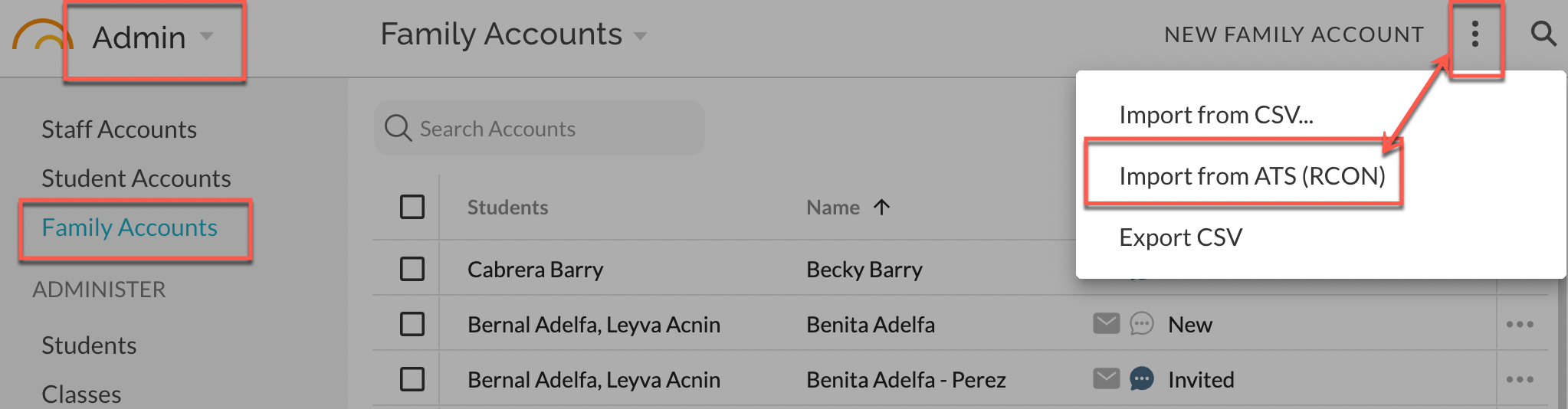
The import may take several minutes depending on the quantity of changes being made. You'll see a completion message when the import is done.
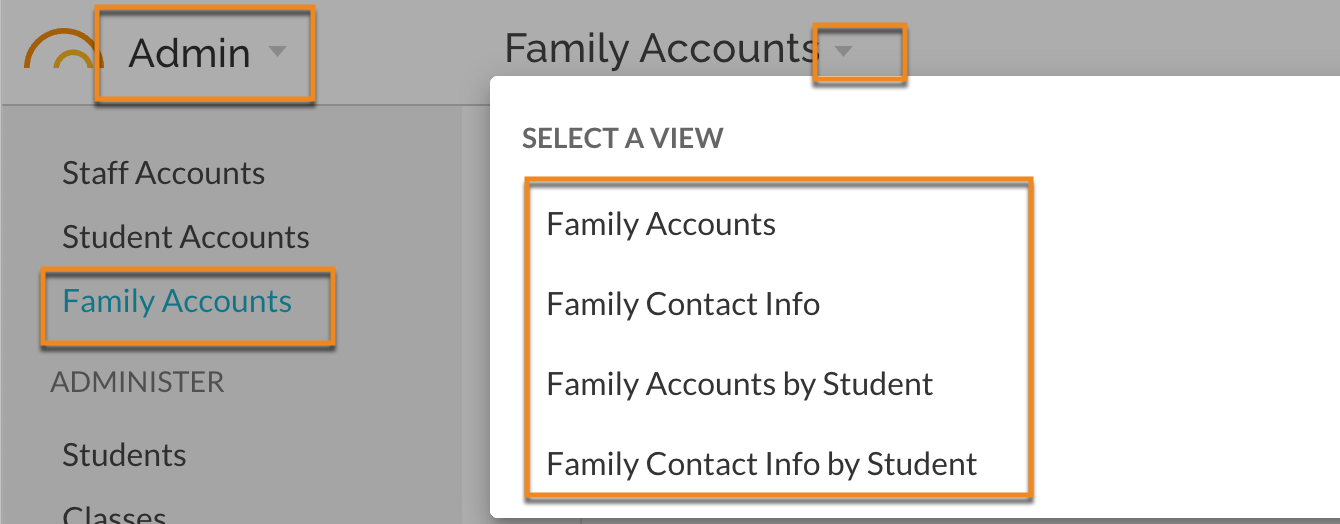
Review the actual contact information in the various views in Admin - Family Accounts. Note 'Account' refers to email usernames while 'Contact' refers to email addresses, mobile phone, home phone, etc.
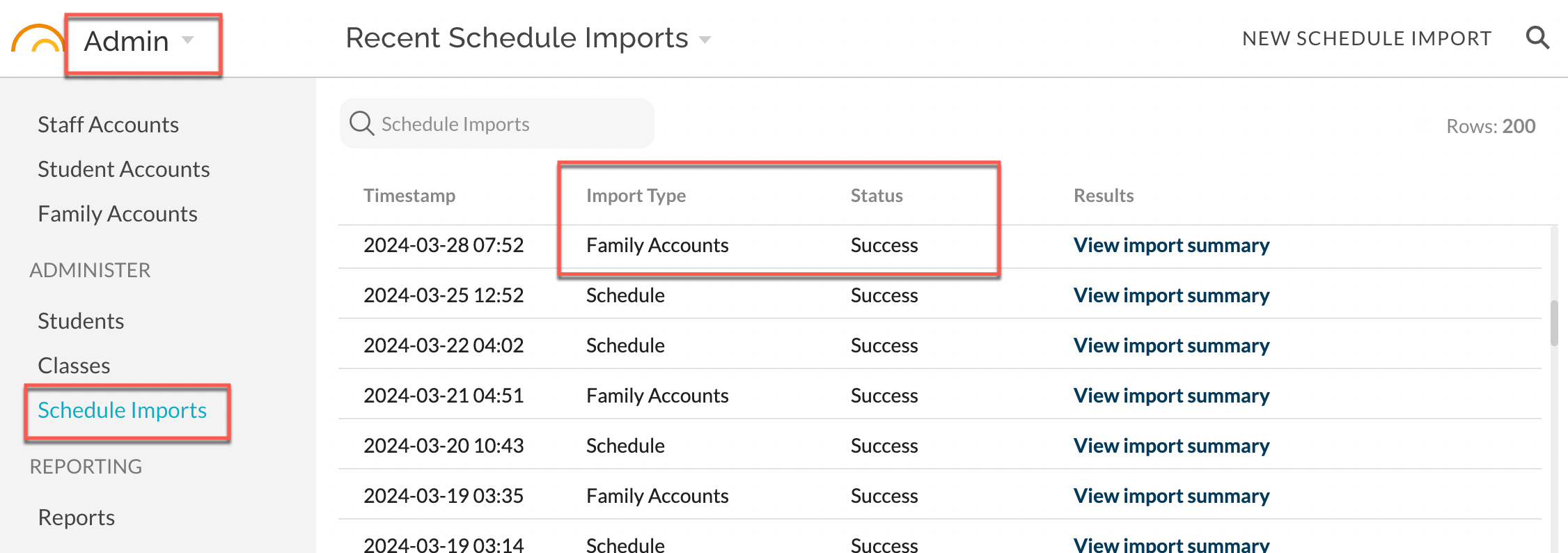
Review the status of an import in Admin - Administer - Schedule Imports by viewing the Import Type and Status columns:
RCON Family Contact and Family Account information
The RCON file includes family contact information such as the names and phone numbers of family members. Generally speaking, this data is vetted by staff members and kept up to date for purposes beyond JumpRope, and thus relatively easy to access. Since it is exported from ATS and not STARS, we have made it optional so that schedule imports can proceed as usual if it isn't accessible.
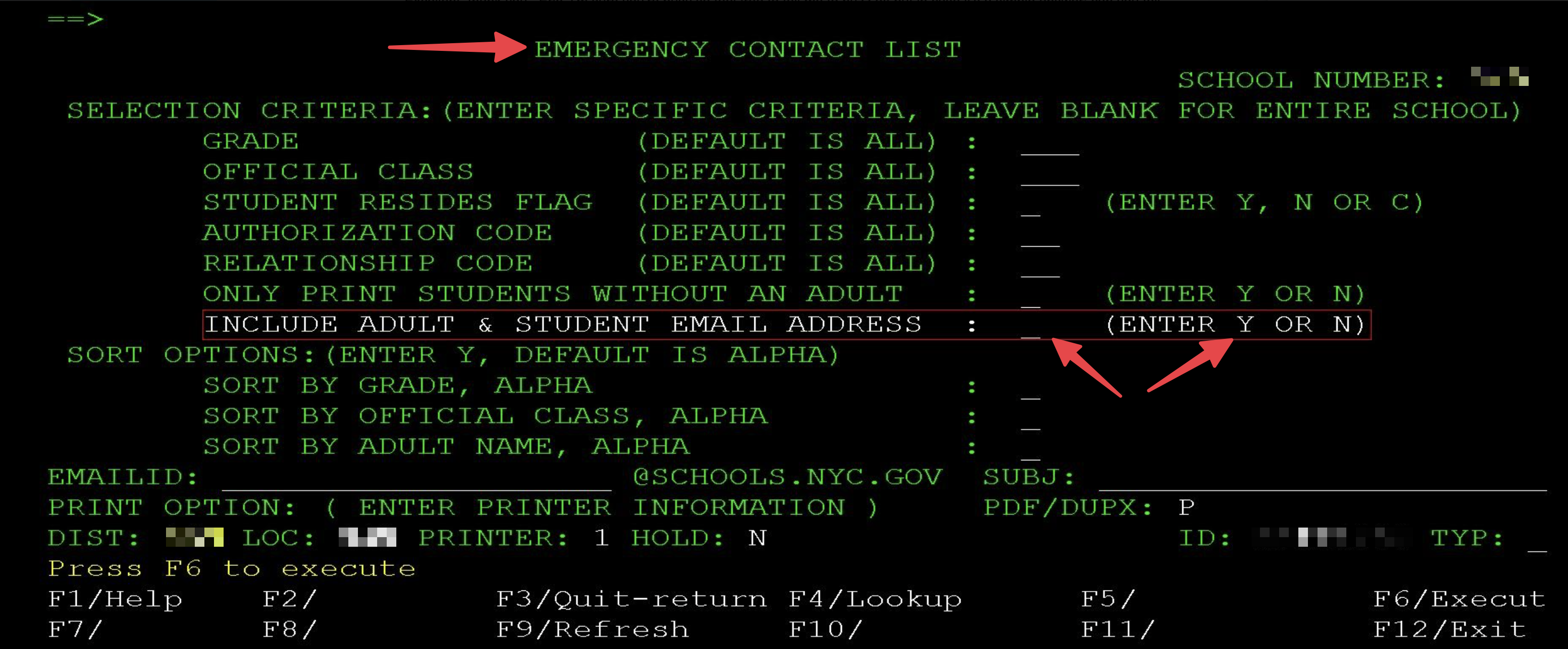
When providing this data, be sure to include the entire school and enter "Y" for INCLUDE ADULT & STUDENT EMAIL ADDRESSES****as shown below:
Importing the RCON will do the following:
- Any row that has a valid adult email address and a valid mobile phone number will lead to a Family Account being created/updated in JumpRope. Other rows will be ignored, even if they have other contact information. JumpRope identifies individuals by either email or mobile phone number and assume that other contact information might be shared.
- Family Accounts will be created, visible within JumpRope's Admin module. The family accounts that are created via the RCON import will be "managed" which means most fields are not editable within JumpRope ( . To make changes to the family account name/email, it must be edited in ATS and re-imported into JumpRope. Note: Family Accounts will not have access to the Family/Student Portal until you send** Welcome Email invitation**and the recipient uses the invitation to finalize setup of their account.
- When a row (family member) is removed from ATS, the related family account will also be deactivated in JumpRope upon the next import of a fresh RCON report.