Find more general information about Family Accounts here. This information is relevant for any manually created Family Accounts. See here for information on Managed Family Accounts.
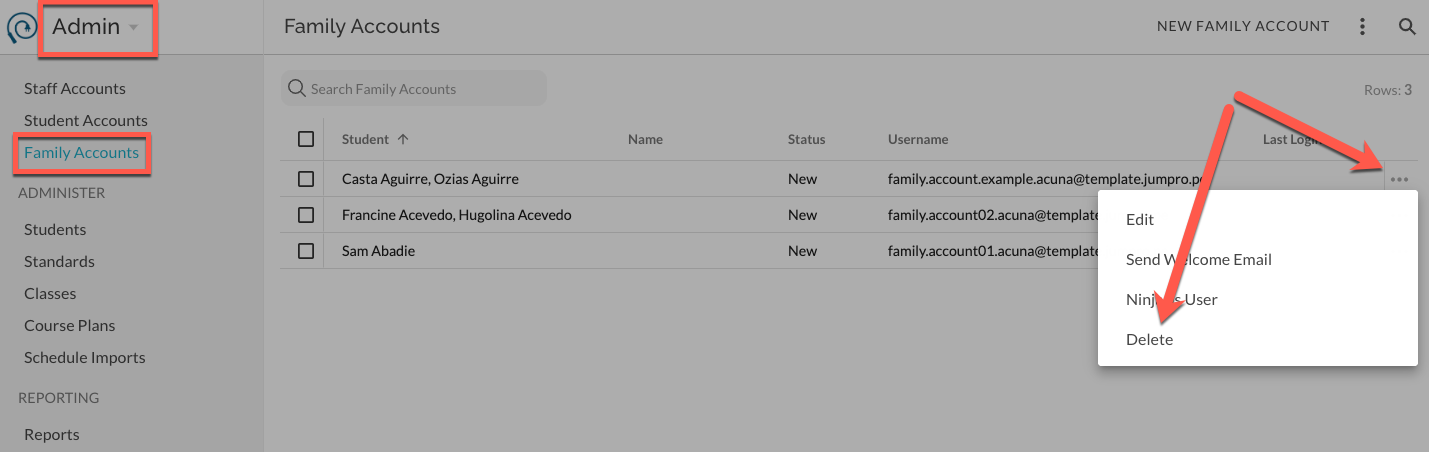
Delete Family Account
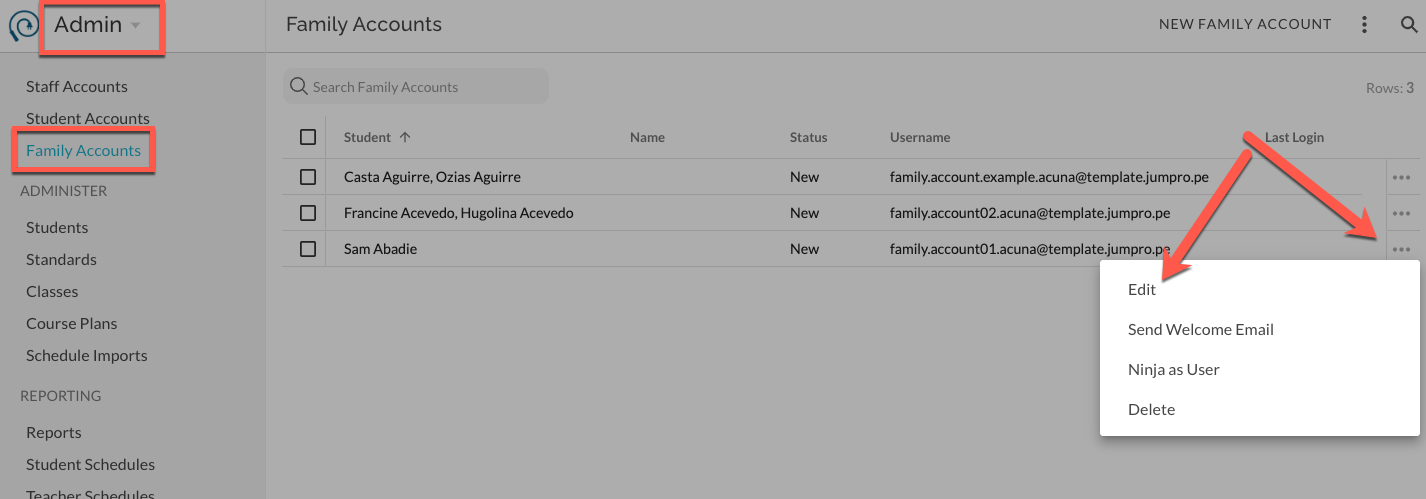
To delete and account individually, select Delete from the extras menu.
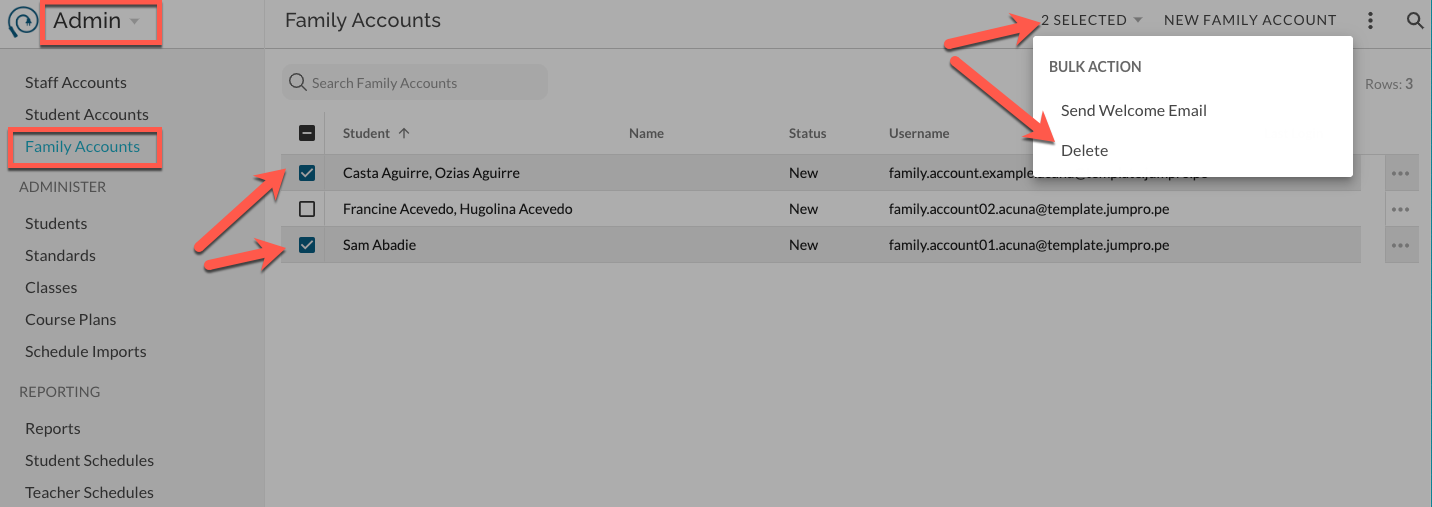
To delete accounts in bulk, select the set using the checkboxes. From the Bulk Actions menu, select delete.
Add/Remove Students
Select Edit from the extras menu.
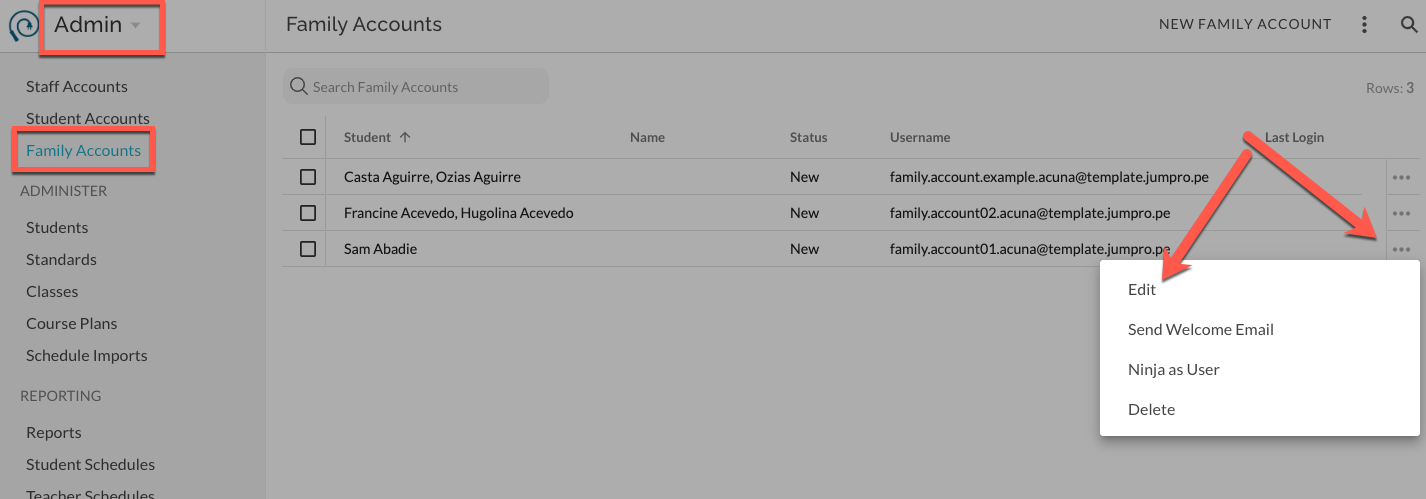
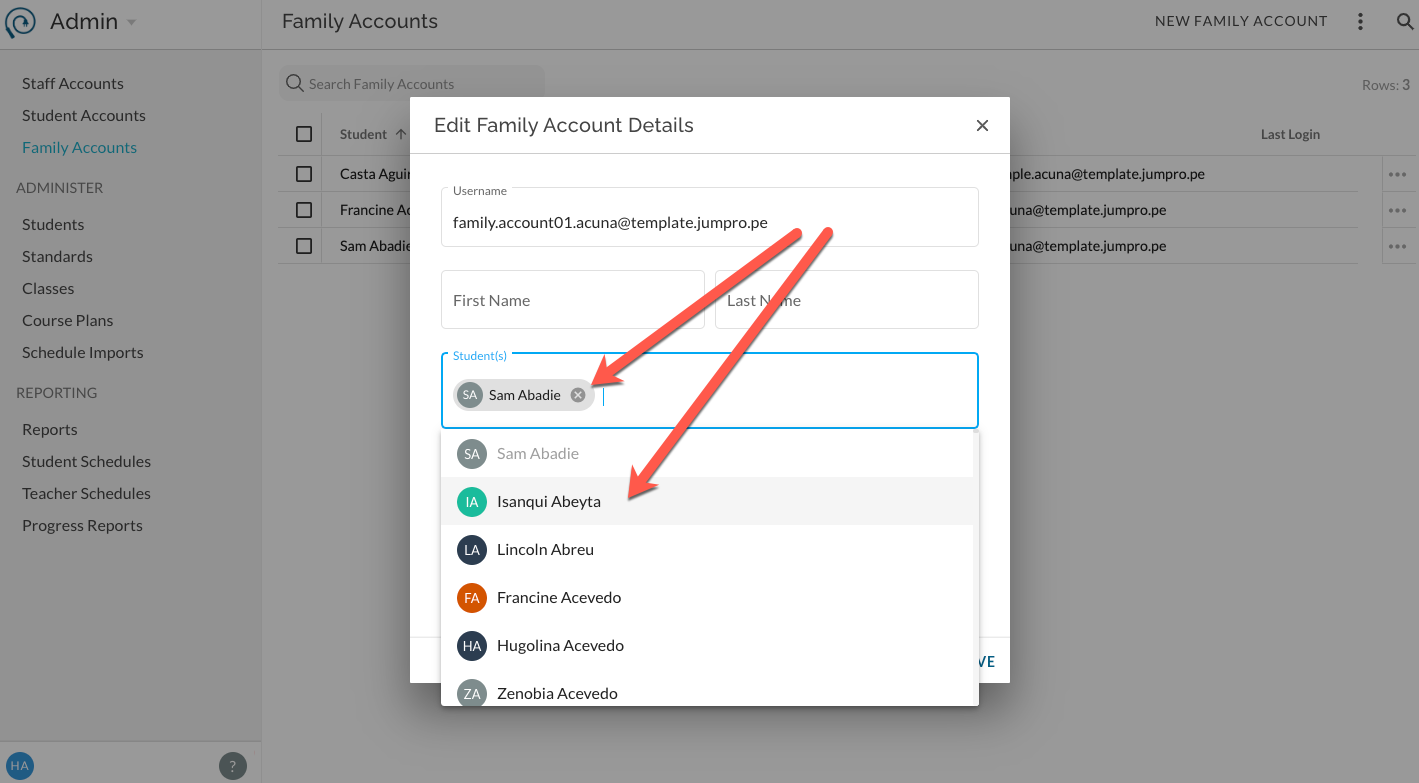
Add and remove students as needed and click Save.
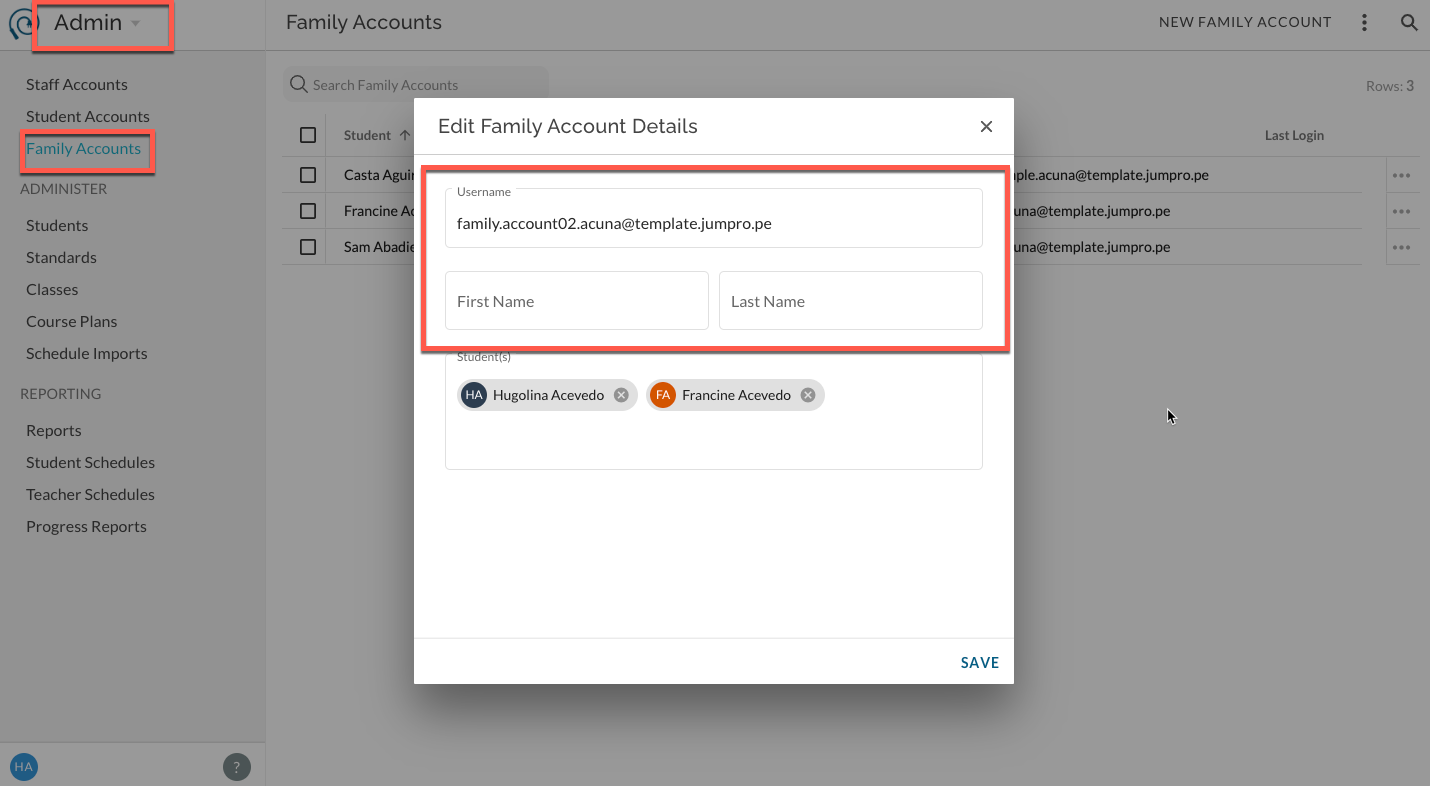
Edit username for 'New' status Family Accounts
Given that status is 'New', select Edit from the extras menu.
Edit username and/or first and last name as needed and save. N ote: if user status is 'Invited' or 'Active' you cannot edit these fields, they are now managed by the user.__