

Find more information about Family Accounts here.
Family Accounts can be created individually or via import.
NYC Schools that use ATS data should consider Managed Family Accounts
Using a Staff Account username email as a Family Account username email is not currently supported.
Create Accounts Individually
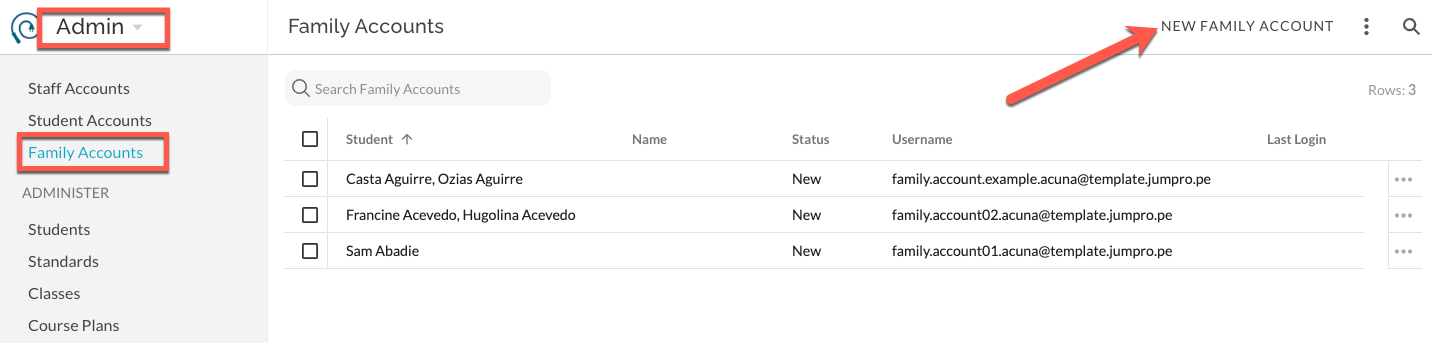
In Admin - Family Accounts, select New Family Account.
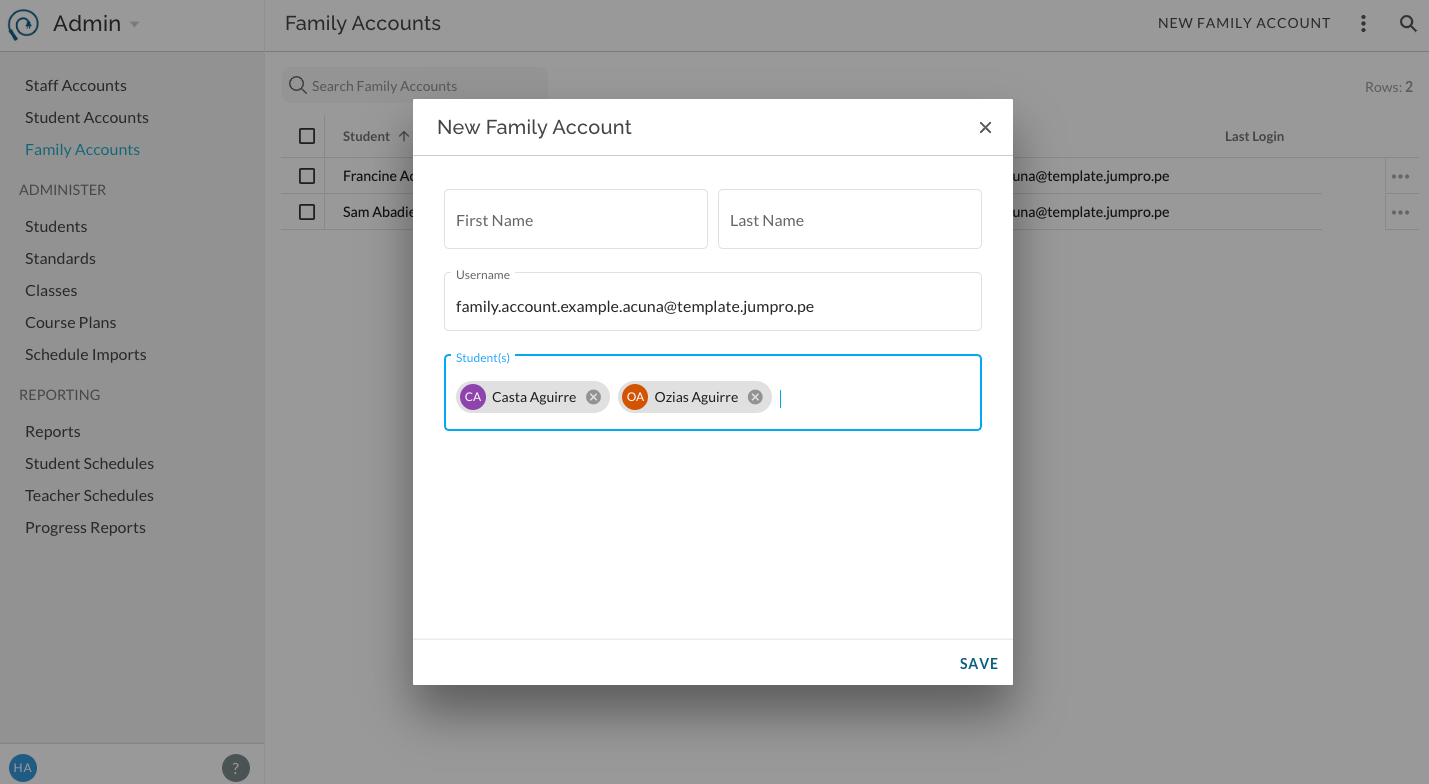
Enter data in fields. First Name and Last Name are not required and can be managed by the user. Username and at least one Student are required. Username can be managed by the user, Students cannot. Save.
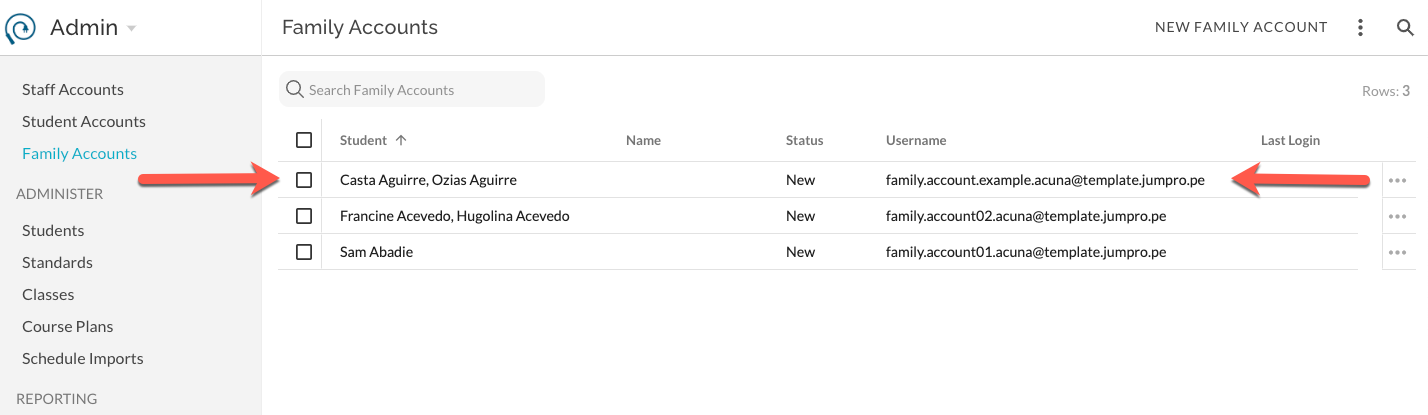
Status of newly created account is New.
Create Accounts via Import
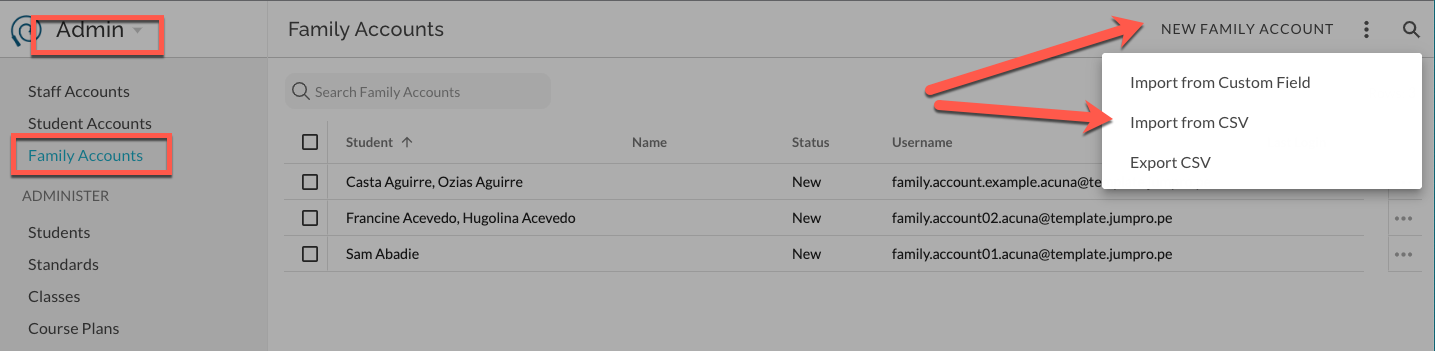
In Admin - Family Accounts, select Import from CSV.
In the mapping interface, Select to download template, upload the completed template, upload your own pre-existing spreadsheet, or manually enter data. Note, Student value should match back to existing unique Student ID value within JumpRope.
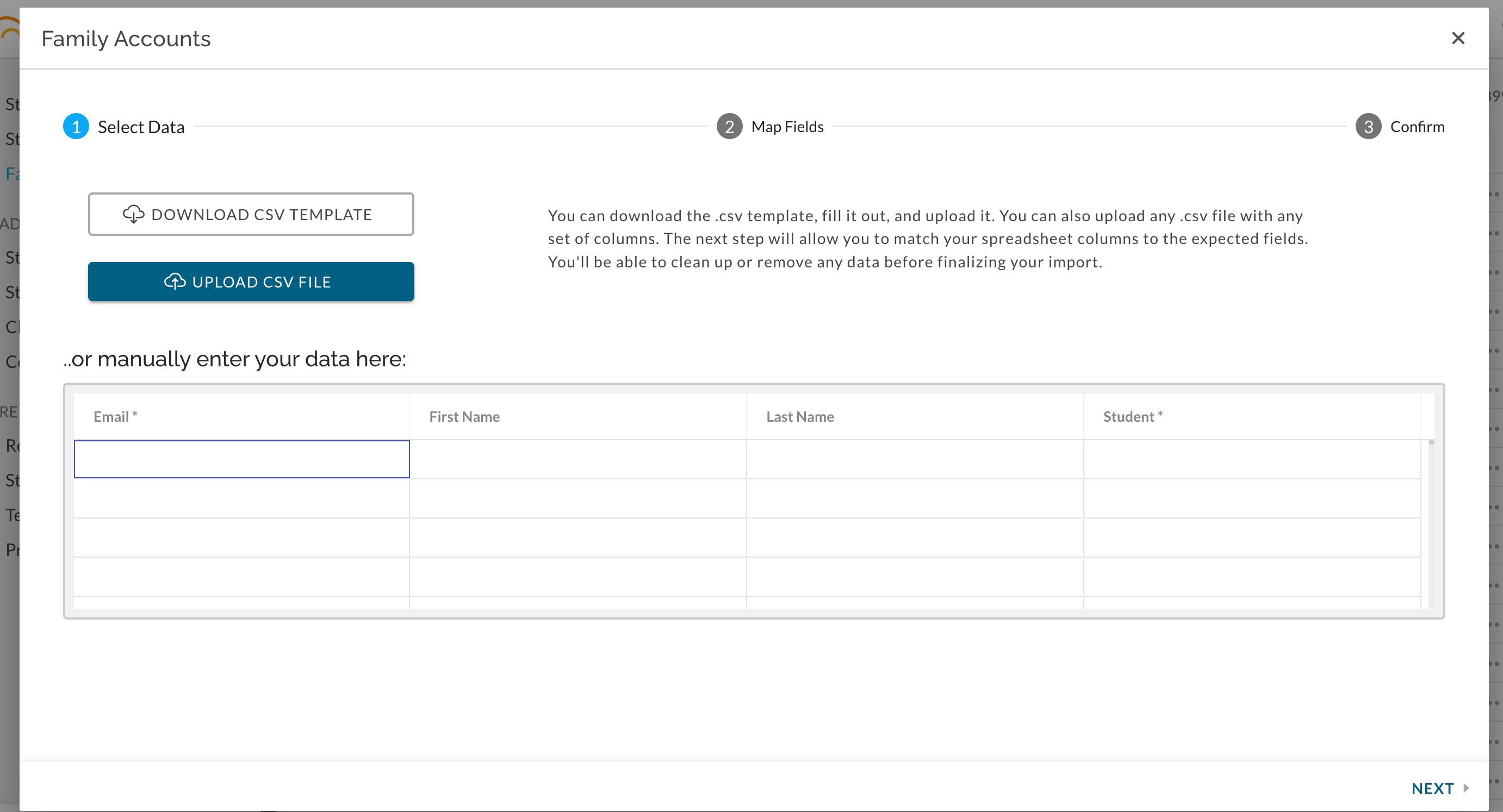
Follow the steps in the interface to map columns to data types.
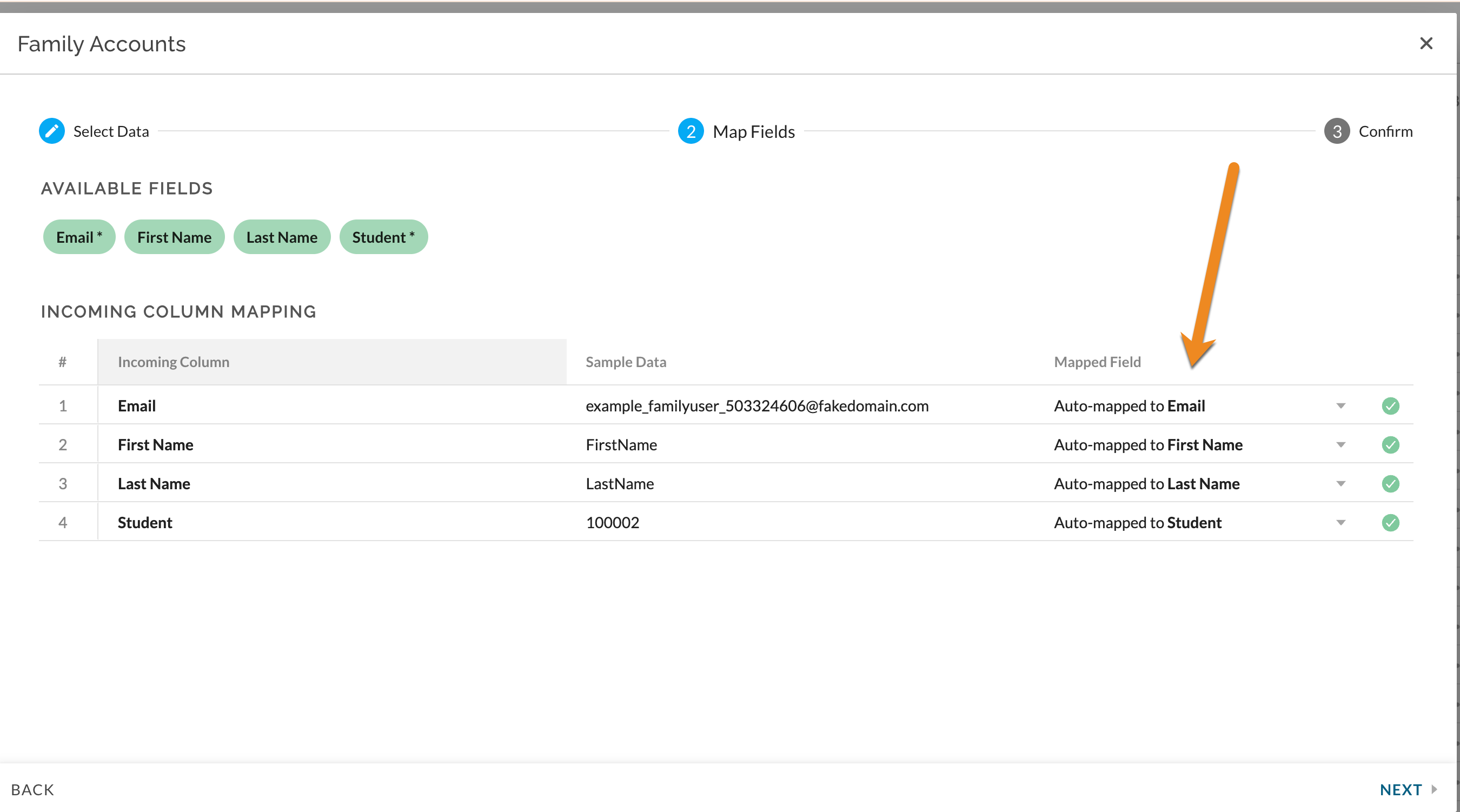
Select NEXT to preview date and then IMPORT
See Also:
Reference - Family Accounts
How To - Send Email Invitations for Family Accounts