

Depending on your school's settings, Family Accounts may be either Managed or Manual. For more information see Managed Family Accounts. Managed Family Accounts are a custom setup; please contact JumpRope support if you are interested in hearing more. Currently, they are a 'preview' feature; Family Accounts may be an add-on feature with an additional fee in future years.
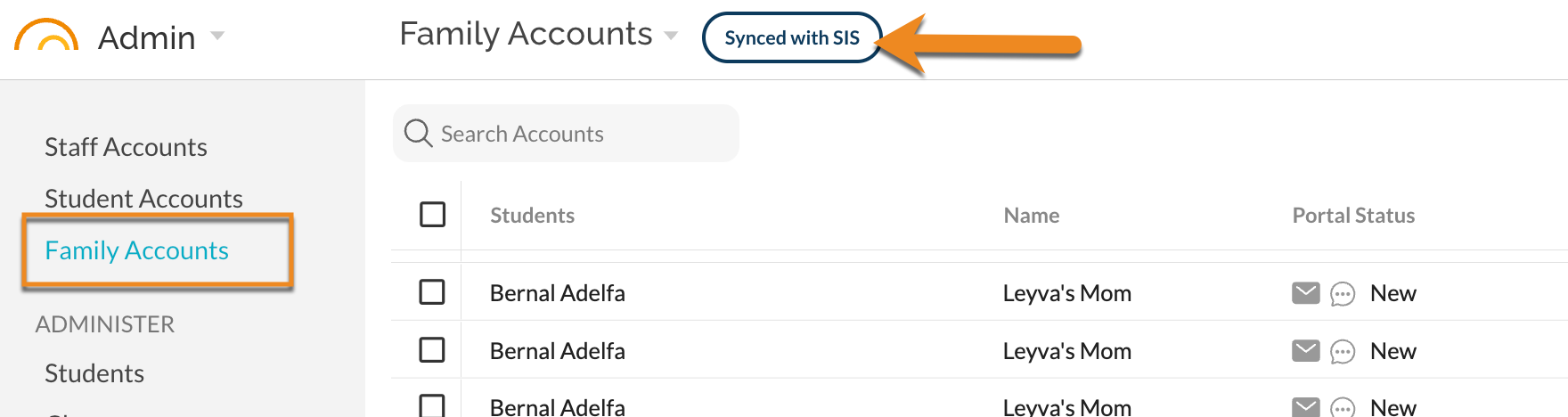
What's the difference between "managed" family accounts and "manual" family accounts?
Managed family accounts are created, updated, and deactivated based on data from the SIS (i.e. ATS) / schedule sync process. Manual family accounts are created and managed within JumpRope's interface by users with Admin access.
How do I update Family Account information in JumpRope?
- If enabled for you school, Managed Family Account contact information is imported in to JumpRope as described here:
- How To - Import NYC RCON (ATS) Contact Information
- How to - Retrieve the RCON file from ATS
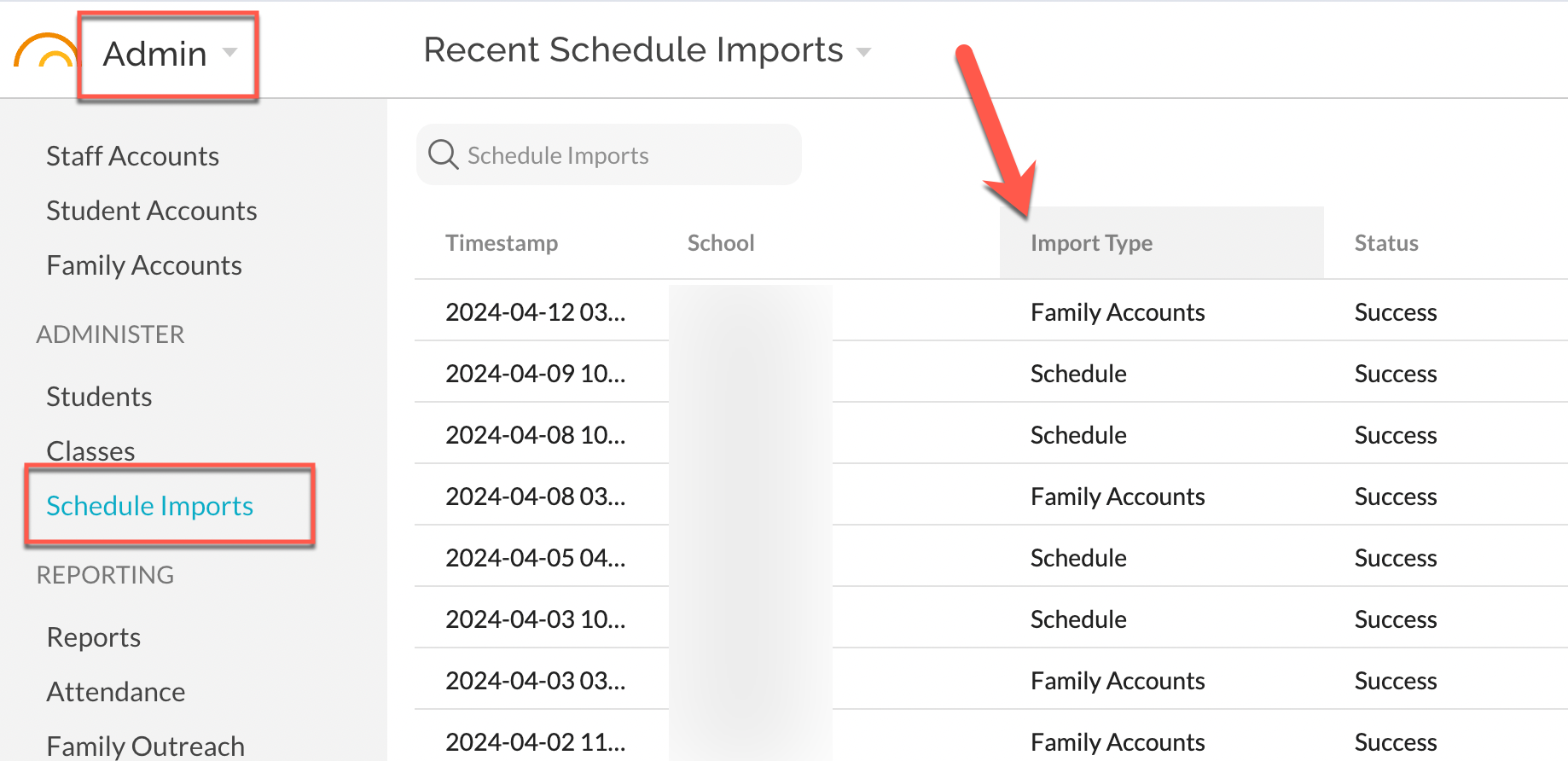
How do I know if an import of Family Account data (RCON) has been successful? How do I know when the most recent import has occurred?
- In Admin - Schedule Imports the list view includes a Type column that identifies a Schedule import (i.e. STARS files) from a Family Accounts import (i.e. RCON Family Contact data).
Some email addresses are not being added, why? Why are some email addresses 'not verified'?
Currently, the NYC DOE is using NYCSA as a parent platform to display student information. The onboarding process to NYCSA requires registration and then subsequent email verification by the guardian(s). The RCON file will display both verified and "not verified" email addresses of guardians which have registered through the NYCSA process. Open the RCON file and view the Adult Email column to see which are notated with "not verified". This means that the owner of the email did not reply back to the verification email that NYCSA sent when the email was added.
JumpRope can be configured by our team to allow these "not verified" email addresses to be Family Account email address usernames or they can be excluded. During the initial setup and validation process our team includes this description and choice in our communication with school leadership. Please confer with our team if you have questions about the choice that was made during initial setup.
If you choose to only include those Adult Email contacts which have been verified through NYCSA, importing the RCON into JumpRope will create Family Account email usernames for these email addresses only. 'Unverified' email addresses will be excluded from Family Accounts in JumpRope but may be available as read-only contact in a student's Profile.
Alternatively, choosing to include "not verified" Adult Email email addresses will import all guardian information including both 'verified' and 'unverified' email addresses. These email addresses will be used to create Family Accounts usernames in JR.
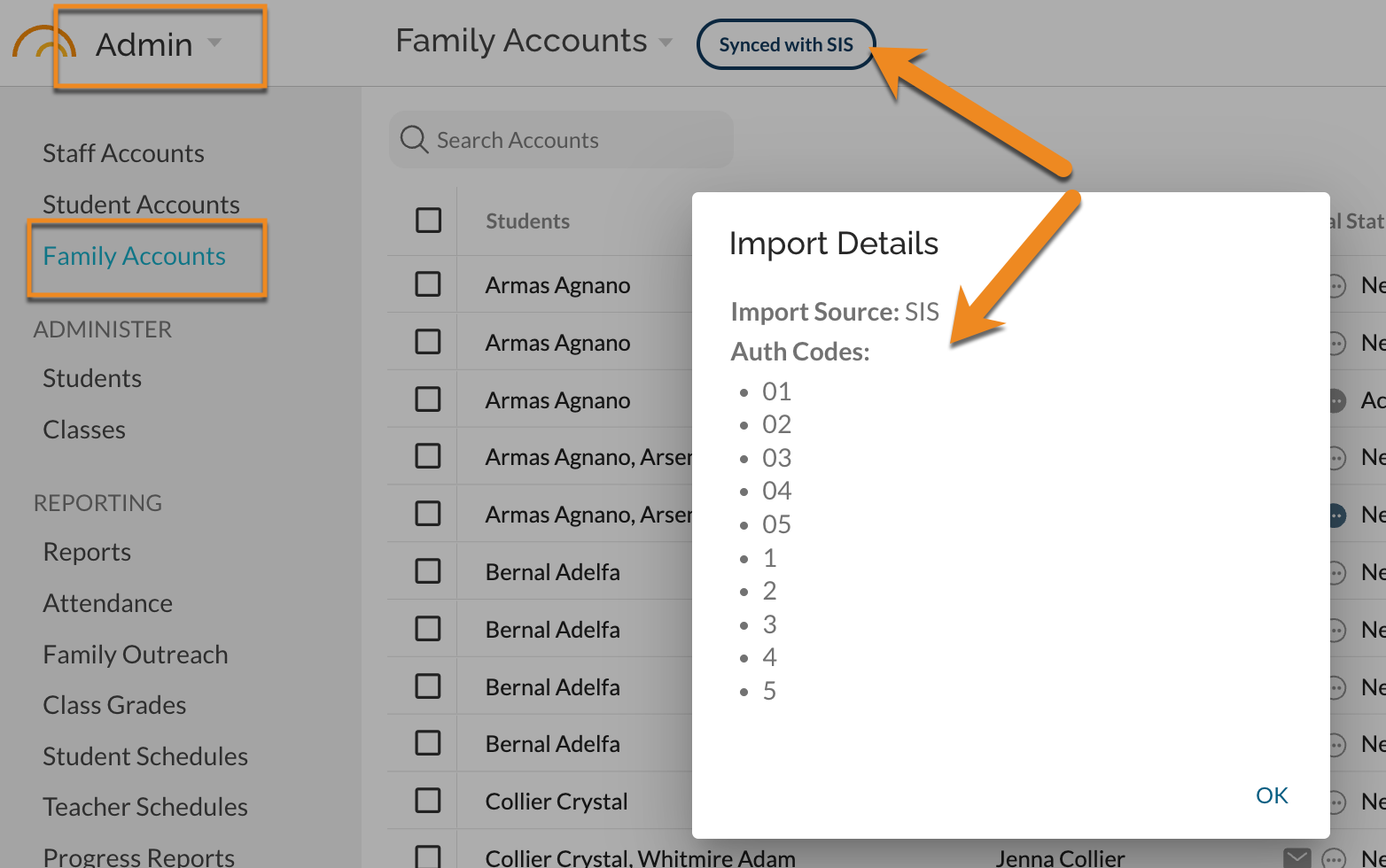
How do I manage Auth Codes (Authorization Codes) for individual contacts?
JumpRope can be configured to allow contact information for only specific Auth Codes on the individual (In ATS, for example, Auth Code 1 is a primary adult contact). REview current Auth Code settings as shown below. Changes to these codes must be requested at support@jumpro.pe.
If I choose to exclude "not verified" email addresses, will the unverified guardian's contact information be imported to JumpRope?
Yes, this information is available within Admin > Family Accounts > from the drop-down header select "Family Contacts by Student". Here you will see all guardians listed with corresponding contact information. Family Account email usernames are not created with 'unverified' email contacts but the email contact is listed on a student's Profile.
Can I make changes in JumpRope for a managed family account?
-
Yes, preferred language and relationship codes populate as a dropdown menu option. Don't forget to click on the "save" button when finished.
-
Some fields in this view are "read-only" and those changes should be made through ATS.
What is "portal status" on a Family Account?
Available status indicators are New, Invited, and Active.
- New - Accounts that have never had a Welcome Email sent to them.
- Invited - Accounts that have had a Welcome Email sent but the user has not yet logged in to their account (the invitation email expires after 7 days and can be re-sent).
- Invited (bounce) - The Family Account is inactive and the portal welcome email was not received.
- Active - Accounts that have logged in at least once. Please note, this active status is also viewable if the guardian has a student in another school using JumpRope.
Why does "portal status" display with an asterisk (*) for some accounts and not for others?
- Accounts that display with an asterisk (*) were created using the managed family accounts option or are currently tied to this managed process. Meaning, the RCON file was uploaded to JumpRope through the import process. These accounts include robust information like mobile phone number, relationship, and preferred language.
How can I make changes to the parent contact information if I don't have access to ATS?
- Every school has a unique workflow for capturing these changes. A popular workflow used by many of our schools is to create an anecdotal Comment Type that is used to notate the changes on the account (see Suggest Changes). Within the anecdotal comment a user can select an "assignee" for their school. Oftentimes, this person has access to ATS and will make the changes needed there which will then be reflected in JumpRope.
Can I manually create a new family account if we are using managed family accounts?
- Yes, however this data will not feed back into your student information system.
What happens to the managed family accounts when I make changes to ATS, will a fresh import of ATS data override the information that is currently in JumpRope?
- Yes, the ATS data is authoritative and updates JumpRope. JumpRope will always match ATS; email addresses that are no longer a contact in ATS will be removed from JumpRope. New contact email addresses will be added to JumpRope. It is the school's responsibility to periodically send Welcome Email invitations to New email addresses.
I've noticed that some of the family accounts have "no name provided", can this be fixed?
- Yes. The parent can add their own name when they receive the Welcome Email or you can add the parent name by editing the Family Account (click on the ⋯ for the account). Please note, there is a good chance these accounts were manually created and therefore missing information. The most updated information is populated with the parent account with the asterisk (*). Accounts with a * are 'managed' and reflect information directly out of ATS (NYC) or your SIS.
Why does JumpRope display multiple accounts for the same guardian?
- When a school transitions from "manual family account" to a "managed family account" process, JumpRope will not remove the manually created family accounts if there is no matching email address in the managed ATS data. If the email address does match the ATS data, JumpRope will convert the manual account to 'managed'.