

Class Schedule "HERE" Indicator Displays on the Incorrect Period
The "HERE" indicator in the Class Schedule displays on the wrong class period. This can occur on days that use an alternate bell schedule, such as a minimum day, even though the alternate bell schedule has been configured.
Environment
- Scheduling type: Bell Schedules with alternate or minimum day schedules
- Feature: Student Class Schedule
- Occurs when calendar dates are expected to use a custom bell schedule
Cause
- The calendar day does not have the appropriate custom bell schedule assigned. The system determines the current period using the bell schedule attached to the specific calendar day.
- When no custom bell schedule is assigned to the calendar day, the system uses the default bell schedule period times instead of the intended alternate schedule, causing the "HERE" indicator to appear on the incorrect period.
Resolution
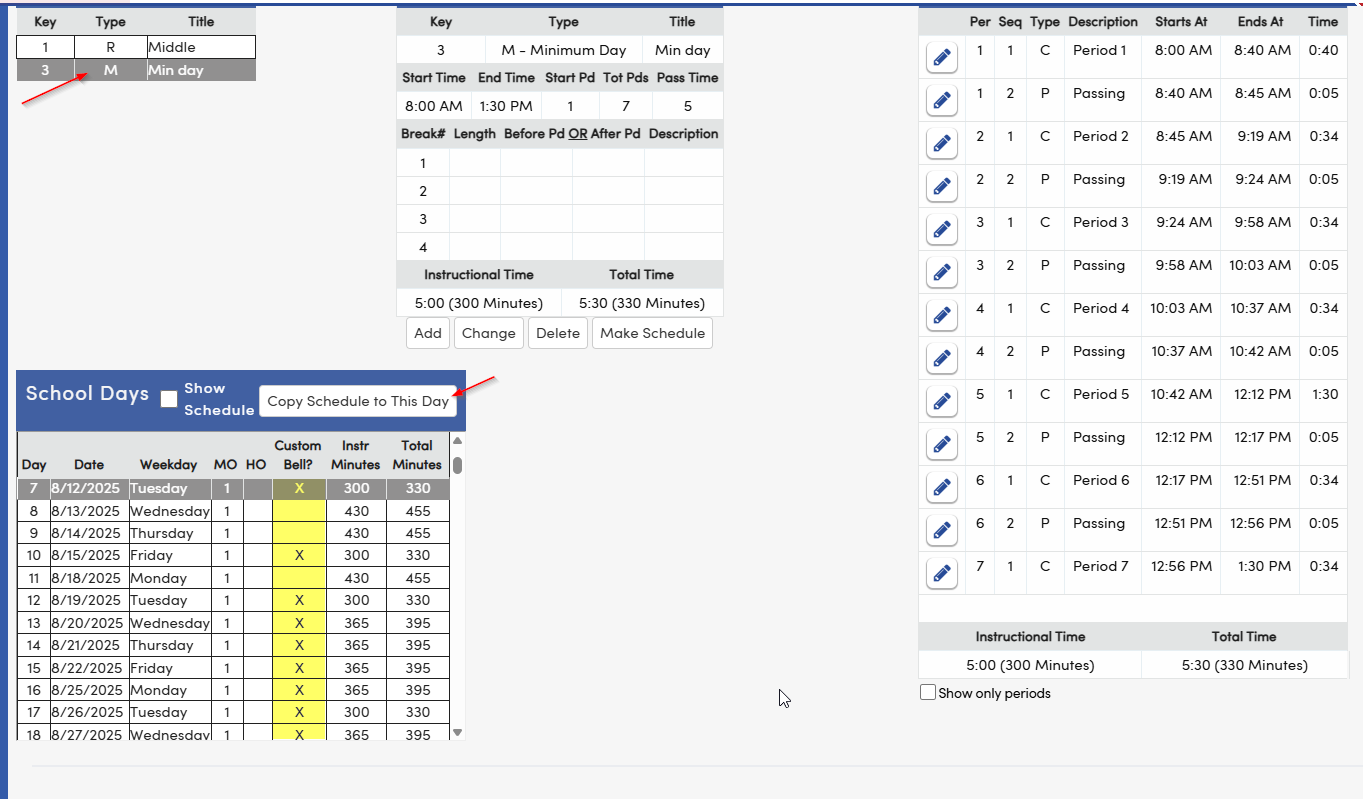
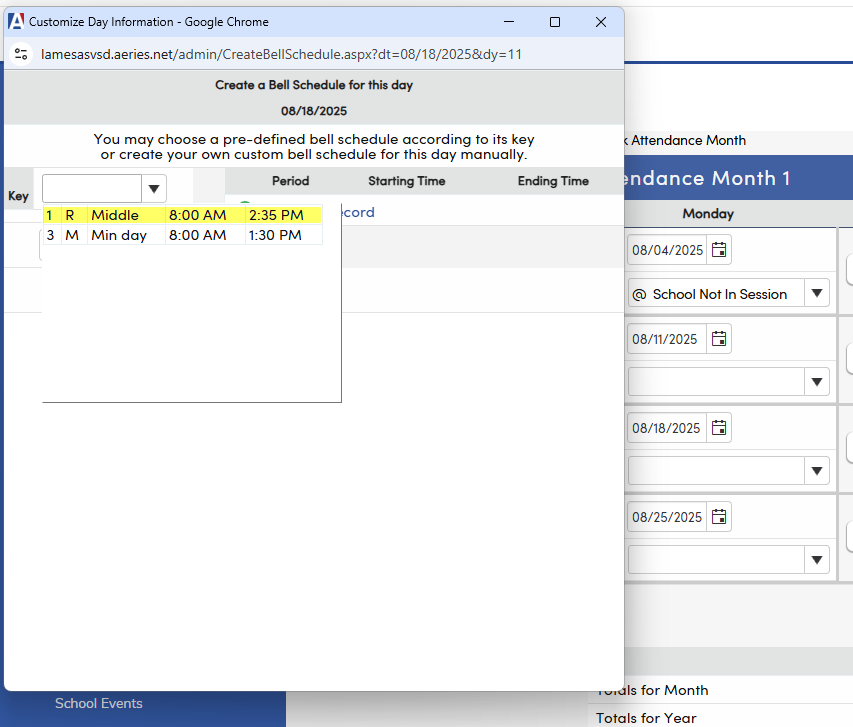
- Navigate to the Bell Scheduler or School Calendar.
- Locate the affected date that should use the alternate or minimum day bell schedule.
- Assign the appropriate custom bell schedule to that calendar day.
- From the Bell Scheduler page
- From the Calendar page
- From the Bell Scheduler page
- Save the change so the calendar day references the correct bell schedule.
- Verify that the custom bell schedule is associated with the date and that the system is using the correct period times.
- Once the correct bell schedule is assigned, the "HERE" indicator should display on the correct class period.