

Next Year Terms
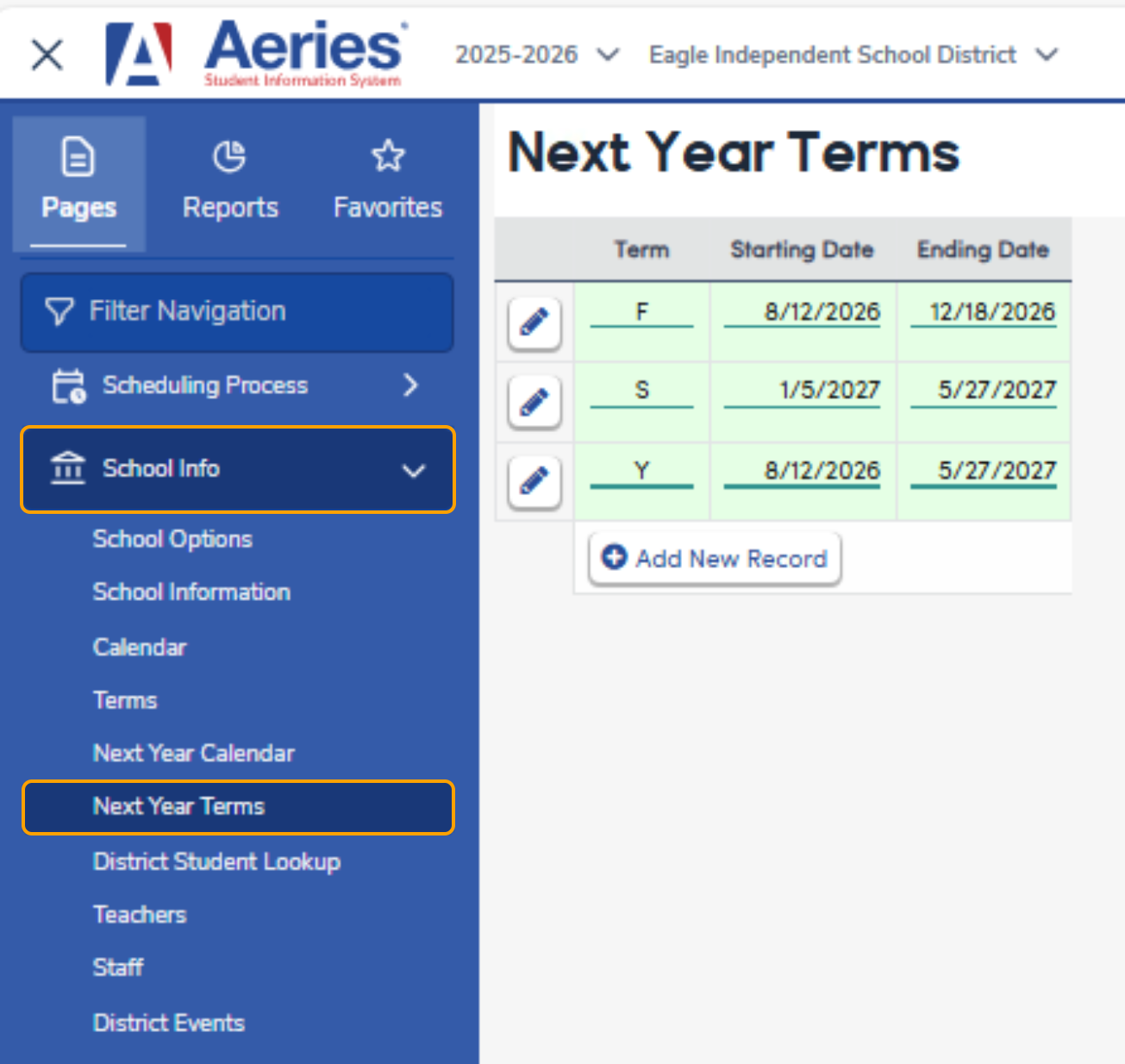
The Next Year Terms page allows districts and schools to define school terms for the upcoming school year before rollover. This page functions the same as the Terms page, but stores data for the next school year so it can be copied into the active year during rollover.
Overview
The Next Year Terms page is used to create and manage academic terms such as semesters, trimesters, quarters, or reporting periods for the upcoming school year.
Defining terms in advance ensures that schedules, transcripts, and attendance reporting can be set up accurately once the school year is rolled over.
Security
Access to the Next Year Terms page uses the same security permissions as the Terms page.
Users must have the appropriate permissions to view, edit, add, or delete terms.
| Permission | Allows the user to |
|---|---|
| Read | View Next Year Terms |
| Update | Edit term dates and values |
| Insert | Add new terms |
| Delete | Delete terms (if allowed) |
Initial Setup
If no Next Year Terms exist, the page opens ready for term entry.
- Terms must be entered before rollover
- At least one term is required for scheduling and reporting
- District terms should be created prior to school terms
Note: Next Year Terms are used only for setup and planning. They are not active until rollover.
Term Fields
Each term includes the same fields found on the Terms page.
Common Fields
- Term Code – Identifies the term (for example, S1, S2, Q1)
- Description – Term description
- Start Date – First instructional date of the term
- End Date – Last instructional date of the term
Additional fields may be available depending on state and reporting requirements.
Validation
The Next Year Terms page includes built‑in validation consistent with the Terms page.
Automatic Checks
- Start dates must be on or before end dates
- Term dates may not overlap
- Dates must fall within the school year
- Required fields must be completed
The Save button is disabled until validation errors are corrected.
Adding Terms
To add a new term:
- Click Add
- Enter the term code, description, and dates
- Save to add the term to the list
Terms may be added in any order but must not overlap.
Editing Terms
- Existing terms may be edited if permissions allow
- Changes are saved immediately
- Term codes used by schedules or reporting may be restricted from deletion
Deleting Terms
- Terms may be deleted only when not in use
- Deletion rules mirror the Terms page
- Some terms may be protected from deletion depending on setup
Rollover Information
During New Year Rollover:
- Next Year Terms (NTM) are copied into the active Terms (TRM) page
- Existing Terms (TRM) are replaced by the rolled‑over data
- The Next Year Terms (NTM) page is cleared for future use
Important Notes
- Next Year Terms are not used for attendance or scheduling until rollover
- Changes made after rollover must be done on the Terms page
- District terms should be created before school terms
- Term structure should align with transcript and reporting requirements