

Aeries offers two methods of address verification to map residential street addresses to proper school boundaries. This can be accomplished with the Aeries Streets Table, or with one of our partners, DecisionInsite. DecisionInsite is turned on with the Use DecisionInsite for Street Validation (beta) option on the School Options page at the District level. This option is only displayed when the Streets table has no records (or when DecisionInsite is already turned on), so a district must choose one method or the other. See DecisionInsite Integration for setup steps. This article will focus on the Streets table.
The Street (STR) table contains mapping information for the different streets within each district. This information can be hand entered on the Streets page or loaded with the Import Data to Aeries page from a CSV or Excel file (requires Mass Add access). This table will contain the exact street name, number range of the address, if the address is odd or even, direction, city, zip code, grid code, next grid code and map reference.
From the Pages navigation tree, search for Streets. The page is found under School Info > Configurations > Streets.
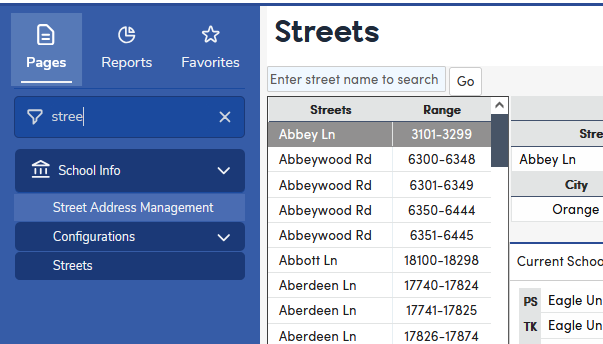
Below is an example of the Streets page.

The Street table will also store the School that a student should be enrolled in according to the street location for each grade level in the current year as well as the next school year. Preschool (PS), Transitional Kindergarten (TK), and grades 13-18 can also be populated for the current year or the next year.
Note: The Street table data should be originally populated in a test Database. Once at least one Street (STR) table record exists, the address Validation process is enabled. It may take up to 5 minutes for validation to start after the first record is added. Validation is also enabled when DecisionInsite is turned on.