

School Options
If you have a Long Term Independent Study School that is set up separately, the School Options page should be configured correctly. On School Options, set Scheduling Type to Elem w/MST, Att Type to Daily, and Att Reporting to Negative.
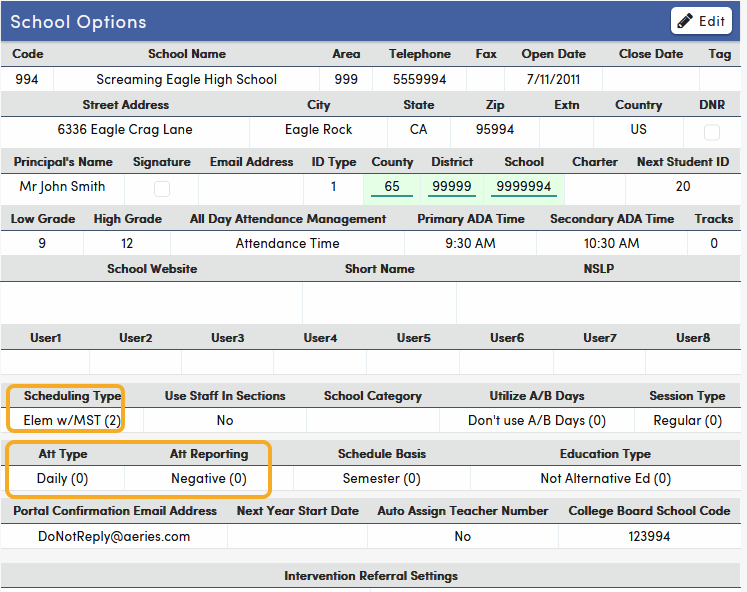
To use the Post Attendance by Month option in Portal Options for Teacher Attendance, set Att Reporting to Positive. The option can only be changed at schools with Positive attendance reporting. Refer to: Independent Study Teacher Portal Attendance.
Reporting Home School
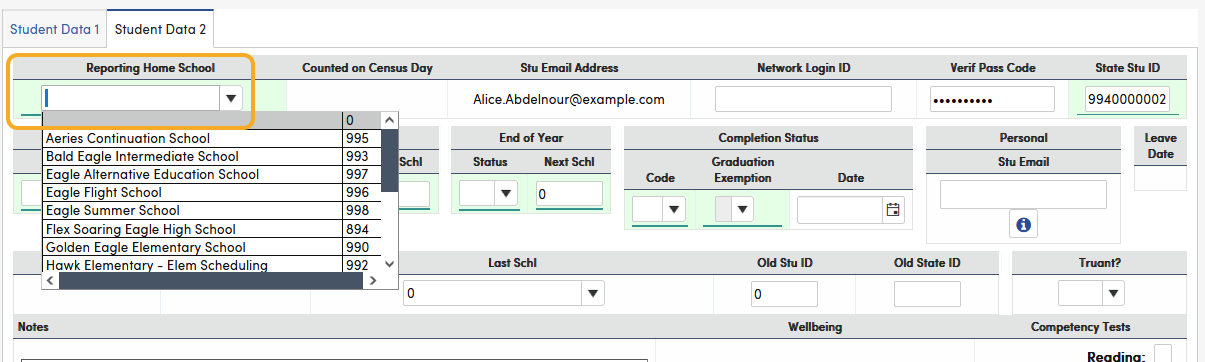
If you have a Long Term Independent Study School (Virtual School) that is set up separately you do not need to populate the Student Attendance Program (STU.SP). In a Virtual School environment, the Reporting Home School (STU.HS) field is populated. The Reporting Home School field is on the Demographics page, Student Data 2 tab.
If students will receive a transcript, each teacher must have at least one section (placeholder section) in the master schedule. The teacher's section number must be entered in Transcripts (HIS) for all courses taken with the teacher and displays as Section when you click More on the Transcripts page. This ensures the course is included in the CALPADS course section extracts (CRSC/SCSC).
For more information on using a Virtual School and the Reporting Home School field, see:
When should a Home Reporting School option be used?
EOY2: CALPADS Student Withdrawal Data Population Chart