

Navigate to Setup - Schedule - Cycle Day Calendar
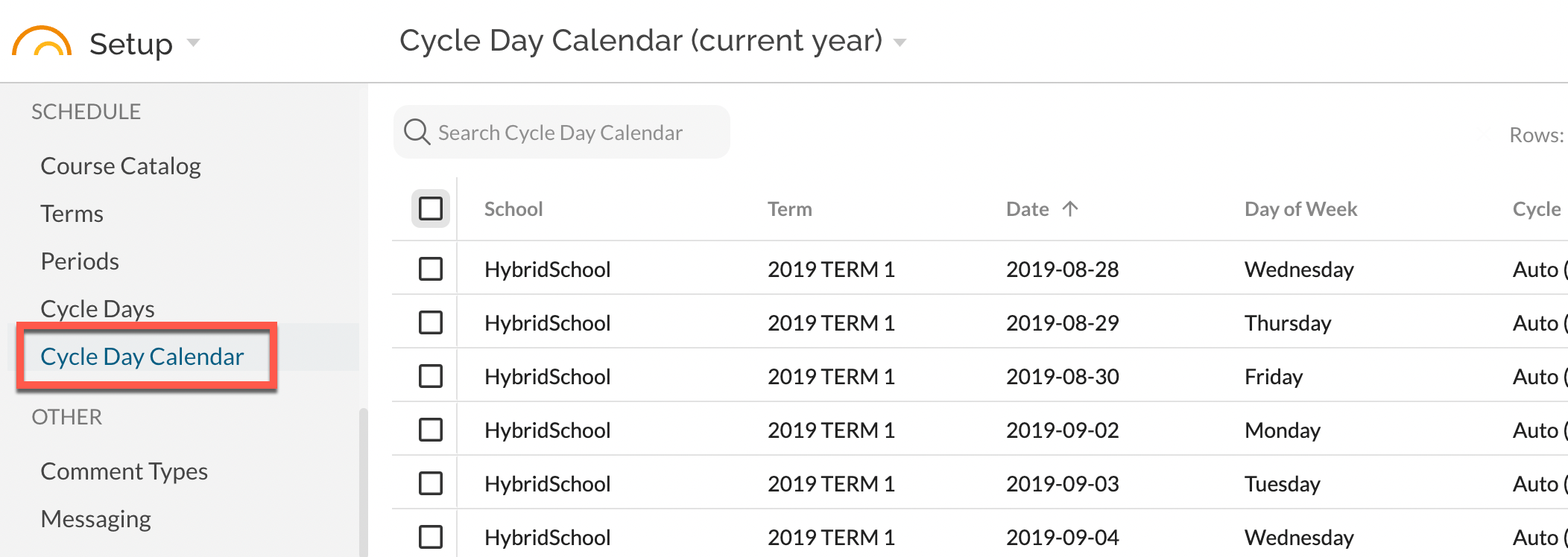
The School Calendar feature allows you to manage which dates within your current school year are mapped to which Cycle Days, if any. Any week day (Monday through Friday) can be mapped to any of the following options:
- No School: use this if it is a holiday or otherwise no schedule or attendance will be necessary.
- Auto (M-F): use this if you wish JumpRope to try to automatically determine the cycle day. If you only have one visible cycle day, we will always use that day. Otherwise, we will map the day of the week to the cycle day such that Mondays = Day #1, Tuesdays = Day #2, Friday = Day #5. Auto is the default.
- Specific Cycle Day: choose any cycle day 1-10 to map a specific date to a specific cycle day. Keep in mind that if you don't do this ahead of time, attendance schedules will fall back on the default (auto) cycle day.
Calendar Days appear for a given school only for Monday through Friday dates within the date ranges within terms that have been created. If you do not see a calendar day for a specific date, ensure that you have created a term that includes the date in question.
Bulk Update Calendar Dates
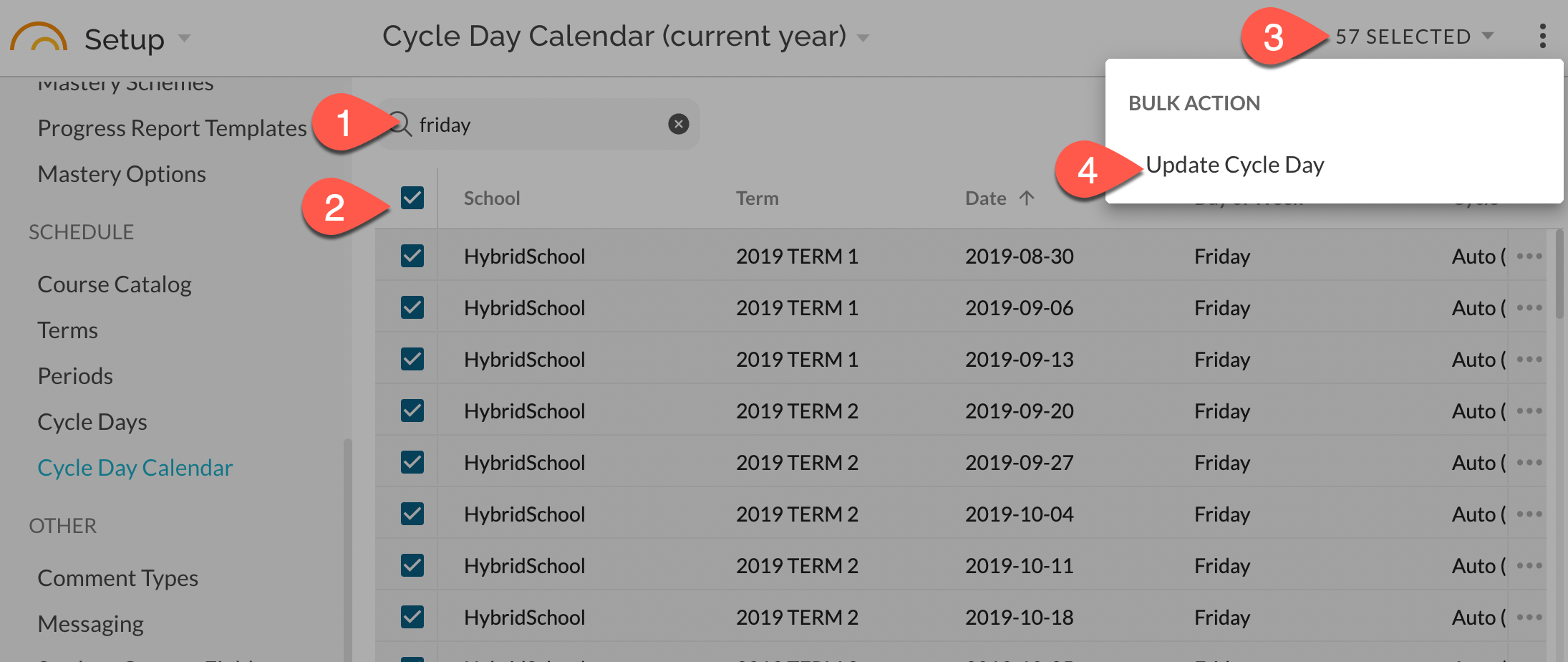
It is possible to filter, sort, and bulk update the cycle day for calendar days to save time. Any date that has not been edited will be set to Auto (M-F). For example, 1)use the search field to filter by a desired day, 2)bulk select the days, 3,4)bulk update their Cycle Day designation:
If you are administering this with district or region access, you must consider dates per-school because cycle day visibility and labels may differ per-school.
See also: Managing Cycle Days