

Setup > Schedule > Cycle Days
If your account uses JumpRope's attendance features, you can customize the cycle days of the day to match your schedule.
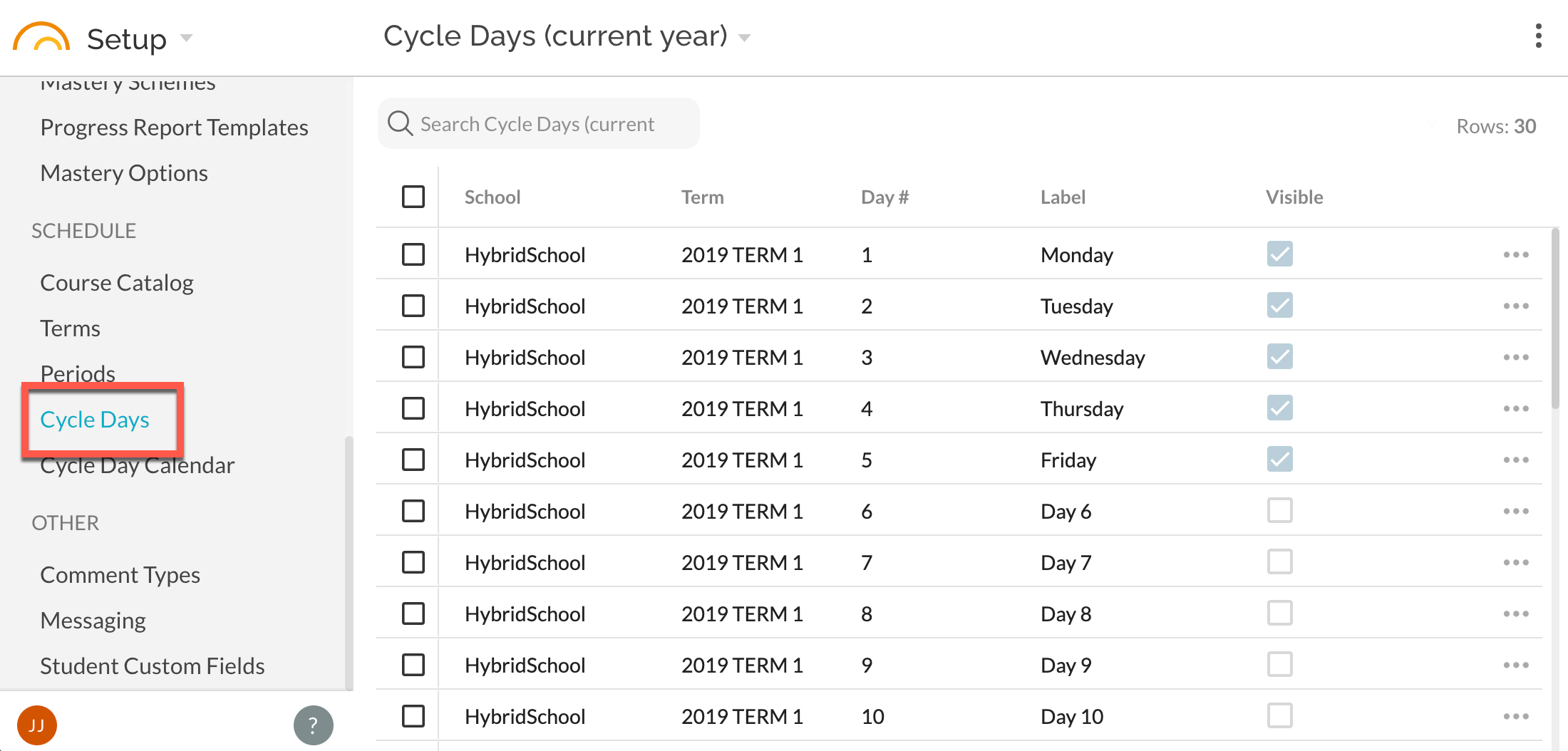
Each cycle day can have a different schedule; the most common use of this is to have five cycle days for Monday through Friday where a student and/or teacher schedule might differ between each day of the week. Other common schemes include an A/B day or a 10-day cycle which has alternating schedules from week to week. Cycle Days belong to a term, so you can change them each time you start a new year or term without affecting historical class periods. If you have any number of cycle days other than 1 (the schedule is the same every day) or 5 (the cycle day exactly maps to Monday through Friday), you will also have to maintain the cycle day associated with each school day of the year using the Cycle Day Calendar option in Setup.
JumpRope supports a maximum of 10 cycle days, numbered 1-10. Each term will automatically have all 10 cycle days created, and you get to decide which are visible to students & teachers. For example, if your school's schedule uses A & B days, you would want to set the visibility of cycle days 3-10 to be hidden so that teacher and student schedules would only show relevant days. You cannot delete a cycle day, but hiding it will remove it from all views except for the Setup tool.
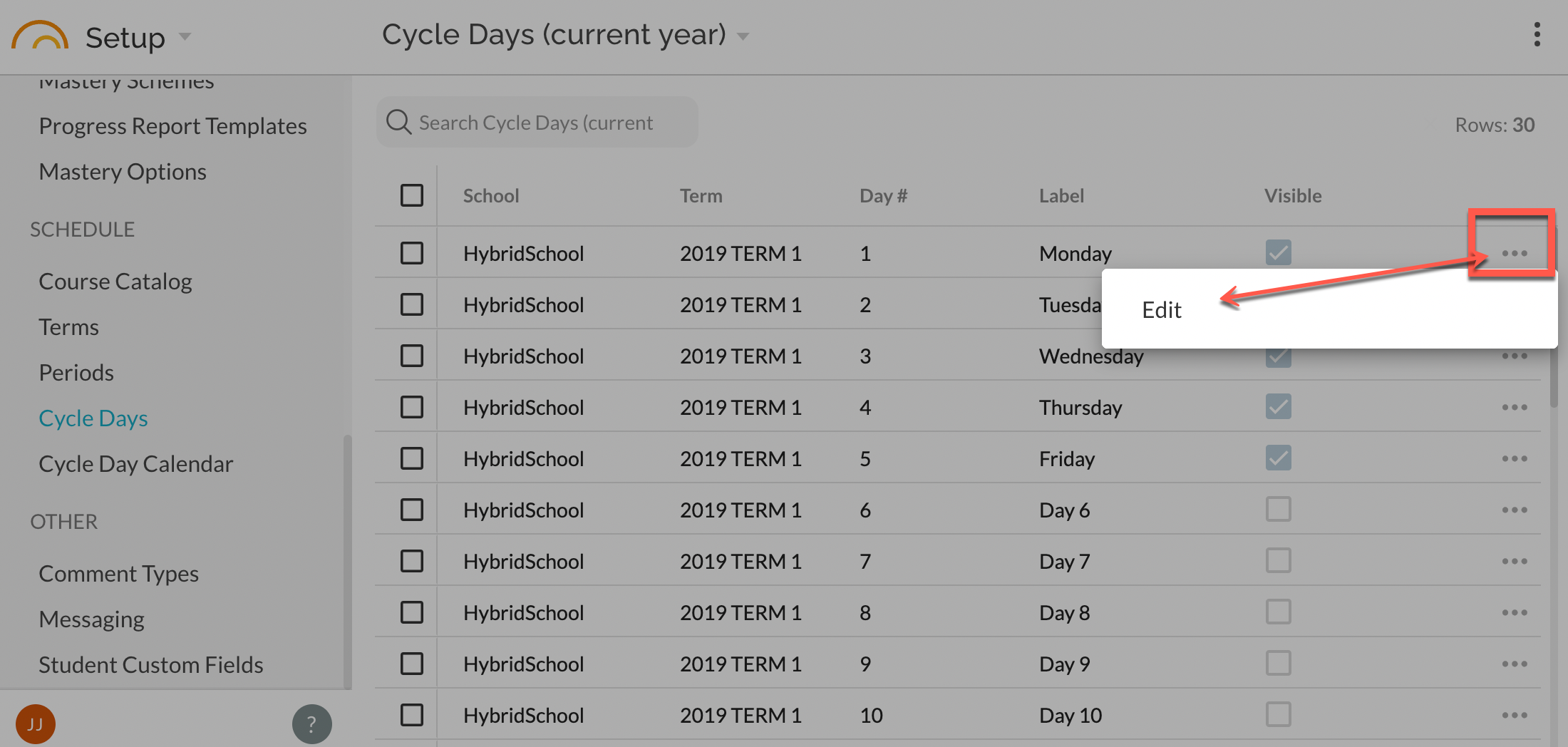
Cycle Days have a Day # that cannot be changed (1-10) as well as a Label field which you can customize with any label that is 15 or fewer characters (so that the formatting of schedules is not broken). For example, you may wish to label day 6 as "Monday B." If you use more than five cycle days, you may wish to use abbreviations for the label so that printed schedules are formatted nicely (e.g. "Mon A", "Tue A", ... "Thu B", "Fri B") if you have a 10-cycle day setup.
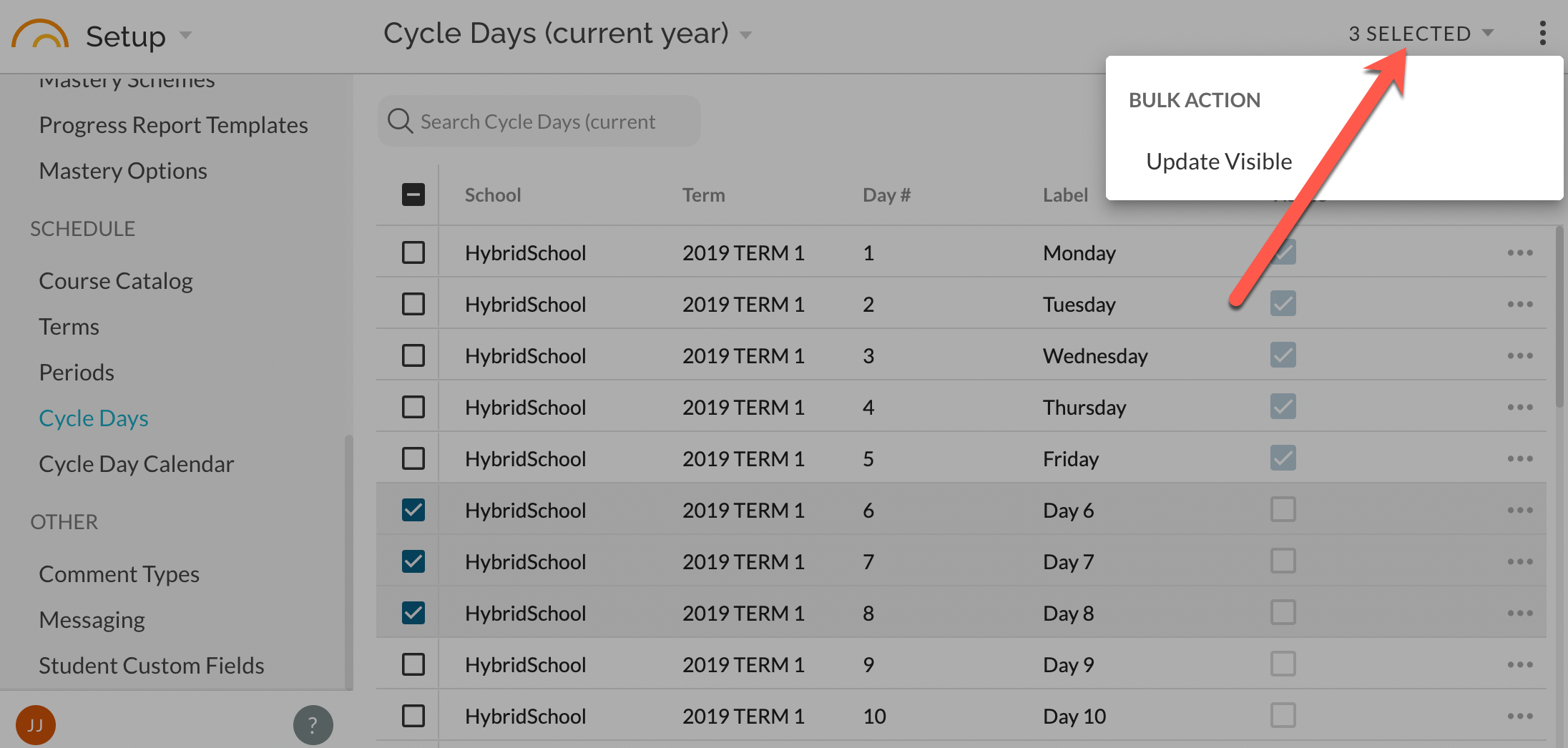
You can bulk update the visibility of a cycle day by selecting the checkbox next to the desired days and using the bulk actions menu in the top right to save time.
See also: Managing Cycle Day Calendar