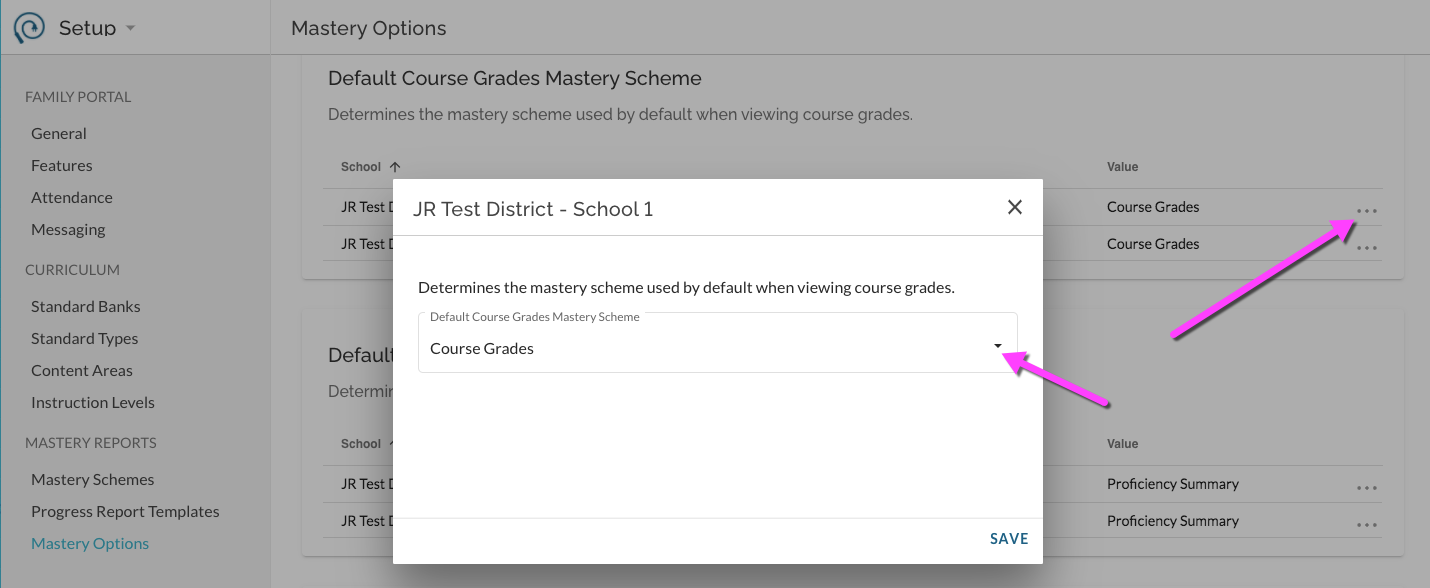
Mastery Options are default report settings for Course Grades Mastery Scheme, Proficiency Mastery Scheme, and the Progress Report Template. The selected schemes will be the defaults presented to teachers and other users when they access the given report type.
First, create Mastery Schemes or create Progress Report Templates.
Then, in Setup -> Mastery Options, you will see a listing per report type per school.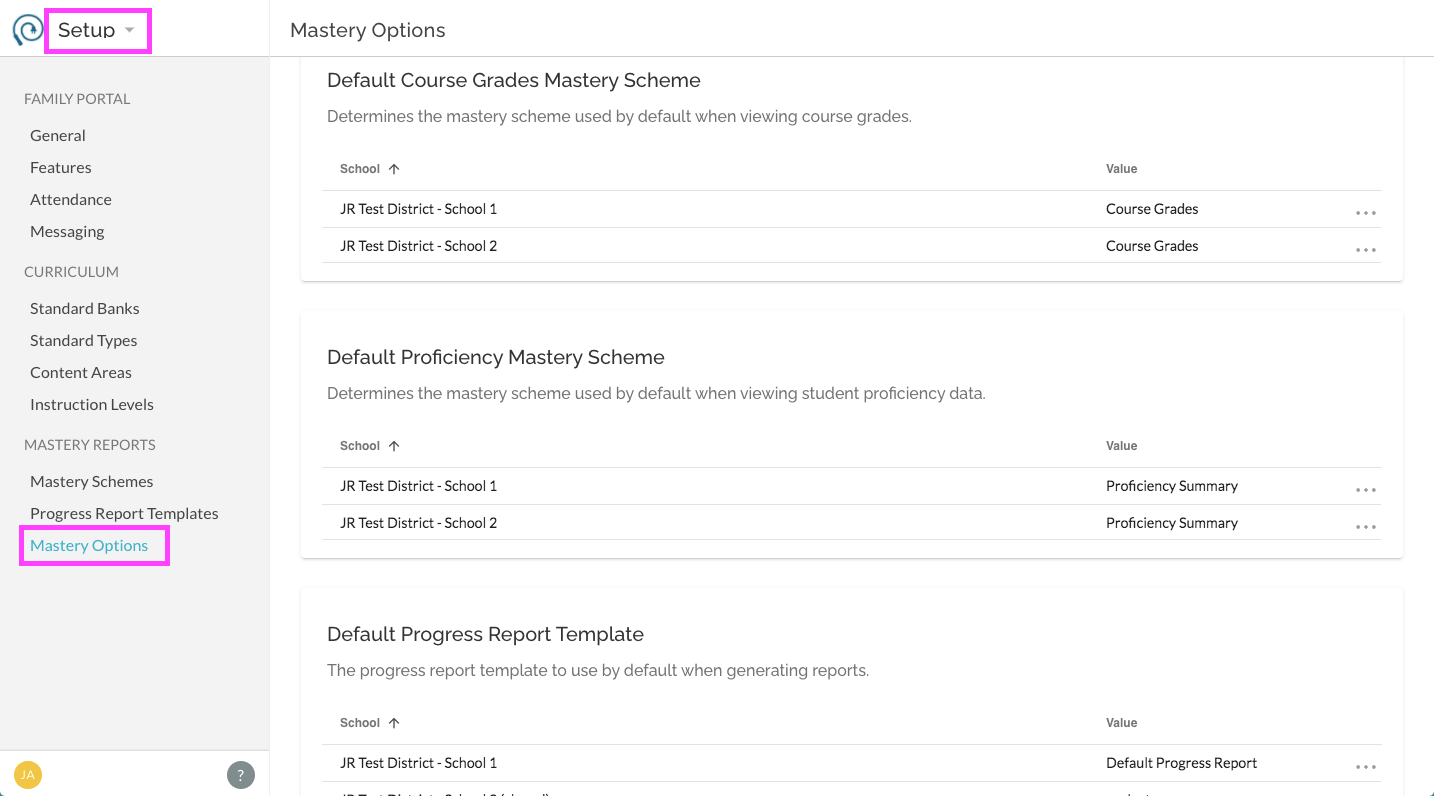
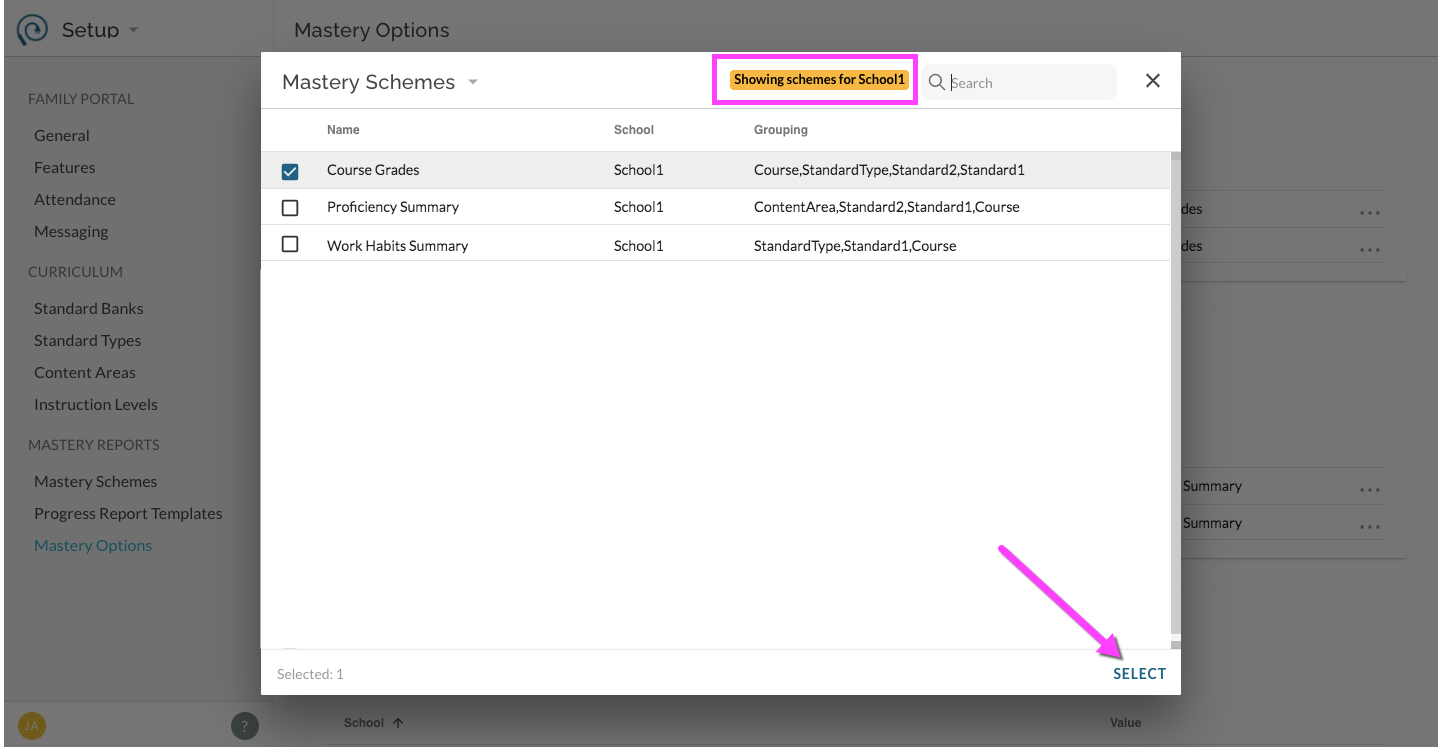
For each report type and school, select a default Mastery Scheme by clicking on the additional items menu. You will be able to select from any previously created Mastery Schemes for the given school.