

This document is intended to guide district technology staff in the configuration of the components required to export student, course, and roster data from Infinite Campus to send to JumpRope. Once correctly configured, the automated daily export system will allow JumpRope roster data to be in synchronization with rosters in Infinite Campus.
This process uses the Data Extract Utility, available in Campus Cloud. This document gives an overview of the Data Extract Utility, but is not specific to JumpRope.
There are two options for connecting to JumpRope's sftp server, sftp.jumpro.pe:
1. SFTP Key exchange. If you choose this route, you'll need to create a public key and share it with your JumpRope implementation manager.
2. Use a username and password provided to you by JumpRope for the connection.
JumpRope requires six separate SQL query extracts to be set up, listed below:
jrContacts
jrRosters
jrSchools
jrSections
jrStaff
jrStudents
The jrContacts extract is optional. Please discuss with your implementation manager whether or not to include it, depending on what student contact information you need to have available in JR.
The sql queries for each extract can be found here:
Please set up the fields for each extract exactly as shown in this example screenshot, filling in the username and password as provided to you by JumpRope staff. Make sure to set the File Extension to CSV, and check the box to include double quotes.
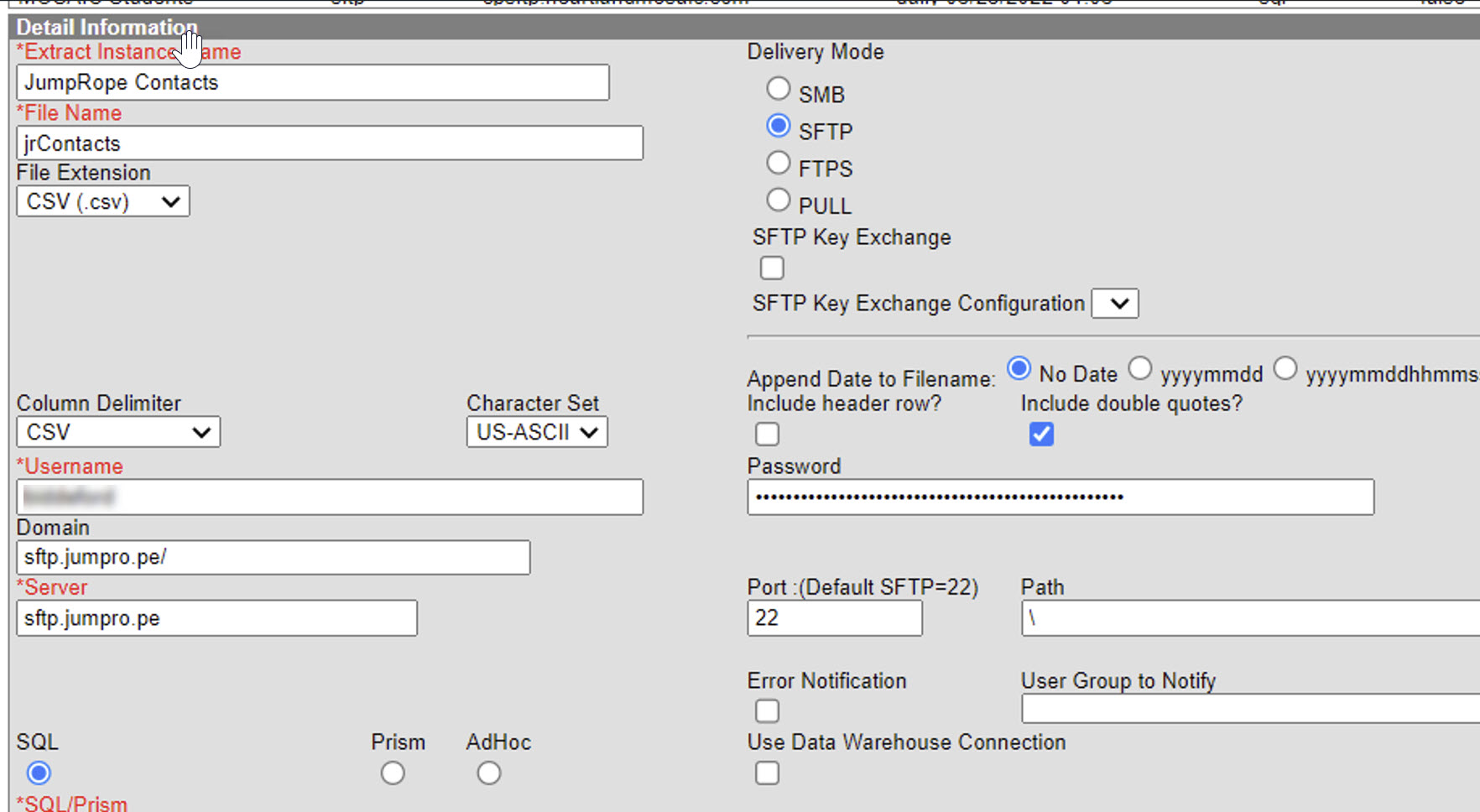
Once each extract is set up, click Run Extract.
To automate the sending a files, please set up the Extract Schedule as shown below. Extracts should be sent to JumpRope between the hours of 7PM EST and 12AM EST.

Once this process is complete, please notify your JumpRope contact so that we can complete the automation of imports on our end. If you have any questions throughout this process, feel free to reach out to support@jumpro.pe at any time.