

Setup > Missing Work Codes
The Setup > Missing Work Codes menu item now allows you to view and manage the missing work codes for your school or district. 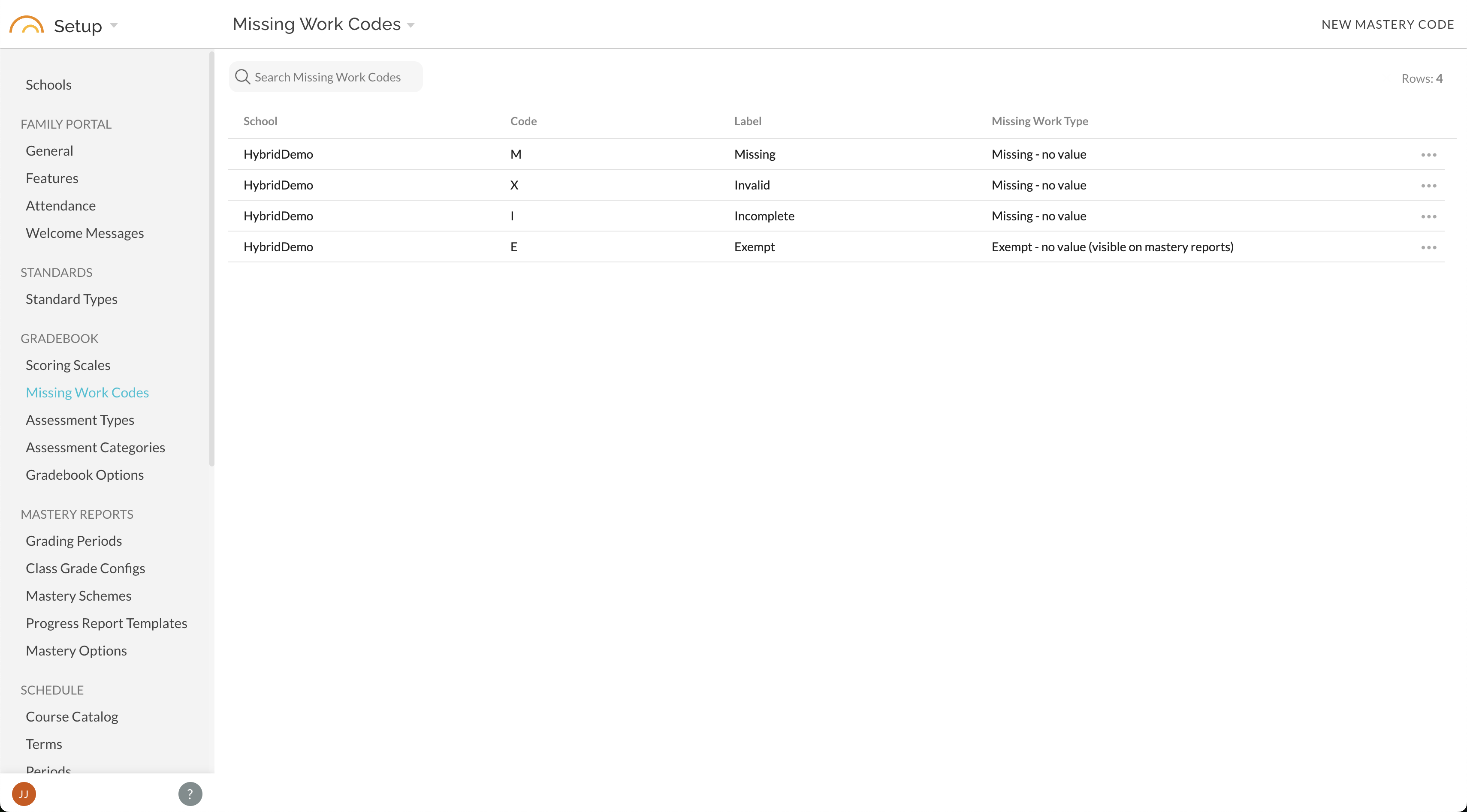
In a district, missing work codes are per-school. The view includes:
- School association
- Code - this is the code that teachers will enter into the gradebook, and that will appear on mastery reports
- Label - this will show on the gradebook Scoring Key
- Missing Work Type - specifies the behavior of the code
To Create a code:
-
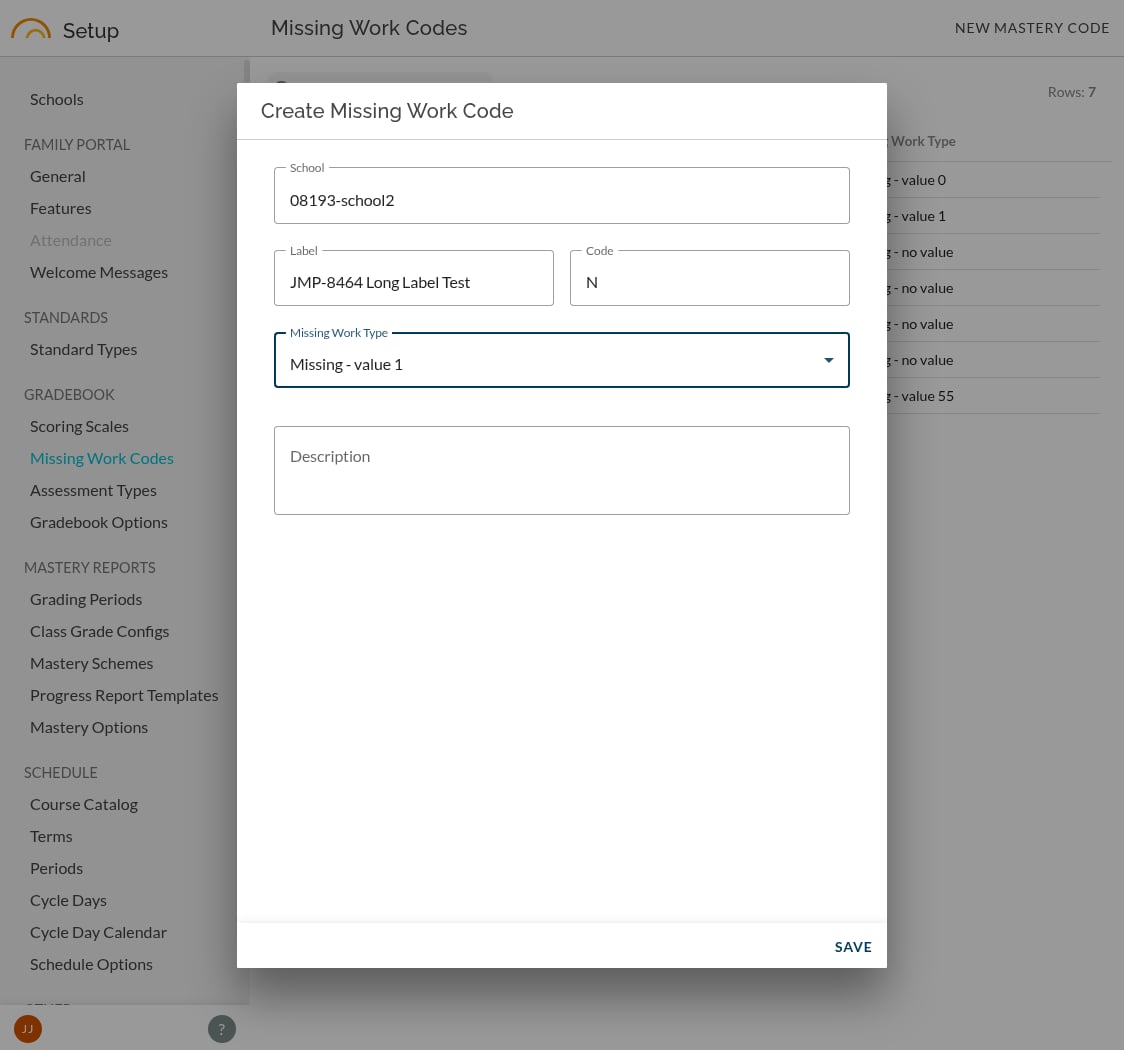
Select New Mastery Code.
-
Choose the school, enter the label/code teachers should recognize, enter a one or two word label (generally the word that the code standards for; use something helpful for teachers to understand how to use the code) and select a Missing Work Type. Description is optional.
-
Save the code.
A school can have up to four active missing-work codes. If the school is already at the limit, archive an unused code before adding another.
Choose a Missing Work Type
Each code uses one of five fixed behaviors:
• Missing -- value 0
• Missing -- value 1
• Missing -- no value
• Exempt -- no value, visible on mastery reports
• Exempt -- no value, hidden from mastery reports
Choose the behavior carefully. A value-based option contributes the configured value in mastery calculations; a no-value option does not supply a score and will be ignored in mastery calculations. Exempt options also allow you to control whether the mark appears on mastery reports. If hidden from mastery reports, the student will not see that the score was entered.
Edit an existing code
Open the code, make the change, and save it.
If the code has already been used this school year, JumpRope asks how broadly to apply the change:
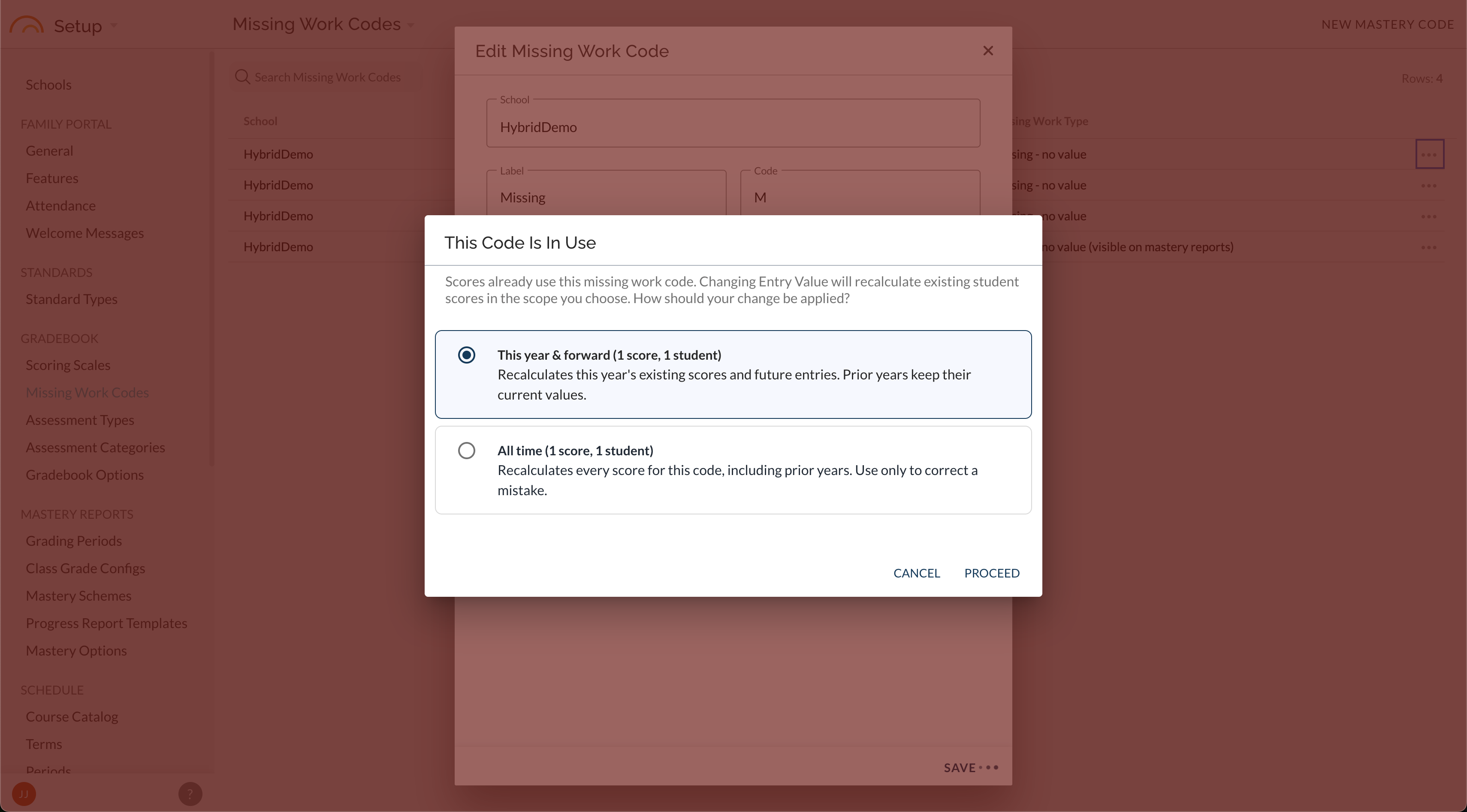
• This year & forward applies the new behavior to current-year and future use. If you have changed the value of the code, all scores for the current school year will be updated to use the new value and mastery data will be recalculated.
• All time applies the behavior to all historical uses of the code, updating the value and re-calculating mastery.
• Cancel closes the prompt without changing the code.
Delete a code
Delete a code when it should no longer be available for new entries. Archiving is a soft deletion: it removes the code from active use while preserving historical scores and records that already use it.
When to contact support
If a code displays a read-only value that is not one of the five standard options, contact JumpRope Support. That value is custom and was configured outside the school self-service options and cannot be changed safely from the customer Setup page.