Assessment types are the main vehicle that determines the weight of an assessment score. Weight is of particular importance depending on the Calculation Method for standard scores that your school uses. It can also be important when determining how a given standard score then contributes to an overall course grade. (see Reference - Custom and Managed Assessment Types or Reference - Mastery Calculations and Weight for more).
These types can be managed administratively or autonomy can be given to teachers to set up their own types and weights.
Allow or disallow teachers to manage their own types
Navigate to Setup -> Gradebook Options -> Allow Custom Assessment Types.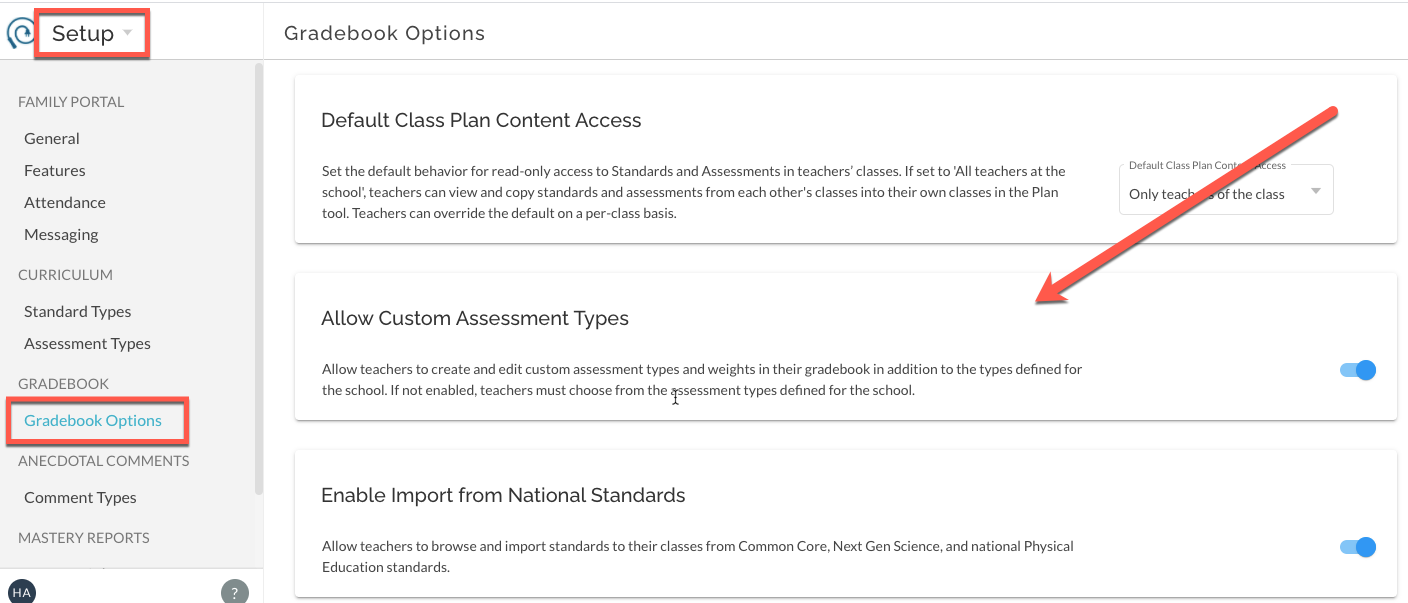
Administratively managed assessment types
Navigate to Setup -> Assessment Types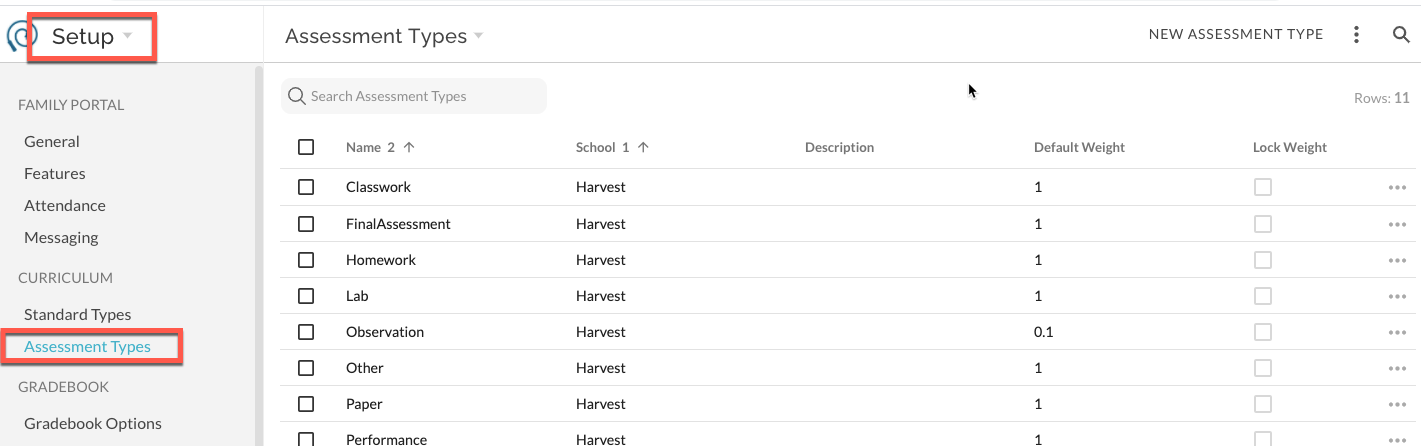
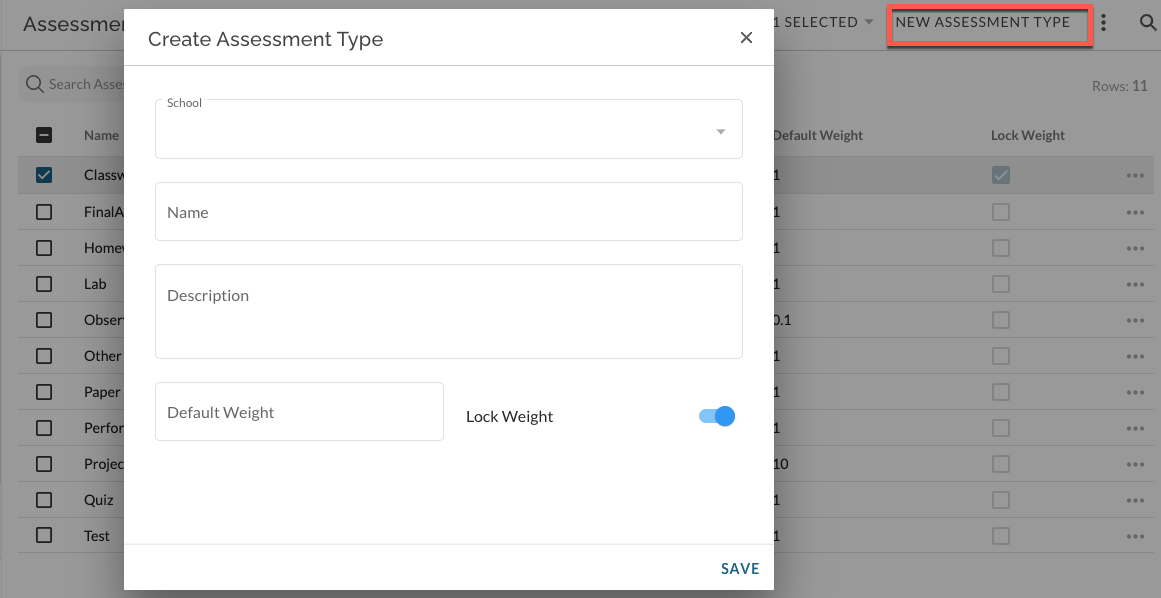
Create a new assessment type
New assessment types will be available to all teachers. Create a name and select a default weight. Note, Assessment Type names should be unique, for example, "Formative" and "Formative (0)".
You can choose to 'lock' the weight which will block teachers from editing the weight of this type in their own gradebook.
Assessment Types must be created for each individual school if you are a District Administrator.
Removing and deleting existing assessment types
For most situations, existing assessment types that you do not want teachers to continue to use should be archived or removed from access. This preserves the assessment type in historical reports. If you've made a mistake creating a type or have a type that has never been used it can be deleted.
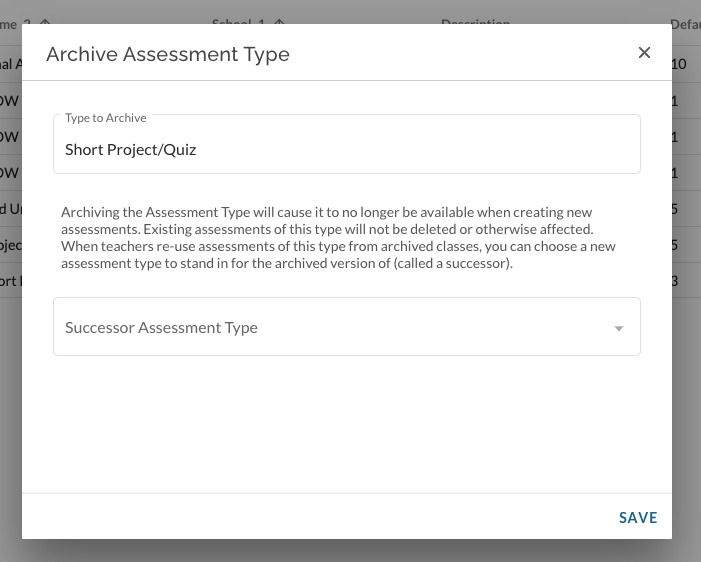
To archive an existing type, click on the more menu for the item. Select Archive Assessment Type.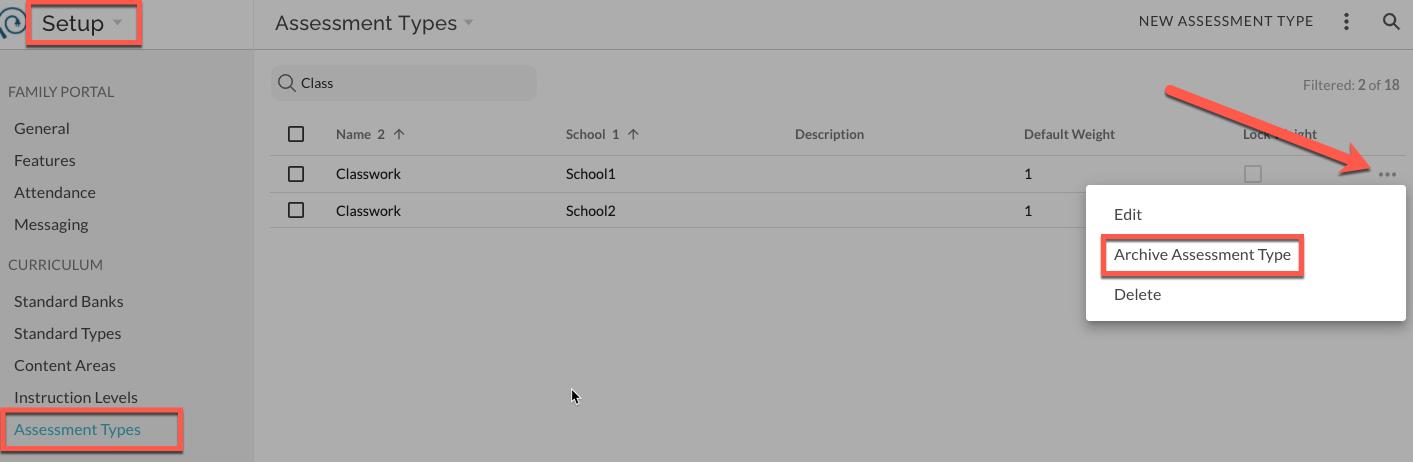
You will be given an option to select a 'successor' type that will be used should a teacher choose to copy an old assessment into their Plan. you don't have to choose a 'successor', but it is helpful for teachers who are re-using their previous years' content.