Re-order columns
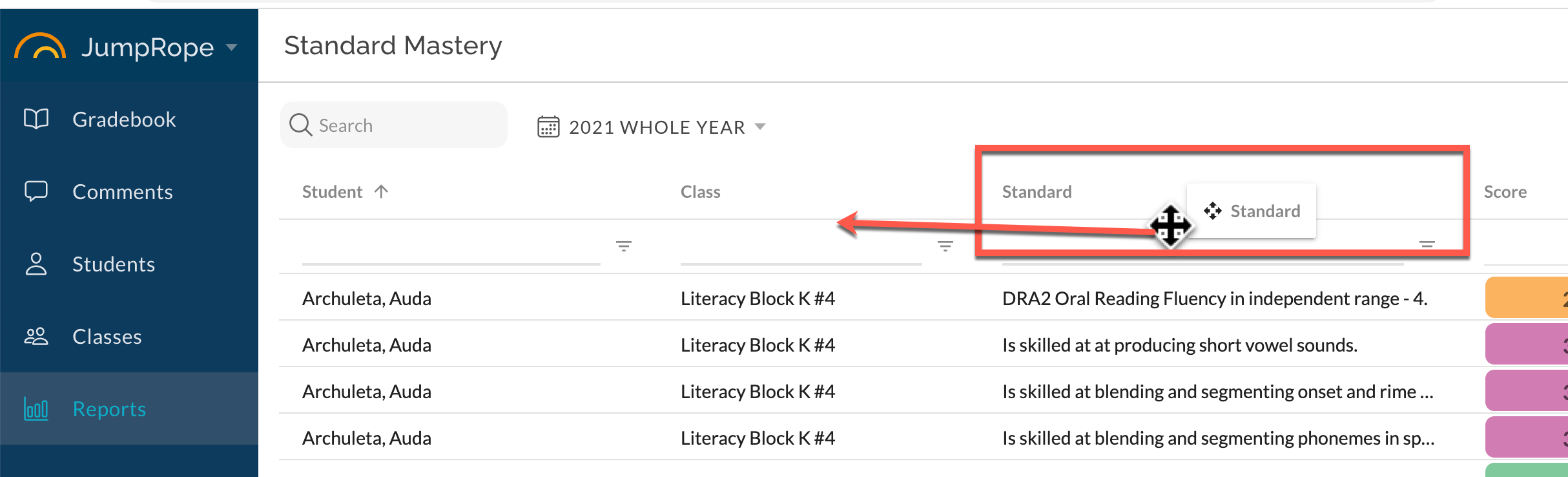
Click and hold on a column header then drag and drop the header to rearrange/reorder columns. The new configuration will be remembered the next time you access the report.
Customize columns
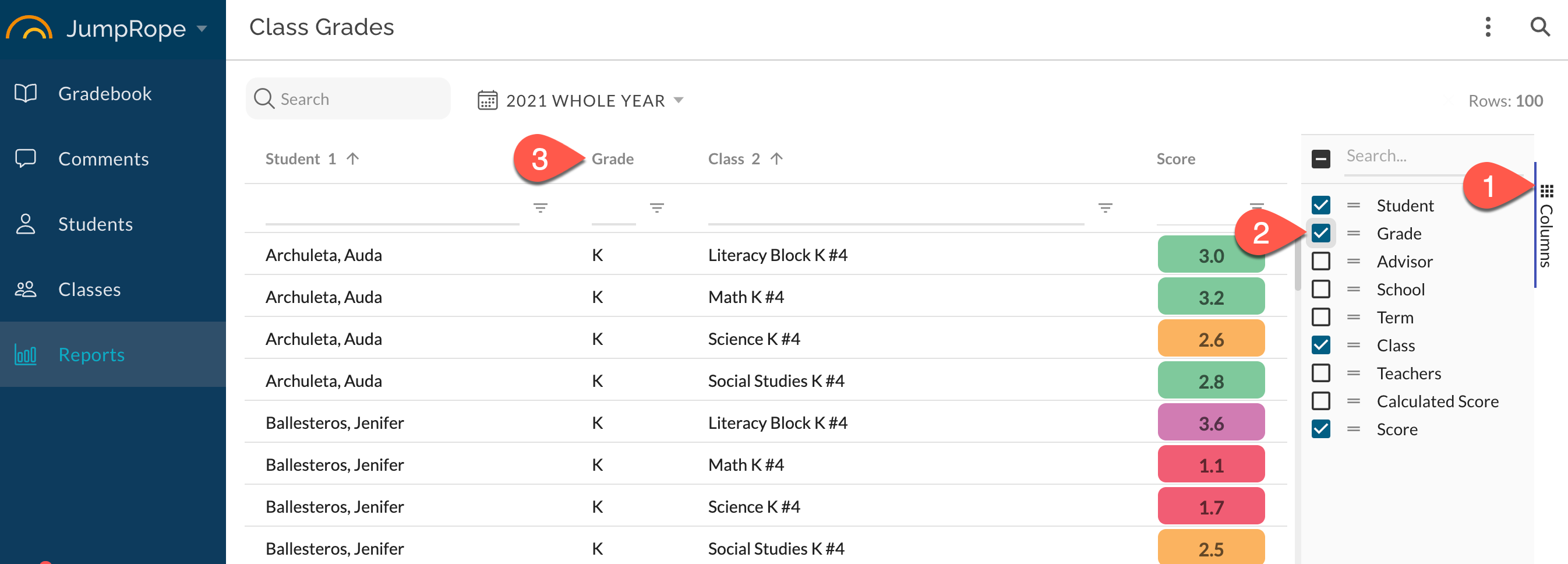
Select Columns menu from the right-hand sidebar (1). Check the items that should be included in report (2). Data column is added to your report (3).
Example
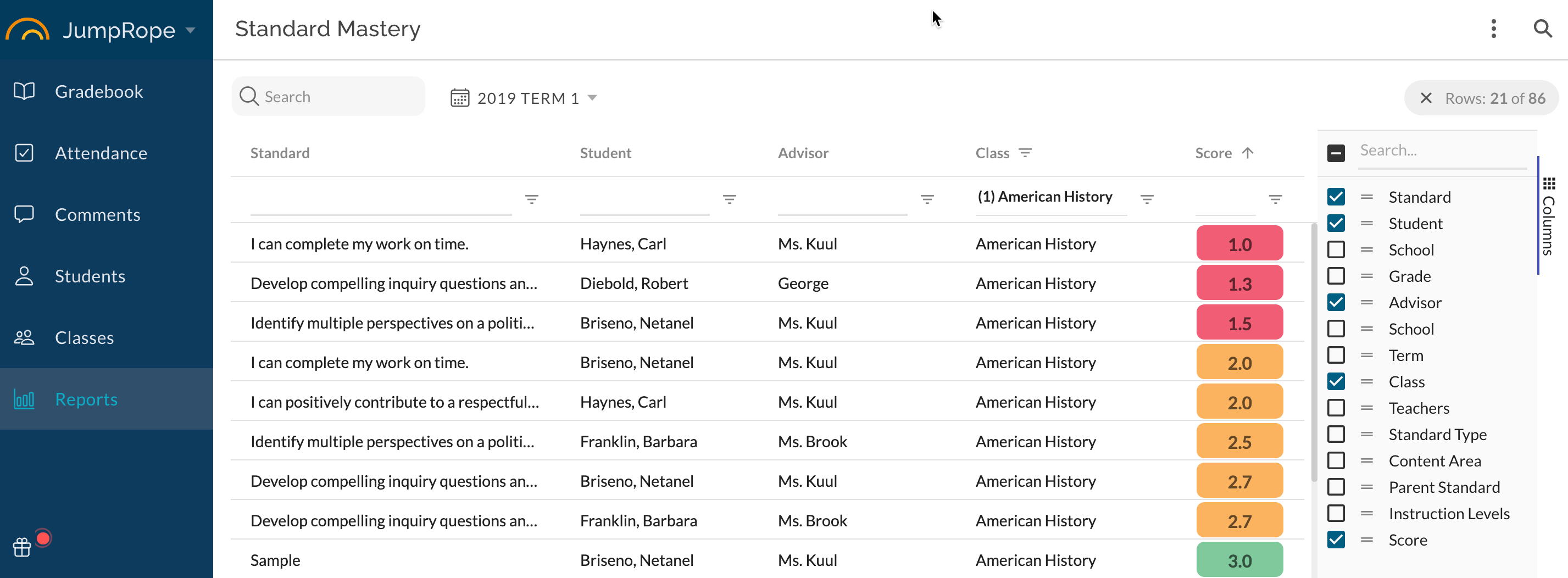
The example below attempts to provide data to answer the question, _In all my sections of American History, which students are in the 'red' on any given standard and who is their advisor? _Note that Standard column has been moved to the far left, Score column has been sorted, and Advisor column has been toggled 'on'.