

Advanced Reports are our latest generation of reports that provide many features, including the ability to customize columns as described below.
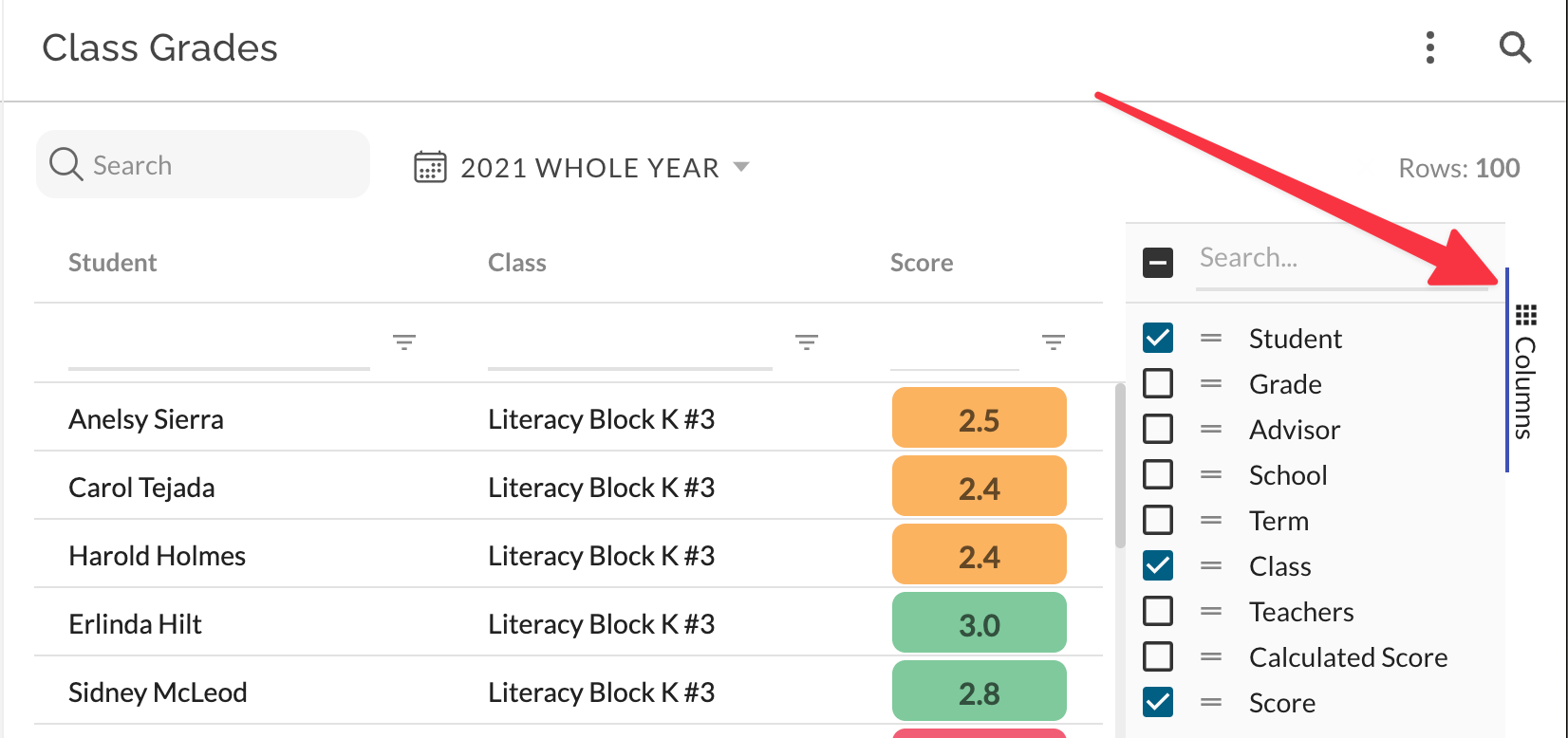
To customize columns, first open the Columns Panel by clicking the button indicated by the red arrow above.
Once the Columns Panel is open, you can:
- Show or hide a column by checking or un-checking the box.
- Re-order columns by dragging the gripper next to the checkbox for a column.
By default, a minimal set of columns is visible in each report depending on the data type. Column customizations will be remembered between user sessions to help make reporting features more useful and efficient. Once a column is visible, you can apply column filters as described here.
Column Sorting
Once a column is visible, you can click on the column header to sort the report on that column. Click the header again to reverse the sort, and another time to remove the sort. You can sort on multiple columns by holding the SHIFT key when clicking on the column header.
Exporting Data
Each report can be exported to CSV for further analysis. The export feature will include all visible columns, and will not include columns that are not visible. Exports will also include any sorts and filters you have applied to the report.