

***Note that this feature is only available for schools who have chosen to enable it. If you don't see this option, and you do use rubrics in Google Classroom, you can ask an administrator to contact JumpRope support and ask for the rubric import option to be made available.
If the Google Classroom assignment you choose has a rubric, JumpRope imports the rubric scores and can score several standards at once. You don't need to import one standard at a time.
-
In the Grade sheet, open the ellipsis menu in the assessment's column header and choose Import Scores from Google Classroom.
-
Select the Google Classroom class, then the assignment.
-
JumpRope checks whether the assignment has a rubric.
-
No rubric: the import works the same as before.
-
Has a rubric: JumpRope shows a mapping step.
-
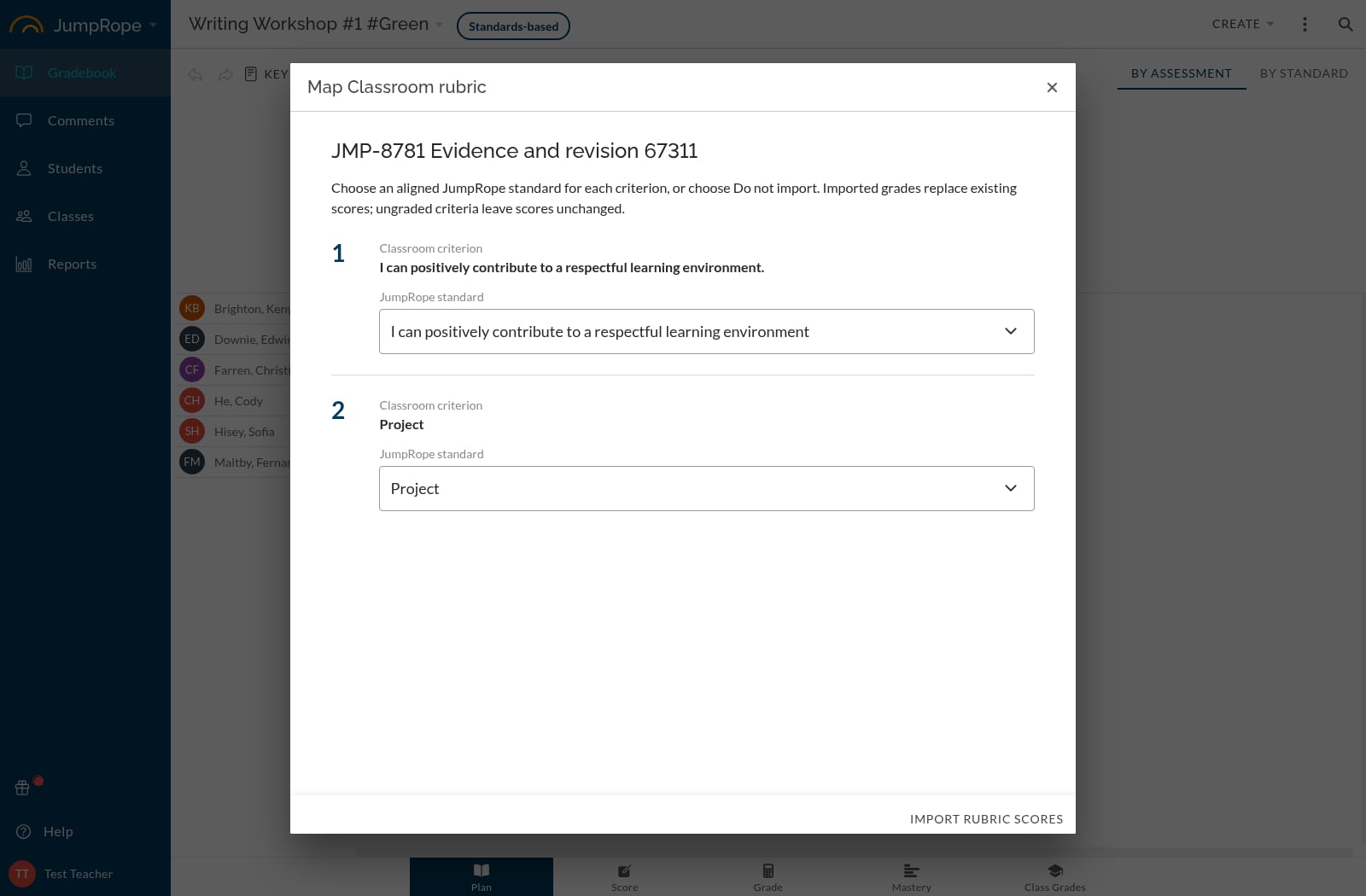 Match each rubric criterion to one of the standards aligned to this JumpRope assessment. JumpRope suggests matches by comparing the criterion's title and description with your standard titles. Review them and change any that are wrong.
 -
Map at least one criterion. Criteria you leave unmapped are skipped.
-
Click Import Rubric Scores.
JumpRope saves your mapping. The next time you import from this assignment, the mapping is filled in for you and is shared with the other teachers in the class. If the rubric has changed in Google Classroom since your last import, JumpRope matches the criteria again, and you can make corrections.
How rubric scores are imported
-
Scores for all mapped standards are imported together.
-
Students are matched the same way as other Google Classroom imports: by their Portal account email address.
-
An imported score replaces the student's existing JumpRope score for that standard on this assessment. If a student has no score in Google Classroom, their JumpRope score stays the same.
-
Scores must fit the standard's current scoring scale. Scores outside the scale are rejected. In-between values (for example 2.5) import only if your scale allows them.
-
Code scoring: if the standard uses scoring codes, JumpRope takes the numeric rubric level, looks up the matching scoring level code, and saves the code. If no code matches, that score is rejected.
-
You'll see a warning for any scores that were rejected.
-
If JumpRope can't check the assignment for a rubric, you'll see an error message.