

For a given class, teachers can select if their own assessments are accessed by other teachers at their school. Allowing 'All teachers at the school' this access will make the set of assessments, standards, and units available in the Assessment Bank within "Other Teachers' Classes".
Admin can also adjust the setting in bulk for classes. Both options are described below.
Teacher setting
The selection can be made in the Edit Class feature.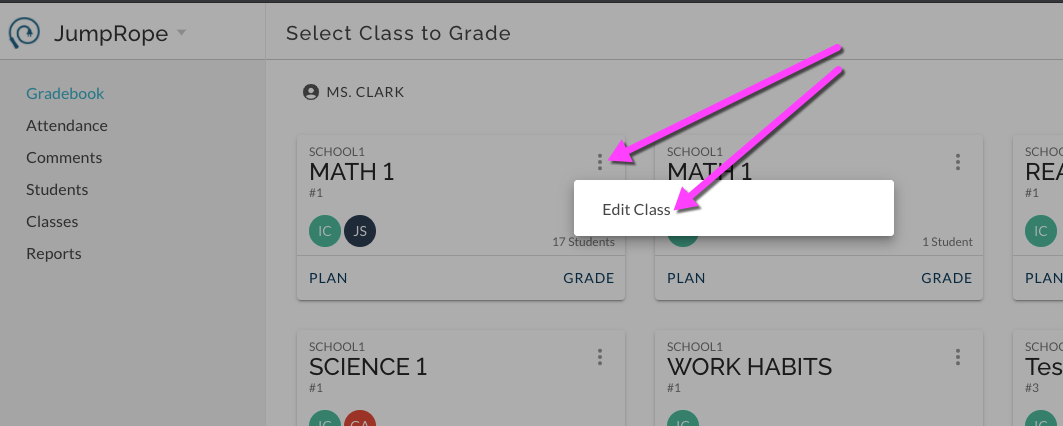
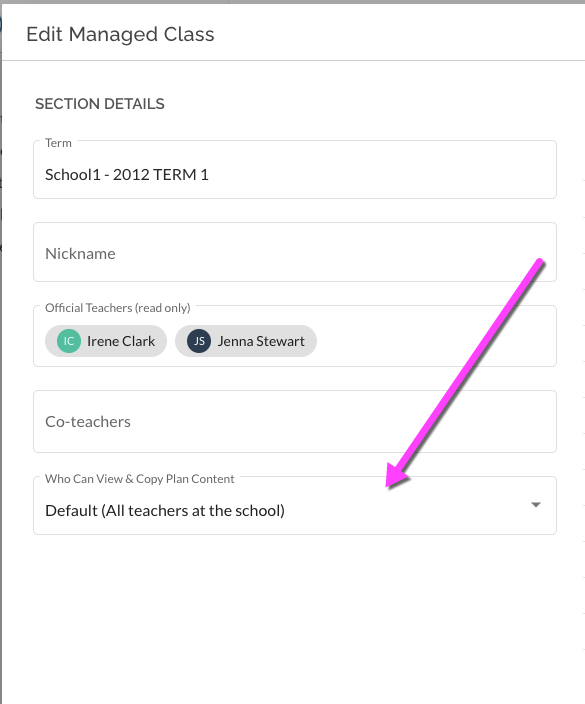
Others at the school then can access the Plan content for this Class from their own Create-> Assessment Bank.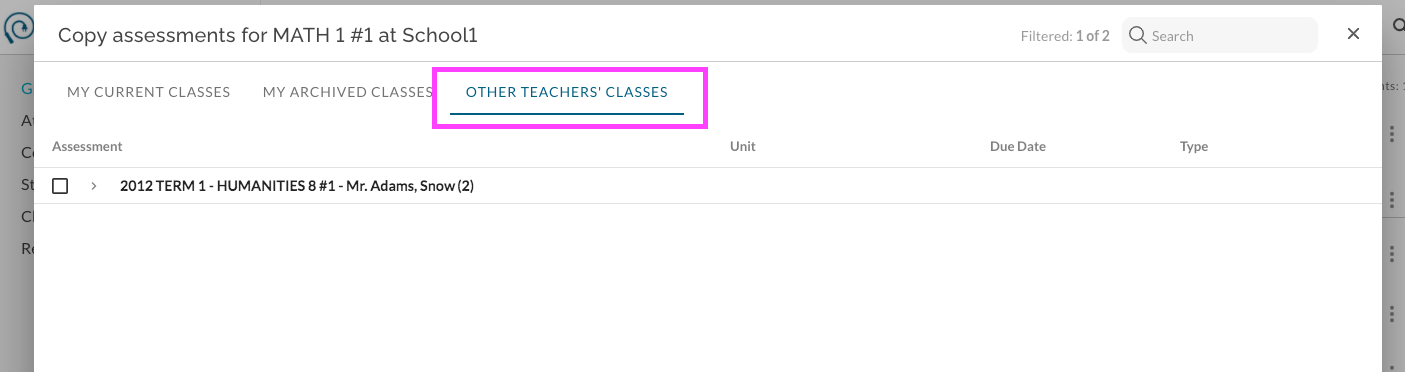
Admin Setting
In Admin - Classes, select classes in bulk and choose from the bulk options menu to Update View & Copy Plan Content: 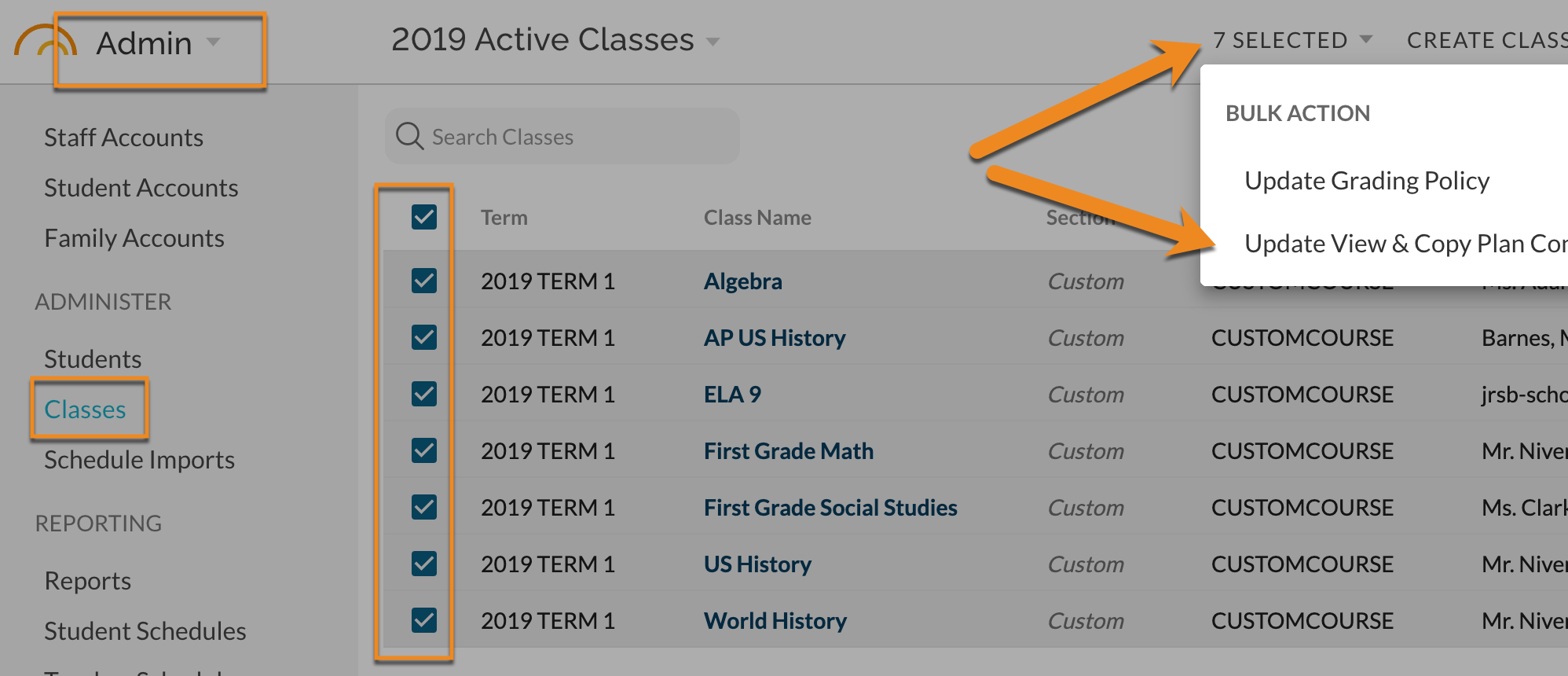
Make selection and then Confirm: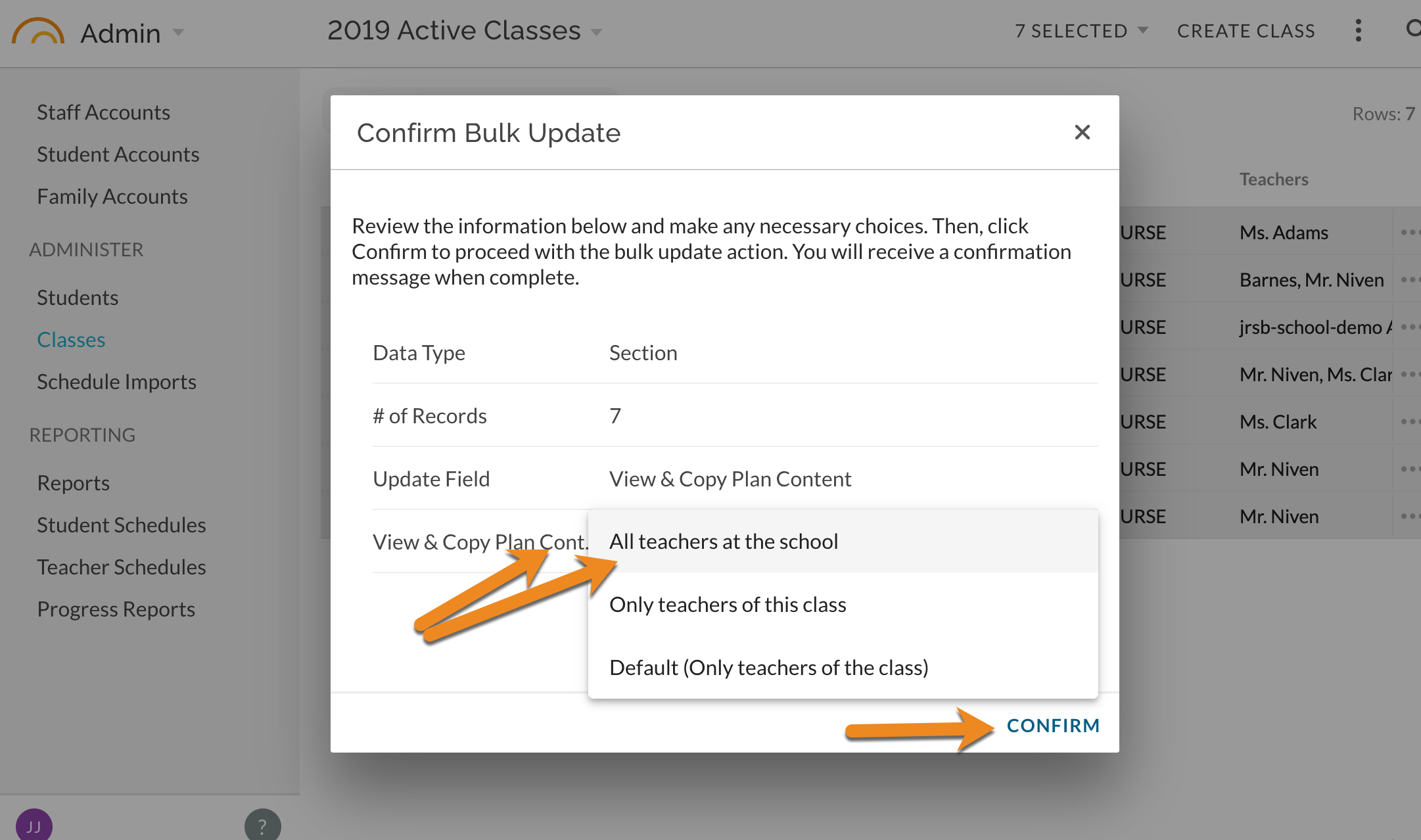
Others at the school then can access the Plan content for this Class from their own Create-> Assessment Bank.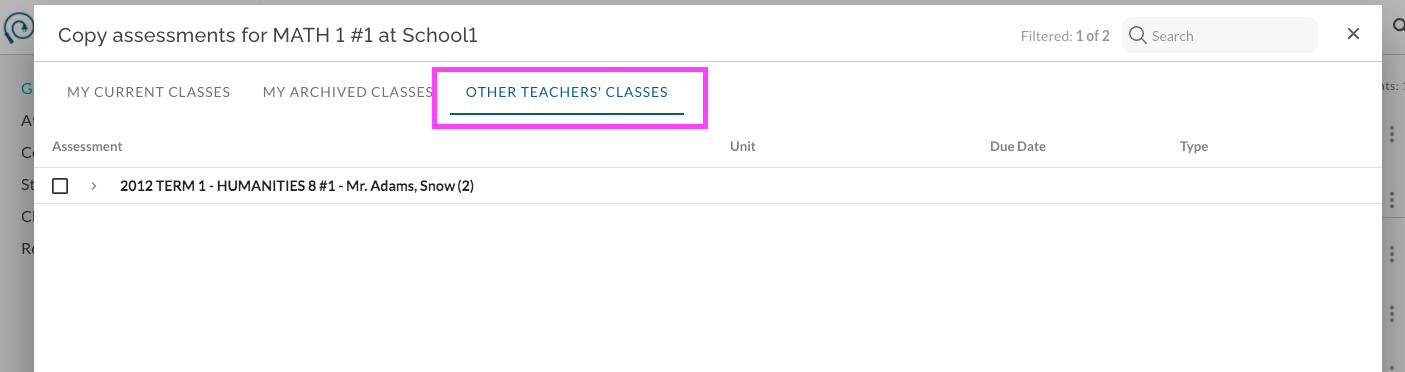
For more about copying assessments see Reference - How do I Re-use a Unit, Assessment and/or Standard from Previous Years or Other Classes?