Scoring Criteria are managed directly in the Standard Bank by users with Admin permissions.
In Admin - Standards Bank, select the desired bank.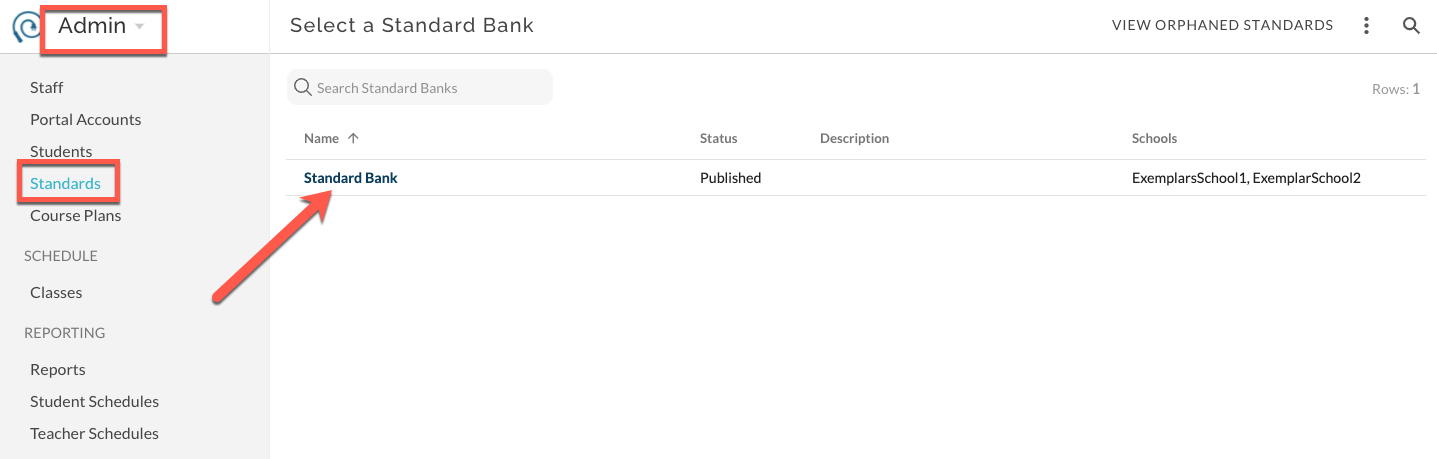
Change the view to Scoring Criteria.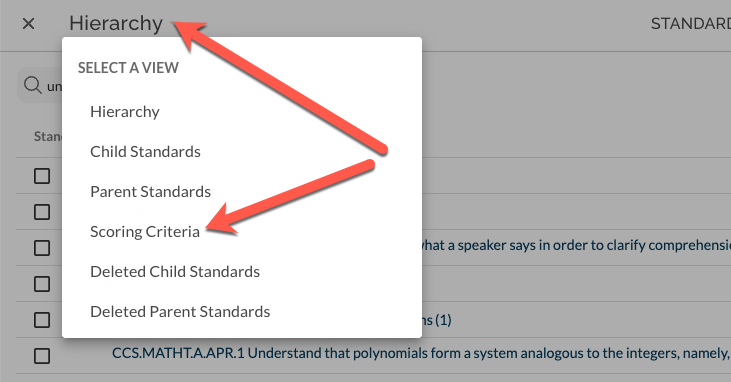
Find the desired Child Standard and expand the row.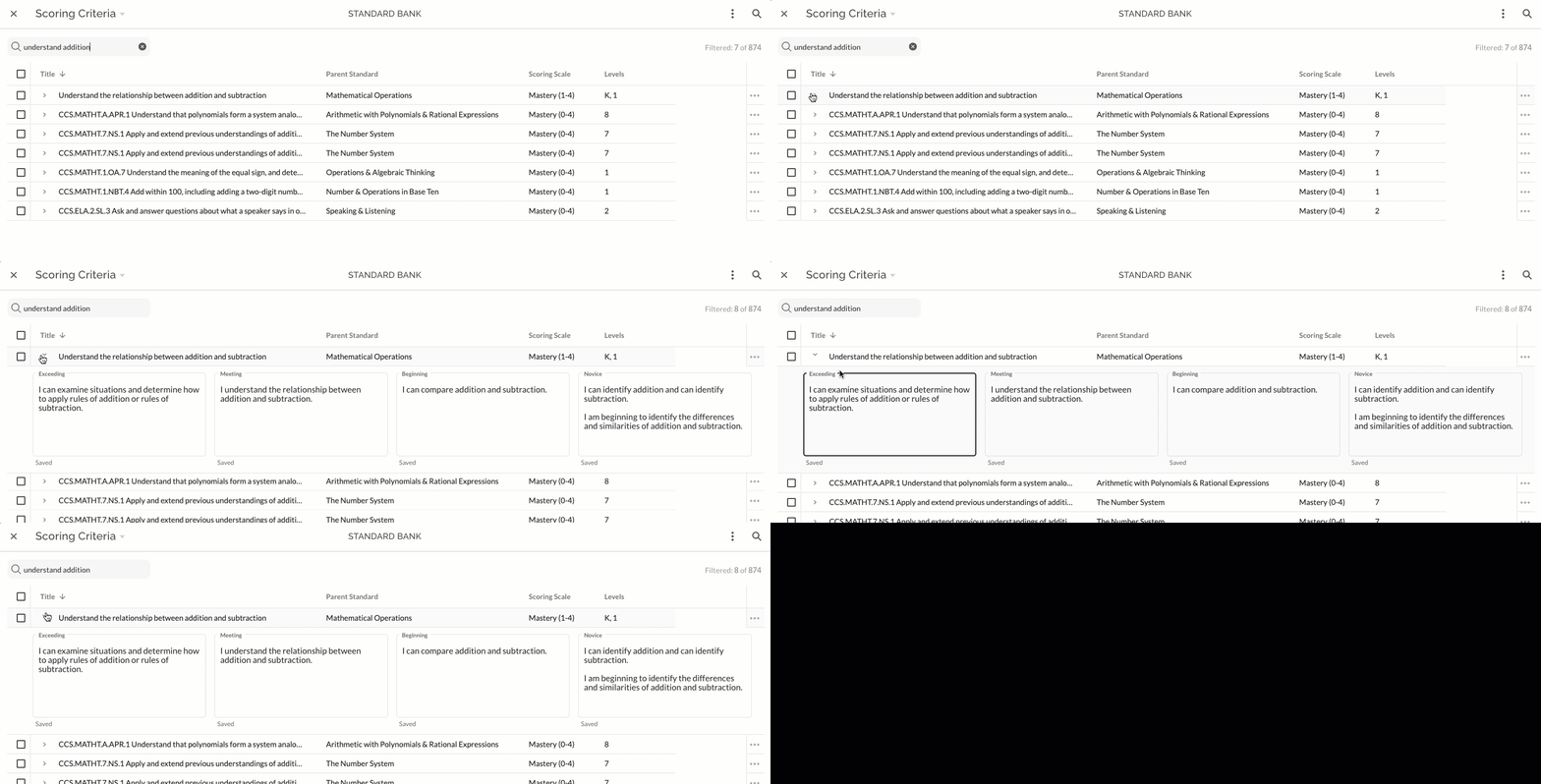
Type or copy/paste into the desired field. The text will save automatically and be indicated with "Saved". Edit text as needed.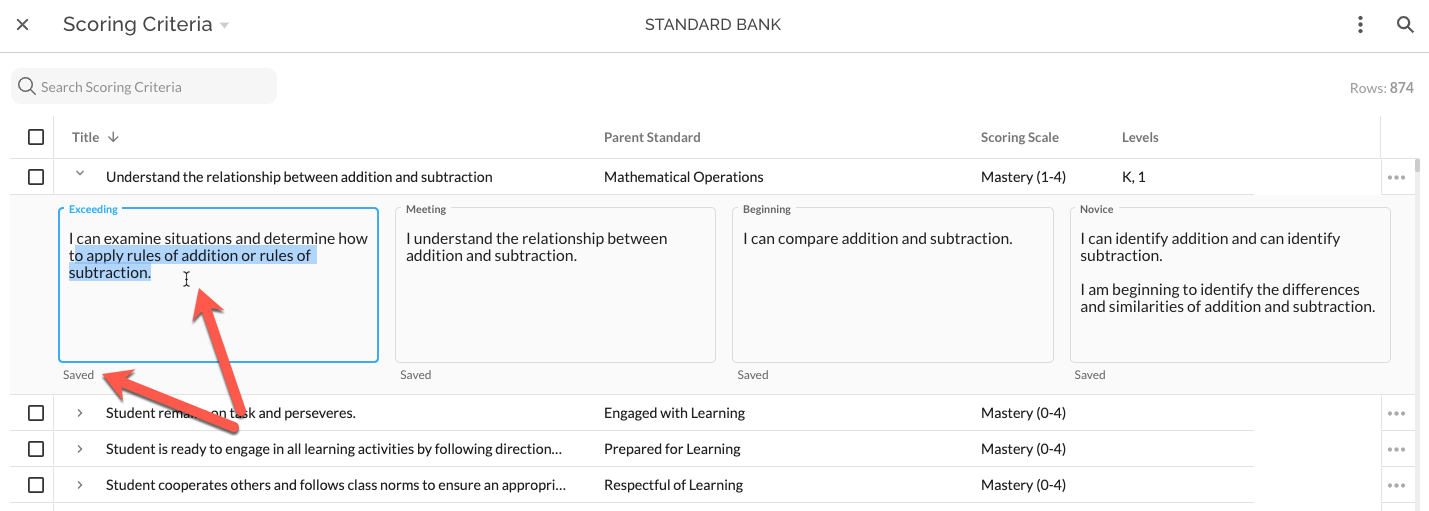
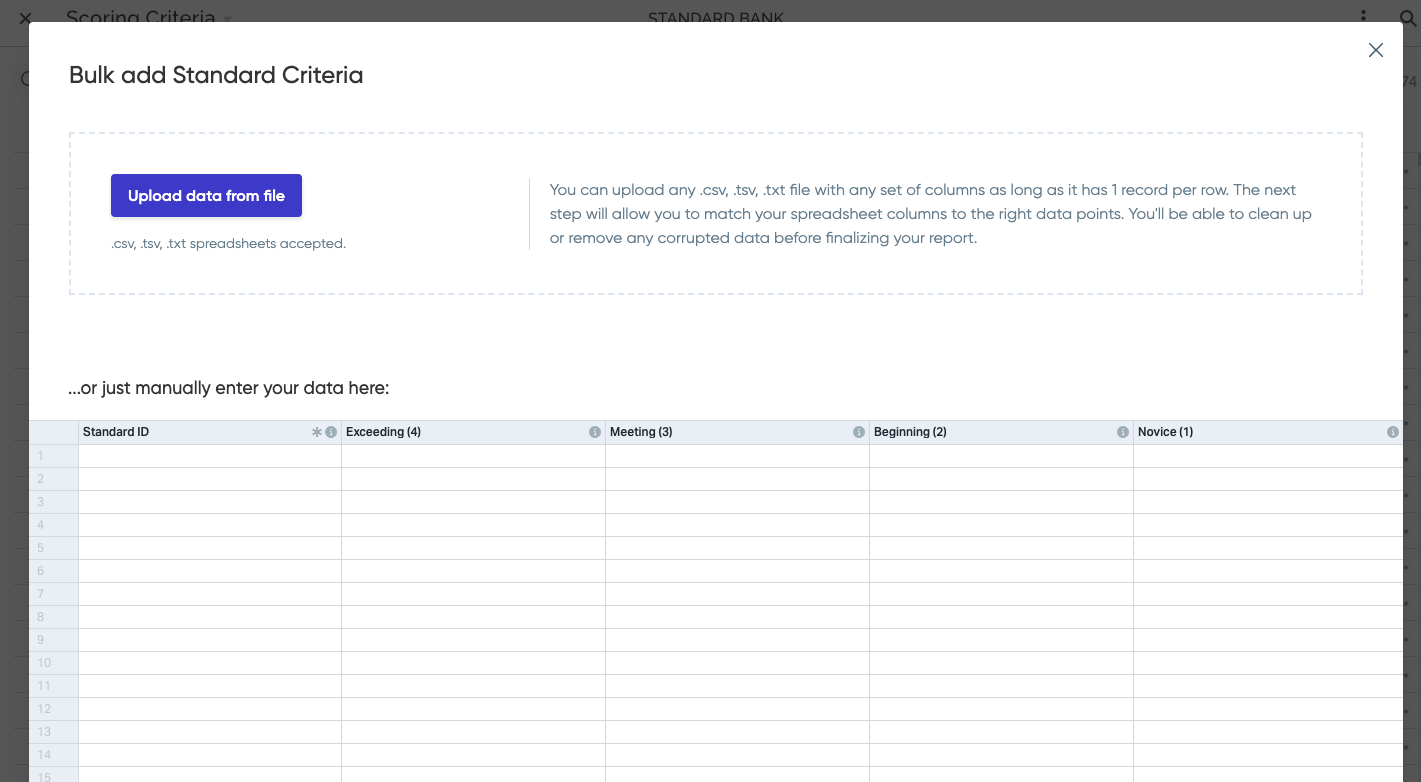
To import Scoring Criteria in bulk, prepare a spreadsheet that includes Standard ID and text for any or all Scoring Criteria Levels. The export accessed as shown below can be used as a starting point for this spreadsheet; it includes Standard ID.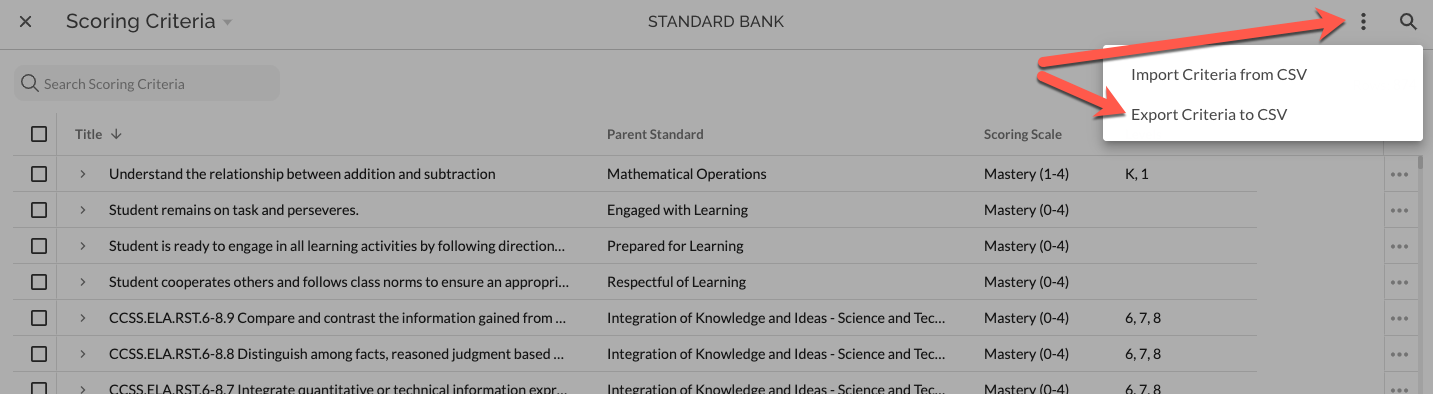
Select Import from the extras menu in the upper right of the bank and then upload spreadsheet file or copy/paste into the import mapping interface. Follow steps in mapping interface to complete the import.