Welcome Email
The Welcome Email is sent to the email address associated with the staff account and can be done in bulk or individually. . It contains instructions on setting up a password and logging in for the first time.
Note : If your teachers' username/email addresses are Google based, they can then use the Sign in With Google button on the JumpRope login page immediately.
Send Welcome Email in bulk
From the More Options menu ⋮ select Send Welcome Emails. Note: one more step until the email is sent.

Select to either send to New Staff Only or to All Staff (includes those that have already signed in at least once). Note: This action will send the email.
Send Welcome Email to an individual
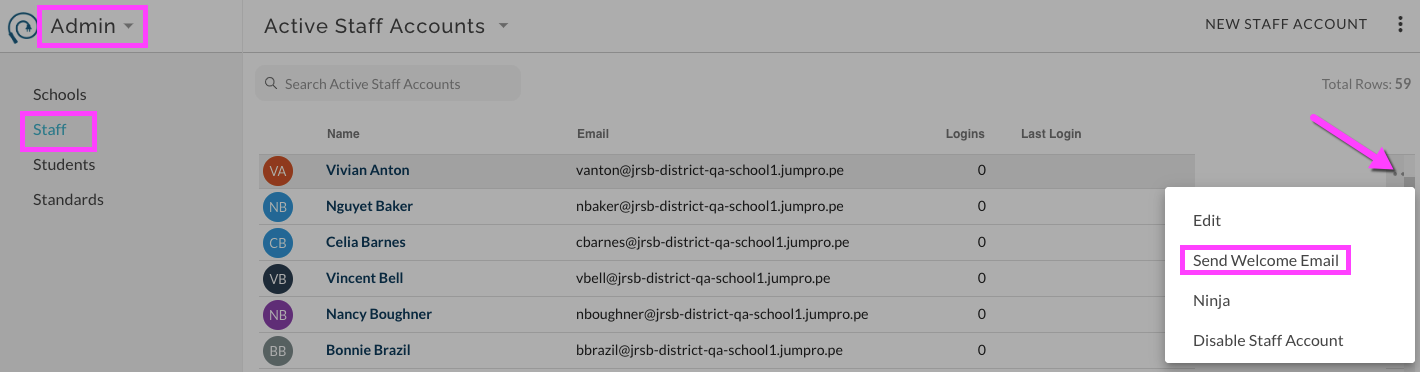
Select More Options ⋯ for an individual Staff account.
From menu, select Send Welcome Email. Email is immediately sent.