

Navigate to Admin -> Staff and change the view to Staff Account Roles.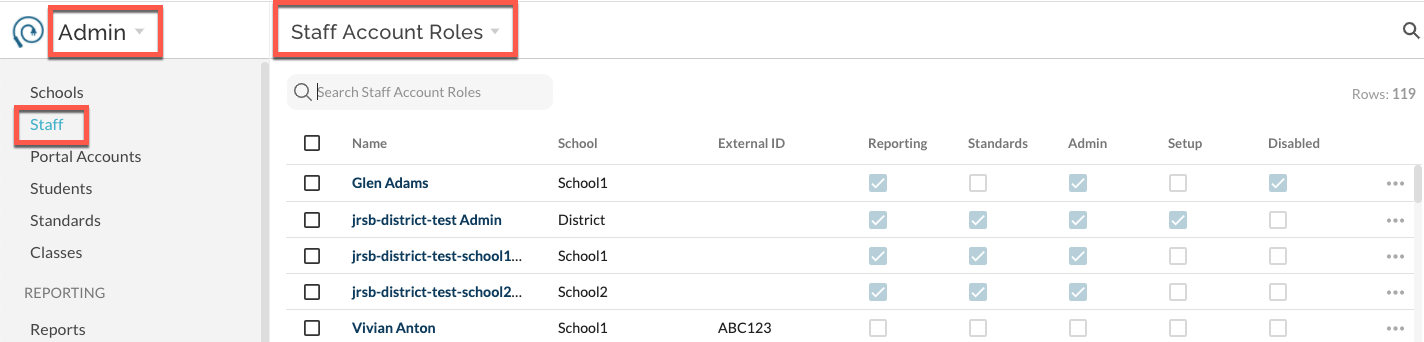
Search for a user and select to edit their permissions by clicking on the ... more menu and Edit. Note, if a user has access to more than one school within your district, you will see a role per row for them; there may be more than one row per name. Select the desired permissions for the staff user's role. 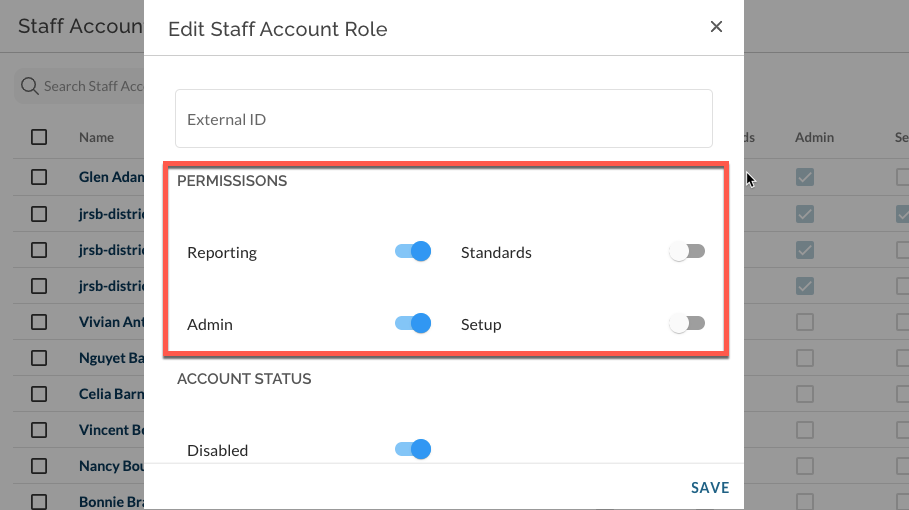
To add a new role to a staff account , select the staff name in blue from the list. Click new role to the top right of the role list.
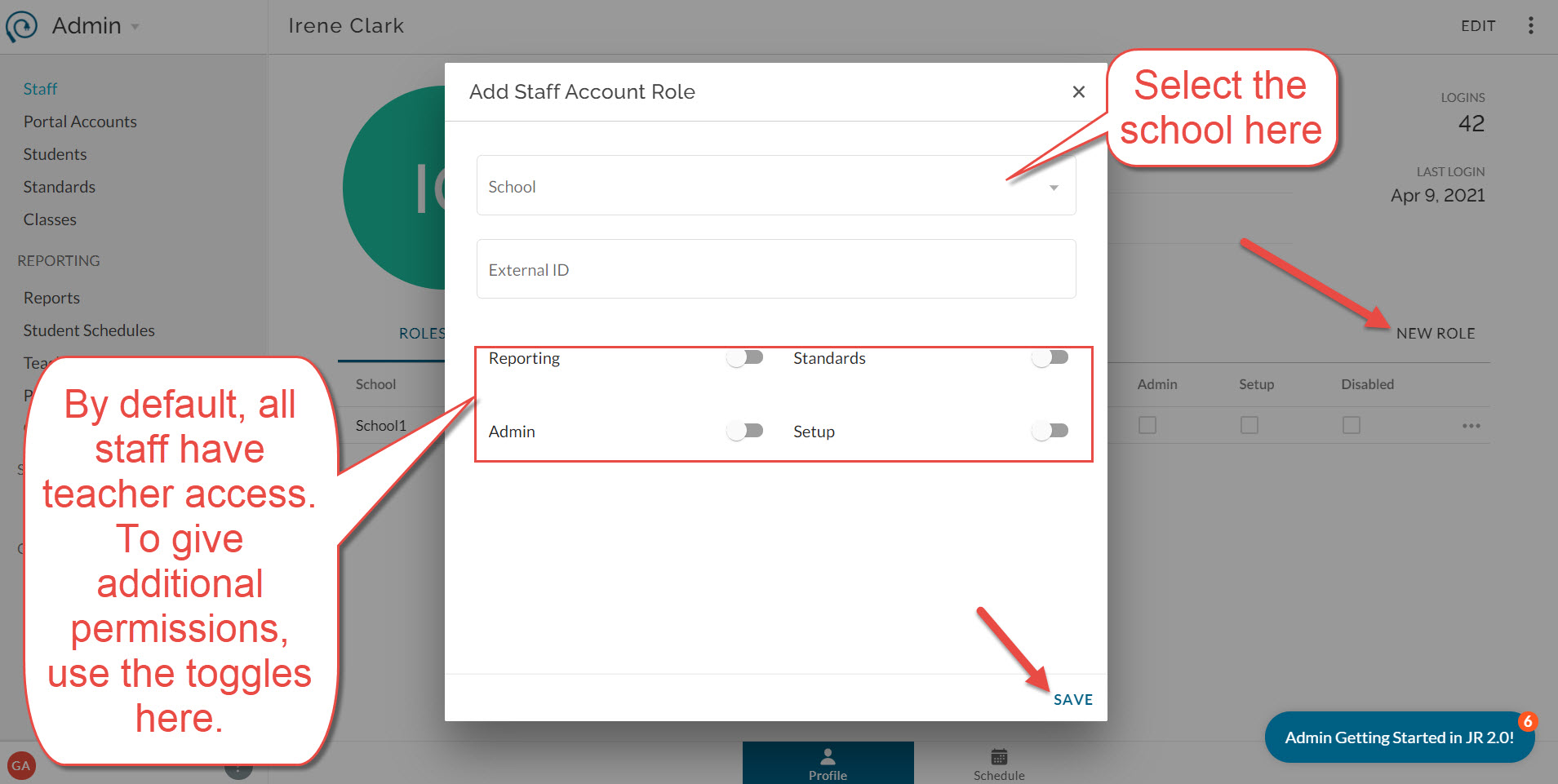
For more information on what each permission includes, see here.