

Navigate to Admin -> Schedule Imports. This will will display a running list of successful synchronizations between JumpRope and schedule data from your school's SIS. Note, this view is for schools/districts that utilize JumpRope's schedule and enrollment SIS integration features. 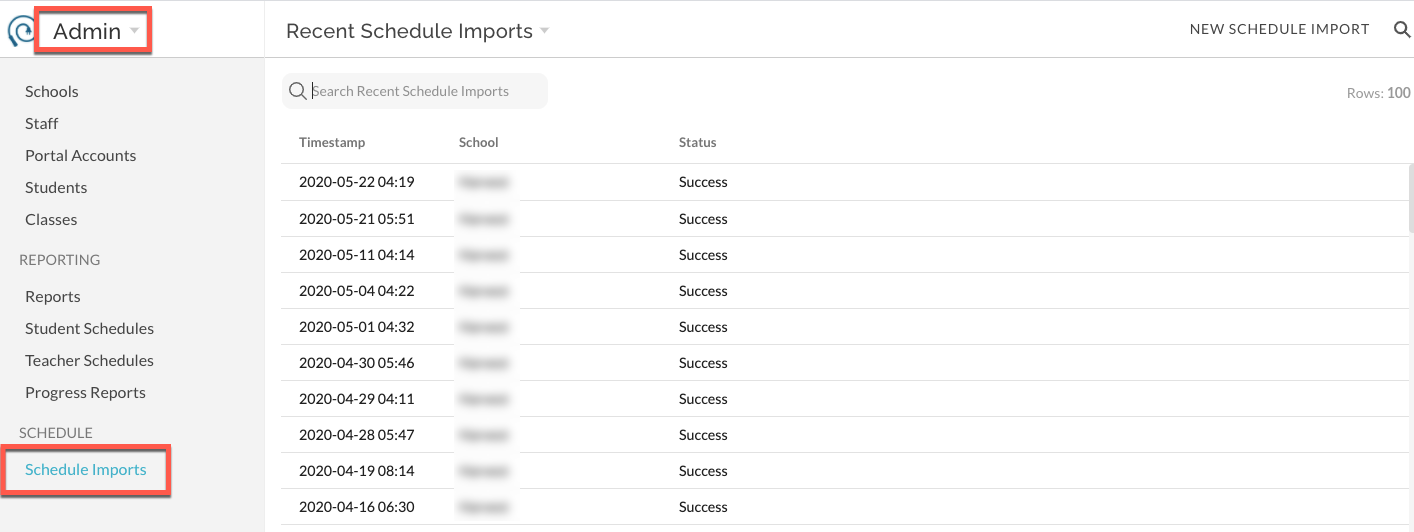
How To - View Status of Recent Schedule Data Imports Print
Modified on: Wed, Oct 28, 2026 at 11:05 AM
Previous Article: How To - Importing a Schedule from NYC STARS/HSST
Next Article: NYC Schools STARS Schedule Import
Did you find it helpful? Yes No
Send feedbackSorry we couldn't be helpful. Help us improve this article with your feedback.