

This information is most relevant for NYC schools using STARS programming for schedule data imports into JumpRope. See also: Fixing Teacher Mappings for STARS imports
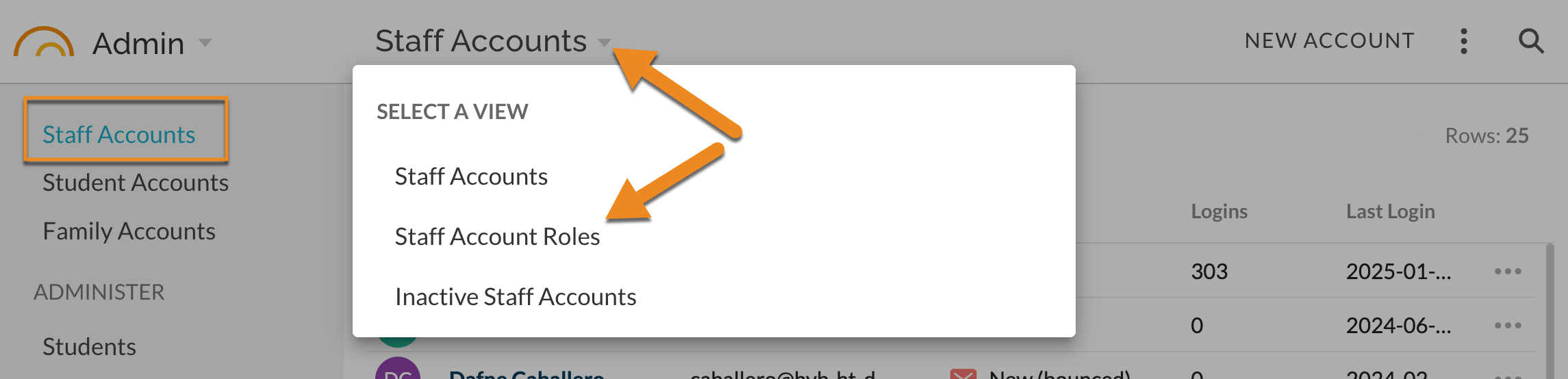
- In Admin - Staff Accounts, change the view to Staff Account Roles.
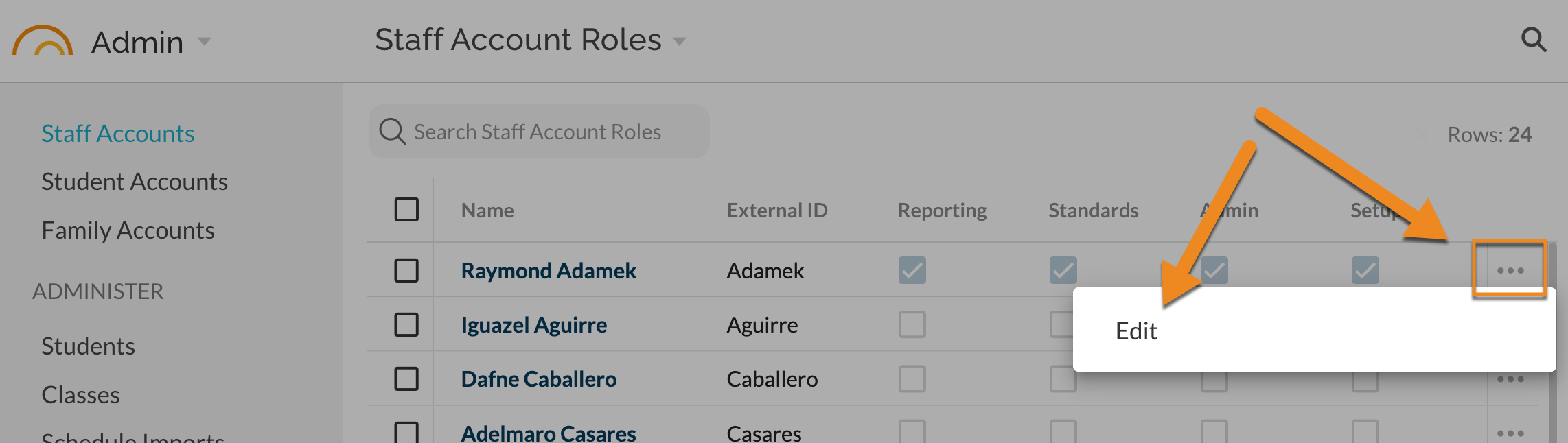
- Find the desired Staff Account and select Edit from the ⋯ menu.
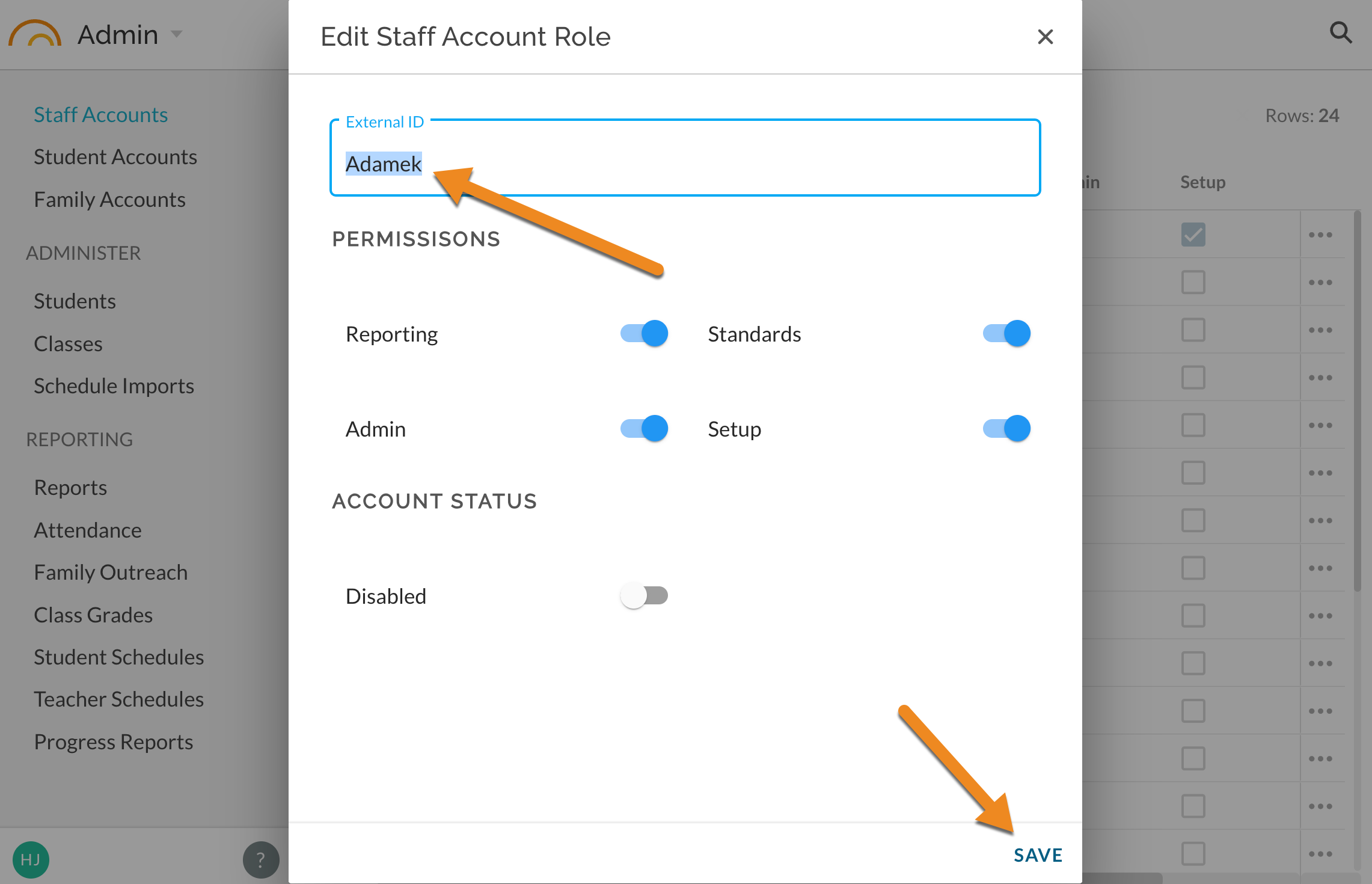
- Edit the External ID value and SAVE.
- Reload scheduled/program data to match and map classes to updated External ID.