

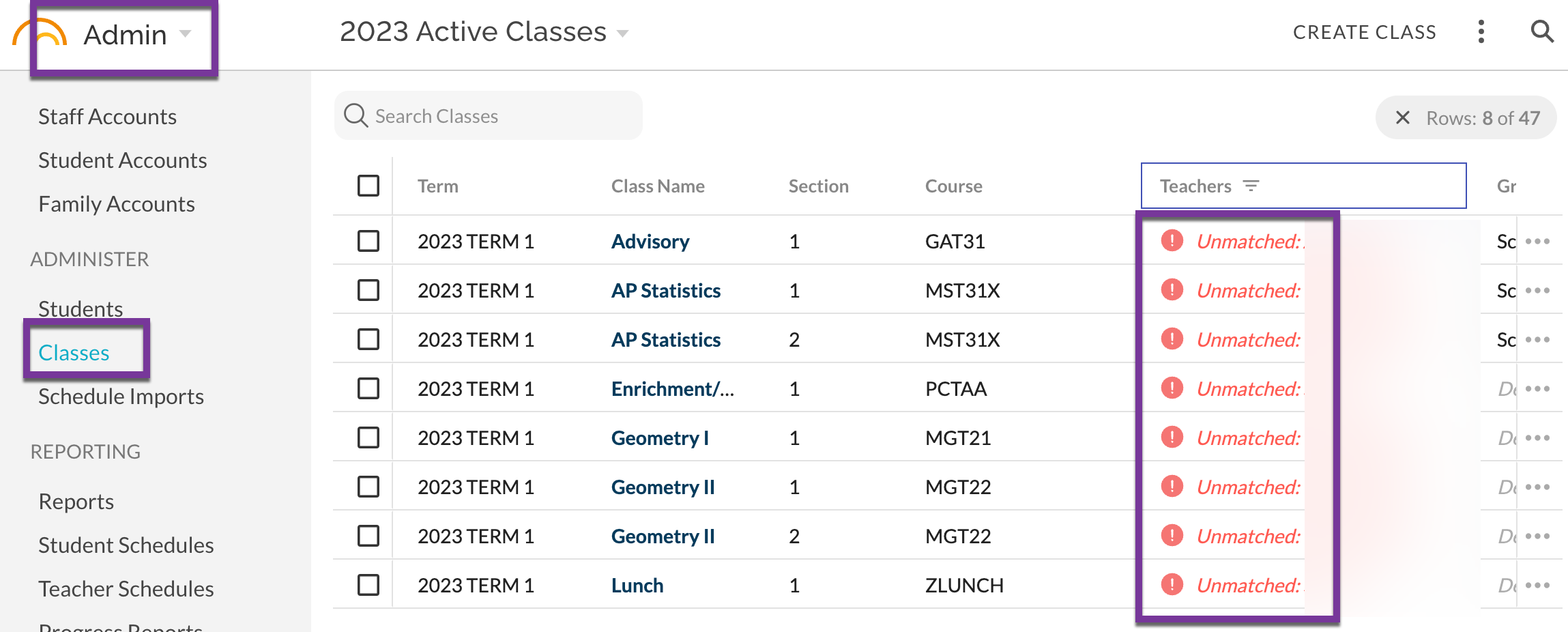
Classes in JumpRope that are not mapping successfully to a teacher account are identified in Admin - Classes as shown below:
Steps to resolve:
- Ensure that the expected teacher has an existing account in JumpRope. If not, create the account and then upload fresh STARS data into JumpRope.
- Ensure each teacher has a unique representation in STARS (e.g. when they share a last name) and export the STARS data.
- Make sure the staff account External ID matches exactly the representation of the teacher in STARS (you can usually see this in Admin > Classes by locating red cells the didn't automatically map).
- Re-import the schedule as usual.
- Check the results in Admin > Classes (teachers field) or by ninjaing in to teacher accounts to check their gradebook.
To make it easier to identify these issues, the Admin > Classes list will detect classes that did not map to any existing teacher and display red warning plus the incoming teacher name from STARS to help figure out which staff accounts need to be updated.
Explanation
STARS allows admins to assign one or more teachers to classes using a loosely-validated text box that contain various representations including:
- SMITH
- JSMITH
- SMITHJ
- SMITH J
- J SMITH
- JOHN SMITH
- SMITH JIMENEZ
- SMITHJ SMITHB JIMENEZA
- etc.
As a best practice, we recommend "squashing" names and initials together without a space in the STARS representation such that each "word" in the teacher matches to a different teacher. In other words, "JSMITH" or "SMITHJ" is preferable to "SMITH J" or even "JOHN SMITH" with spaces as it improves the clarity of matching teachers.
JumpRope does it's best to match these to active staff accounts using the last name of the staff member OR the external ID of the staff account (if it has been set to something other than the default of the last name). This isn't always possible, for example when:
- More than one teacher shares the same last name (in which case multiple teachers might match, or none because initials were used in STARS)
- First or last initials are used to distinguish between teachers in STARS (in which case you must tell JumpRope by setting the external ID)
How to edit External ID value
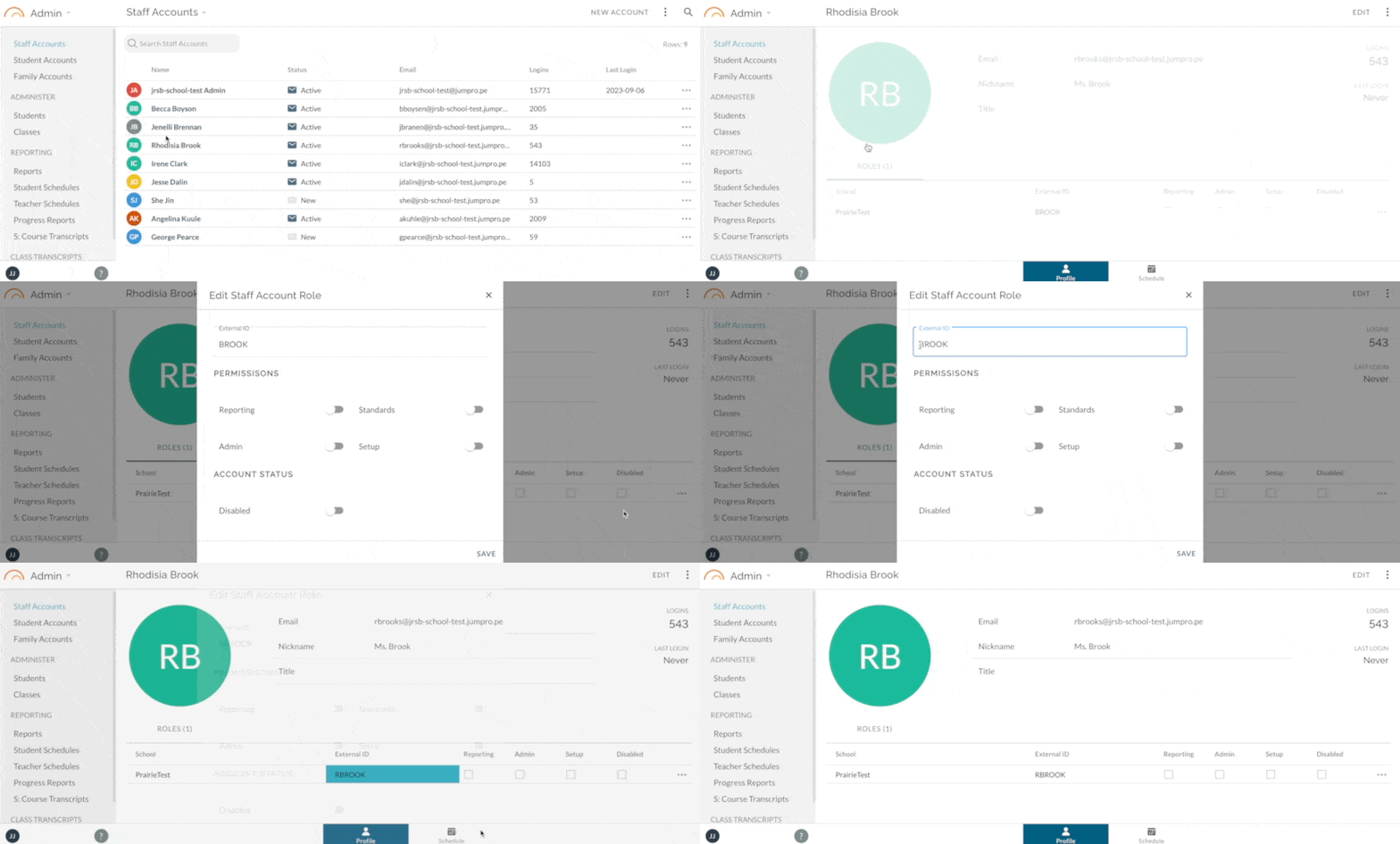
See also: How to - Edit a Staff Account External ID Value
In order to match teachers' STARS class sections with their JumpRope account, you must set each teacher's "External ID" on their staff account to match exactly with the name you use for the teacher in STARS (the name you see in the Teacher field of your 4.15 export if you open the file). This is usually the teacher's last name so JumpRope will have a default external ID set for each teacher that matches their last name. Generally you only need to make edits to the external ID if you use something other than the last name in STARS, or if you have more than one teacher with the same last name. In that case, add a first initial to BOTH teacher, i.e. RBROWN and SBROWN, making sure to also make this change in STARS.