

In addition to a student's Family Portal account (see more here), JumpRope now supports additional linked Family Accounts. An individual Family Account is intended for a parent or guardian to be able to manage their own login credentials and access one or more students' JumpRope Portal. Family Accounts are optional.
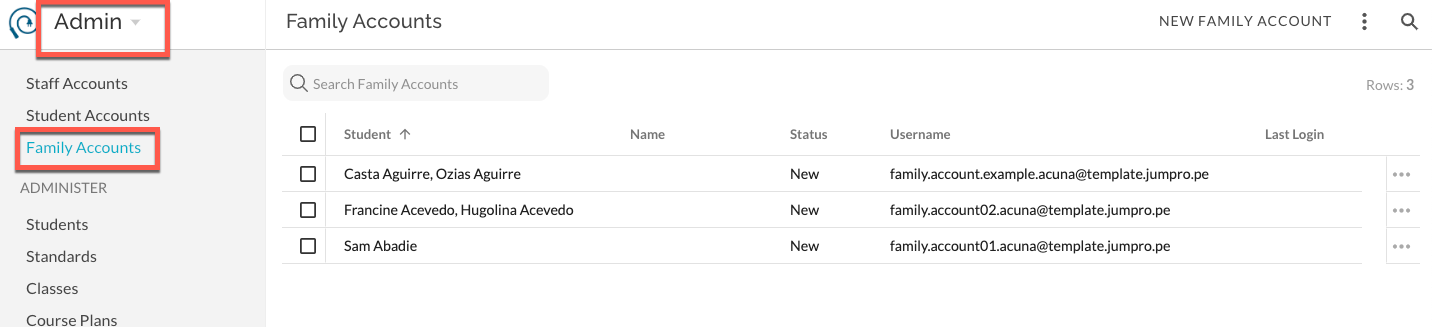
Create Family Accounts
- A Family members' account is initiated by the school through an email invitation (Create Family Accounts ).
- When creating and managing Family Accounts, the school identifies the associated student(s). The user cannot select their own student(s).
- A single Family Account username can be associated with up to 10 individual students at the school. For example, a parent can use a single email address username and access the JumpRope Portal for both of their children at the school in a single login session.
- In Admin - Family Accounts, each username is displayed. This includes, the status of the username/email (New, Invited, Active), student names associated with said username, the username itself. Optionally, the user can enter their own First and/or Last Name upon account creation.
- NYC Schools can use the RCON file from their SIS to import contact information from or email addresses.
Managing Family Accounts
- When a school sends an invitation to an email address, the recipient receives a link to login and create their account. From this account they have the option to change the email address they will use as their username and to enter a first and last name .Any changes they make will not change Student Profile information in JumpRope but will change the username/email information in the Family Accounts list.
- The invited user manages their own username and password. They do not manage the student portals that they have access to.
- For an Active account, Admin can add/remove students, re-invite, and delete the account. Admin cannot edit email, first, or last name.
How To
- How To - Create Family Accounts
- How To - Manage Family Accounts
- How To - Send Email Invitations for Family Accounts