

Overview
This extract generates a CSV file of student eligibility data for submission to the California Department of Education (CDE) Supplemental SUN Bucks Collection (SSBC) via Educational Data Collection System (EDCS). The file identifies non-streamline certified students who may qualify for SUN Bucks benefits based on their enrollment, household benefits, and direct certification status during the eligibility period.
NOTE: Because all schools for an LEA must be submitted in a single file, this page can only be accessed from the District school. Each time the extract is generated, all eligible students are included — there is no logic to track students previously sent.
Configuration ↑
Before generating the extract, run the Administrative Functions > Update USYSGCOD (fixed codes) Tables process to update the dropdown code values in School Options - NSLP field.

Confirm that schools participating in NSLP are correctly recorded in Aeries. The LOC.NLP field in School Info > School Options identifies whether a school participates in the National School Lunch Program. Only students attending NSLP-participating schools may be submitted for SUN Bucks eligibility.
- Schools that participate in NSLP must be assigned a value of 01, 02 or 03.
- Schools that do not participate should be left blank or set to 00 (No, not participating in NSLP) - only participating schools are required to have this field populated.
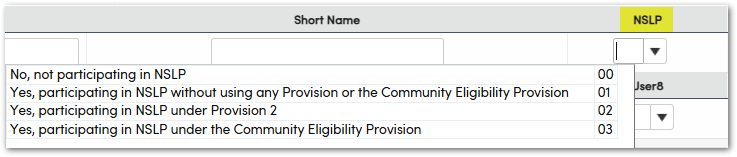
NOTE: Schools with a blank or 00 value will not appear on the SSBC / EDCS extract page and will be excluded from the generated file.
Code Translations ↑
Aeries is using the CALPADS Code Translations table (XRF) to identify source codes that will be used for extracting students in the SUN Bucks extract file.
In CALPADS Extracts > Code Translations, select the Code Set NSLP Source Code (FRE.SRC), then select the Add Default Translations. A set of fixed codes will be inserted and translated for use with identifying FRE records to be submitted to SUN Bucks. It is recommended that users properly utilize the fixed codes in order to capture non-streamlined certified students.
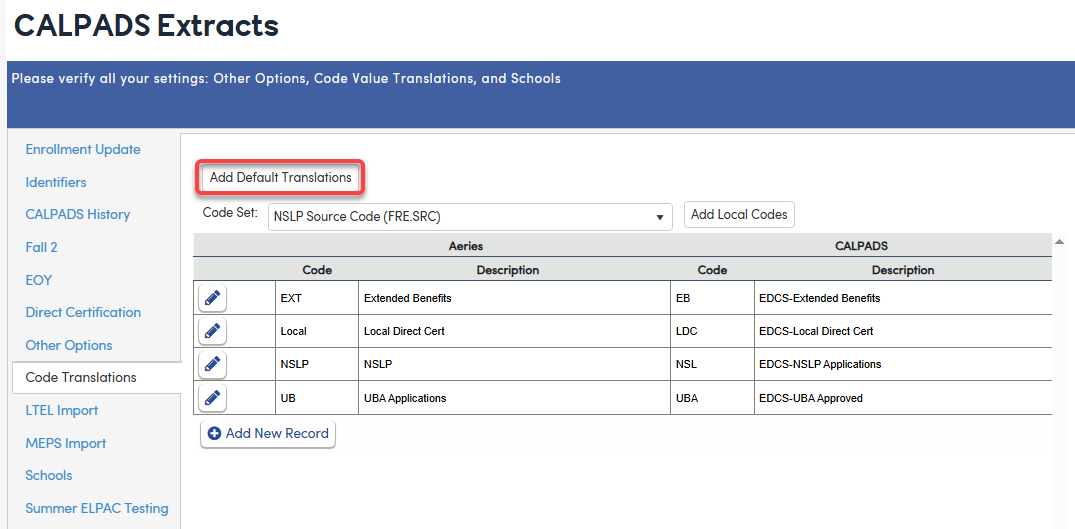
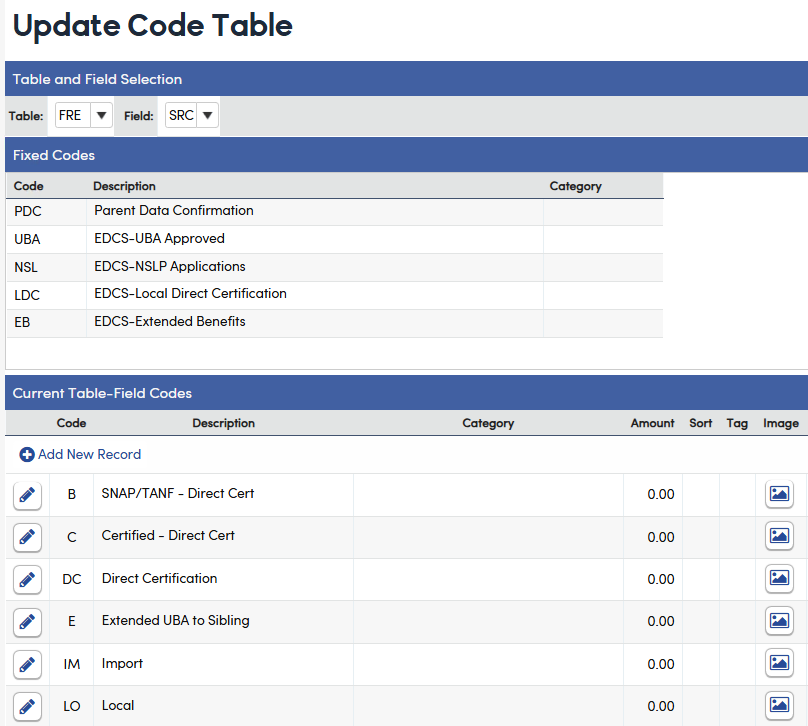
A local code may be used but must be translated to a fixed EDCS code in order to extract. Streamlined students will be identified directly from CALPADS. To add a local code to the FRE.SRC field, navigate to Update Code Table (COD) and select FRE.SRC.
- Add local codes your district uses to identify the Source of the NSLP records. These codes often come from the Nutrition Services company, as part of extracts. When the NSLP records are imported, be sure to map the included Source Codes to the FRE.SRC field.
Free and Reduced Page ↑
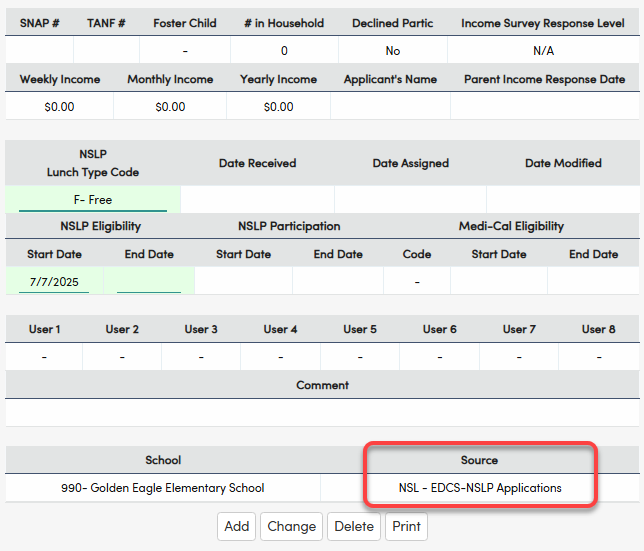
A non-streamlined student who qualifies for SUN Bucks must be added to the FRE table and identified with a Source code that translates to EDCS.
Non-streamlined certified students may be eligible for SUN Bucks if they attend a school participating in a federal meals program during the eligibility period and meet one of the following:
- Ages 0–22 with an approved Universal Benefits Application (UBA) on file
- Ages 0–22 with an approved NSLP application on file
- Identified through a local direct certification process with the county welfare department
- Identified through an extended benefits process (benefits extended based on another household member)
NOTE: Students who have been directly certified (DC) through CALPADS do not need to be submitted to EDCS — they have already been identified for eligibility in CALPADS. Only submit students identified through a local direct certification process conducted between the LEA and its county welfare department.
Eligibility Dates and Rules ↑
Dates are calculated dynamically from the selected school year and analyzed from the FRE.ESD Eligibility Start Date field. Students with an Eligibility Start Date between 07/01 [current year] through 08/31 [current year+1] will be included in the extract.
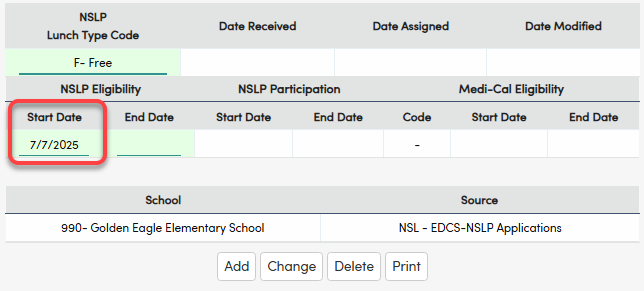
Only the following mapped Eligibility source values are included in the extract process:
- UBA - UBA
- NSL - EDCS-NSLP Applications
- LDC - EDCS-Local Direct Certification
- EB - EDCS-Extended Benefits
All other FRE.SRC values are excluded from processing.
Students fall into two eligibility tiers based on age and certification type.
All ages 0–22 — application-based eligibility
Non-streamline certified students enrolled in a school participating in a federal meals program during the eligibility period are eligible if they have:
- A Universal Benefits Application (UBA) approved by the LEA
- A National School Lunch Program (NSLP) application approved by the LEA
- Benefits extended by the LEA through direct certification of another household member
Ages 0–5 and 19–22 — direct certification eligibility
Students in these age brackets may also be eligible without an NSLP application or UBA if enrolled at any point during the eligibility period and meeting one of the following:
- Directly certified through CALPADS or via direct certification matching with the county welfare department
- Homeless, migrant, or foster records on file in CALPADS
NOTE: CALPADS does not collect all discrete pieces of information needed to identify non-streamline certified eligibility. LEAs must upload these data via the SSBC to EDCS.
Security ↑
Table | Permission | Description |
|---|---|---|
| SSBC/EDCS Extract | Admin | Only admin have permission to view the page and generate the extract. |
SSBC/EDCS Extract ↑
The SSBC/EDCS page can be accessed by searching for either SSBC, EDCS, SUN or BUCKS under Pages on the District school only.
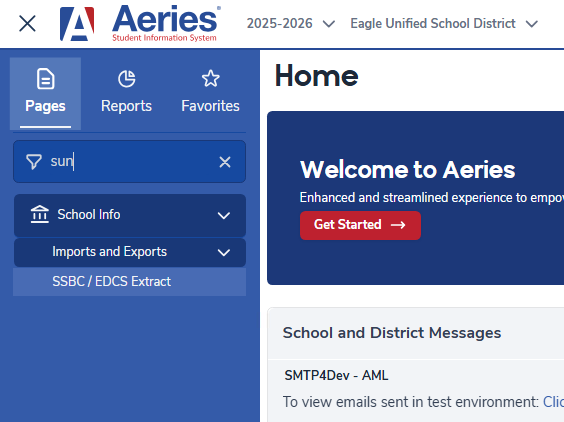
The following steps must be completed in order:
- Ensure all schools participating in NSLP have been tagged in School Options as indicated above.
- Select all schools to be included in the extract, then select Save. This saves your selections to the DPT table. If the Save button is yellow, this step has not yet been completed and the extract cannot be run.
- Select Run to process the extract file.
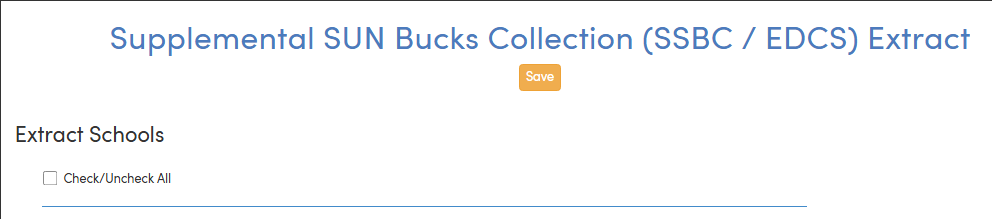
NOTE: Any time the school selection changes, Save must be selected again before running the extract.
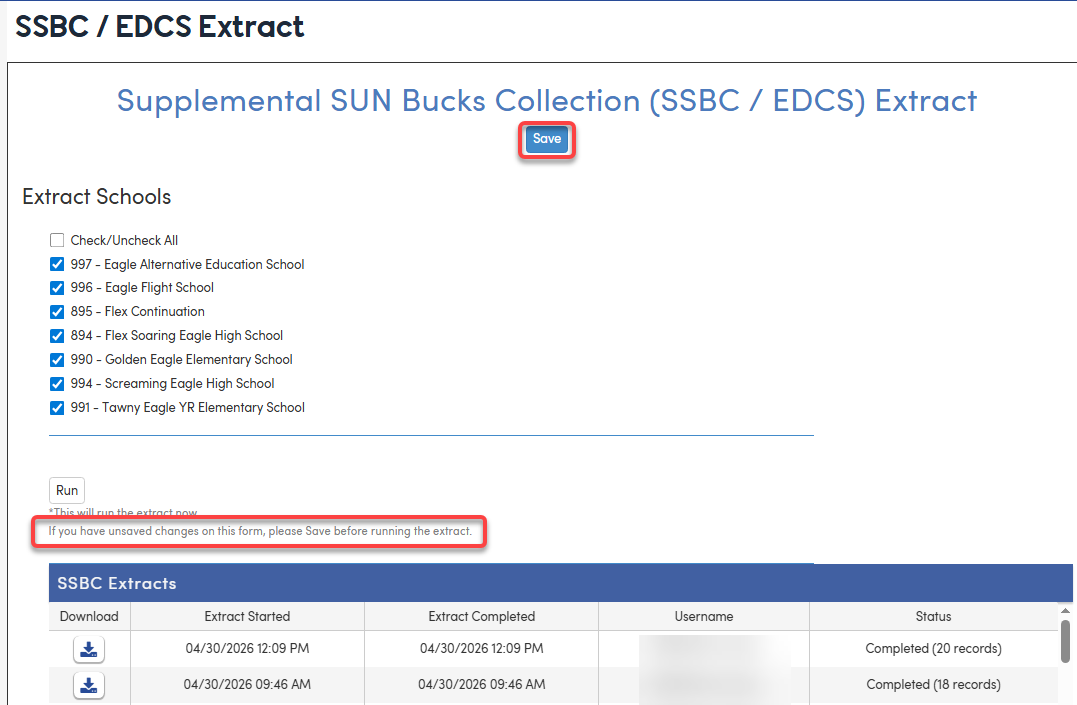
DPT:

The output file will be available under the download section and will be in a .CSV file format. The date used in the file comes from the FRE.ESD field. Depending on the Source code, the date will be inserted into the matching date column. For example, if the record is flagged as EB-EDCS Extended Benefits, then the FRE.ESD date will be inserted into the benefits_extended_date field.
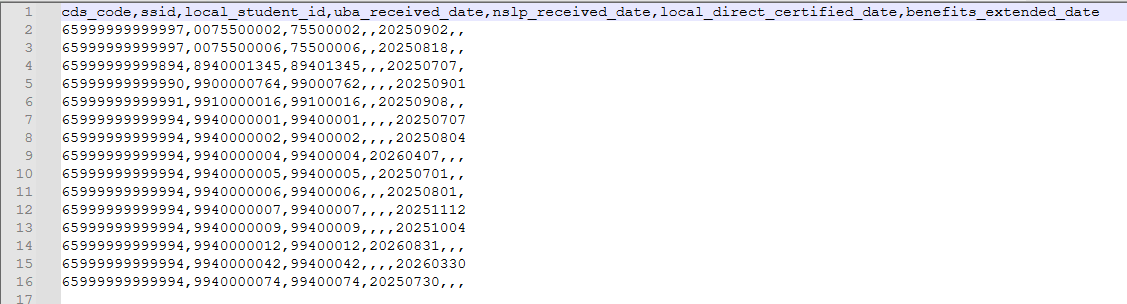
NOTE: All records submitted to EDCS require a Statewide Student Identifier (SSID). Students without an SSID cannot be included in the extract.