
Attendance History will allow districts to analyze longitudinal attendance data. Attendance data entered via Aeries will be stored in the Attendance History tables that will roll from year to year. To view a student’s history, go to Student Data > Attendance History. Users need Read permission on Attendance History Summary in User Security.
In California, the CALPADS Student Absence Summary (STAS) file, part of End of Year (EOY) reporting, is used to calculate student-level chronic absenteeism rates. The STAS file pulls its attendance summary information from the Attendance History (AHS) table.
For more information on the Student Absence Summary (STAS) file.
EOY 3 CALPADS STAS File - General Information
Attendance counts will calculate through the current day, or through the end of the school year depending on which option is selected in the Attendance History Configuration. See Attendance History Configuration for setup details. If an administrator updates Attendance History for a custom date range, a red message at the top of this page shows the date range used.
The Attendance History Summary tab shows, by year and school, the student’s program, home school and grade, plus totals for days enrolled, present, absent (excused and unexcused), tardies, truancy, suspension, in-school suspension and independent study days. A student can have more than one row for a year at the same school, one for each program and home school. All counts are based on the All Day code except for the Truancy count. The Truancy count will also include any days with one or more period truancies. Please refer to the Setup Absence Codes documentation for more information on how Absence Codes should be set up for accurate attendance (including truancy) reporting. In Texas, the Program column is labeled ADA Eligibility, Remote Asynchronous and Remote Synchronous present days are also shown, and in-school suspension days are counted as present.

Use the Display Layout drop-down to switch between Card (the default) and Grid. Aeries remembers your choice the next time you open the page.
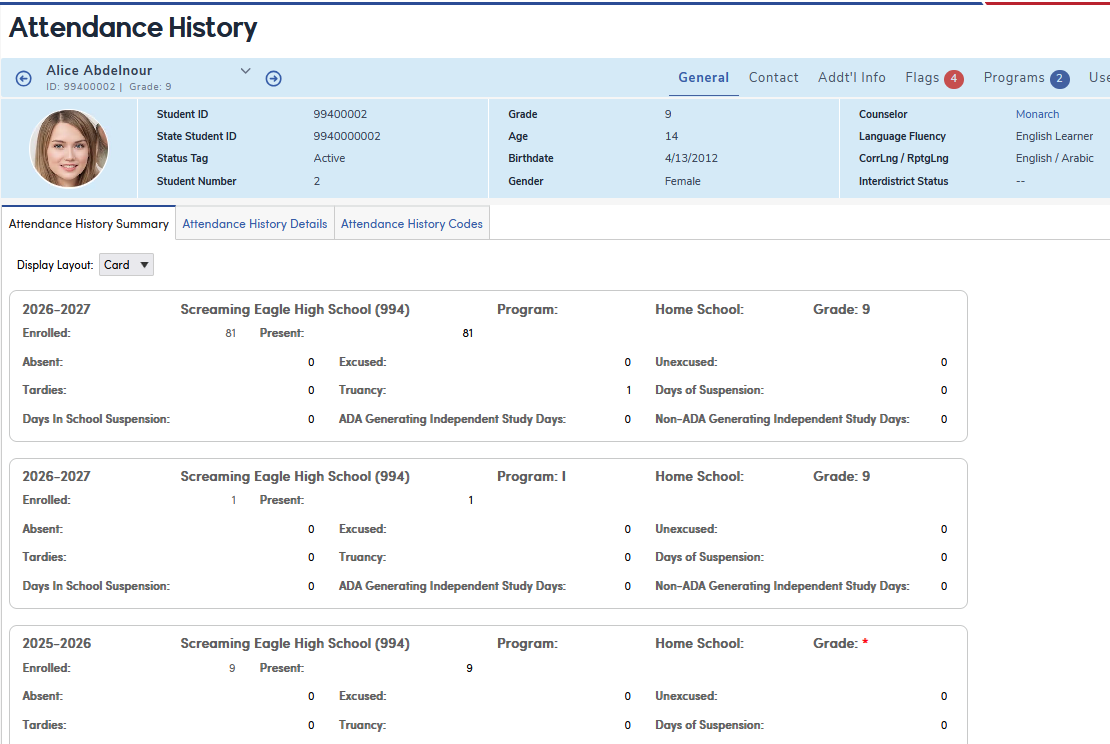
A red asterisk displays in the Grade field when Aeries can’t find an Enrollment History record for that student, school and year whose Program (ENR.PR) matches the Attendance History Program (AHS.SP).
Hover over the asterisk to see this message: 
Make sure Launch Fix ENR Process (School Info > Functions > Administrative Functions) has been run so the Enrollment History (ENR) table matches the current Attendance (ATT).

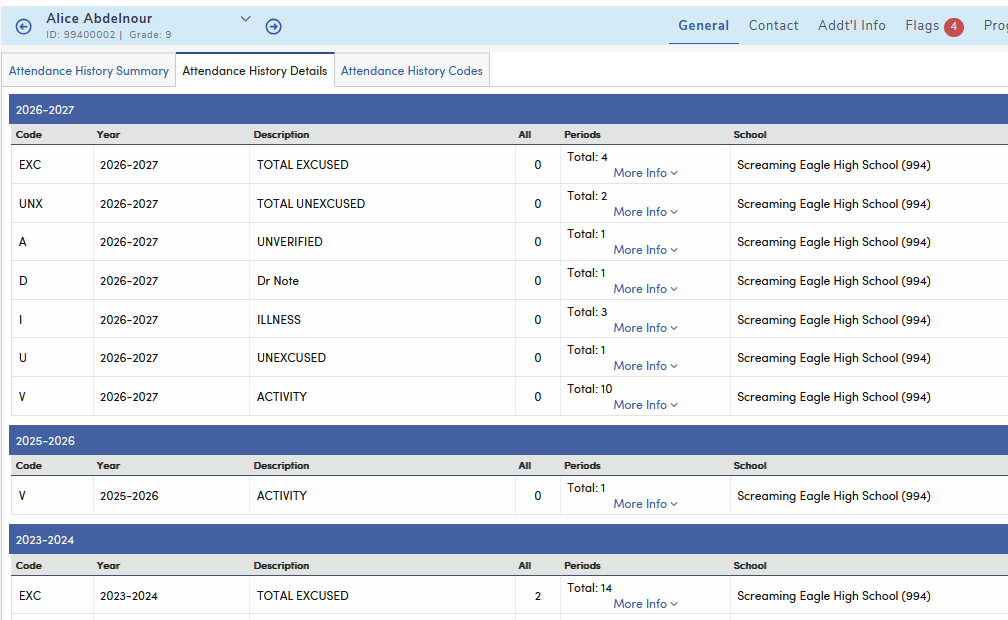
The following is an example of the Attendance History Details tab for a student in a secondary school. This tab lists the student’s attendance counts for each absence code by year, with Code, Year, Description, All (all-day count), Periods and School. The Periods column shows the total period count; click More Info to see the count for each period. Elementary schools don’t show the Periods column. The EXC and UNX rows show total excused and unexcused counts.
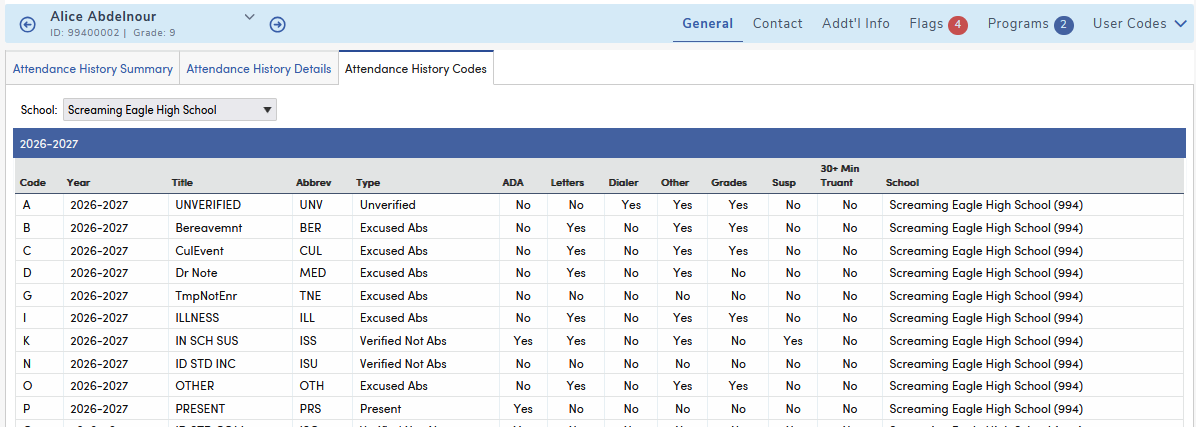
An Attendance History Codes tab is available to display the absence codes descriptions for each school. The tab opens to the school you are logged into. Use the School drop-down to see another school’s codes or all schools. Codes are grouped by school year. When all schools are shown, a Sort by drop-down lets you sort by Code or School.