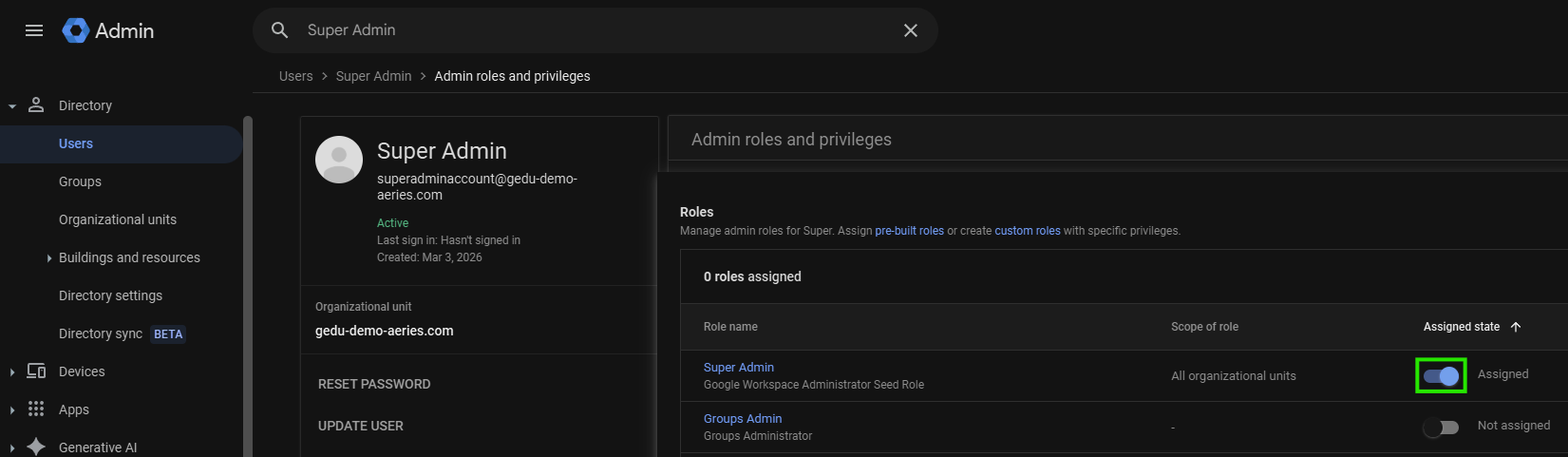
Create a Super Admin Account
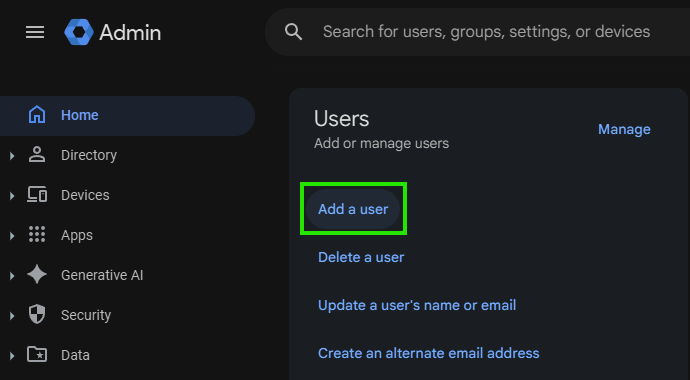
In the Google Admin Console create an account that Aeries will use to manage your Users, Organizational Units, Groups, etc. for the Google integration. You will put this user into the “Super Admin” role. The account can be named anything, but we recommend making it easily identifiable and separate from individual user accounts. Click on Add New User. This is the User to Impersonate on the Aeries Google Staff Configuration Page.
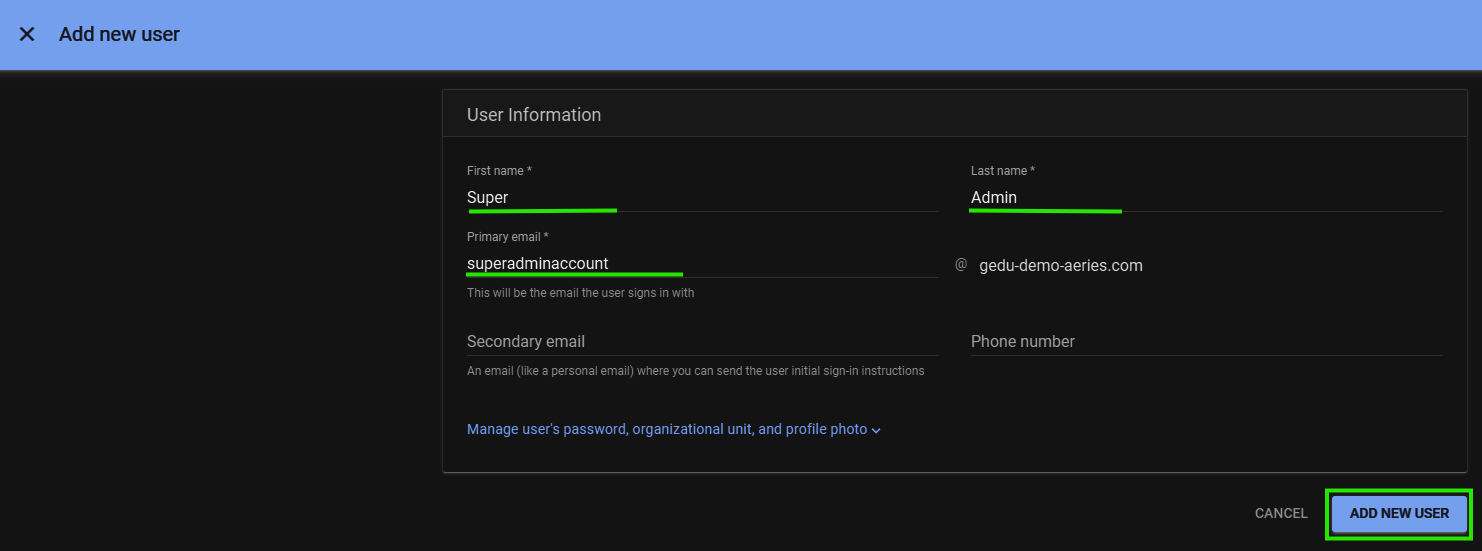
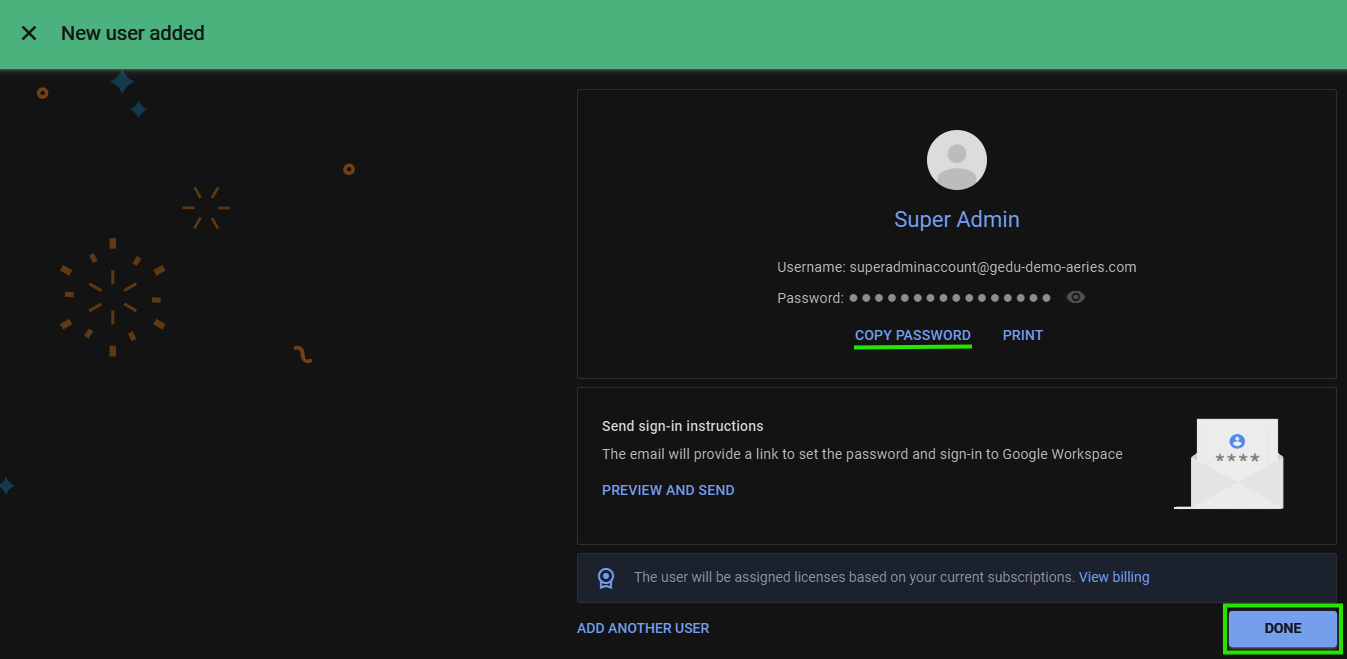
Password for the account is automatically generated and may be changed later. Copy the Password and Click Done.
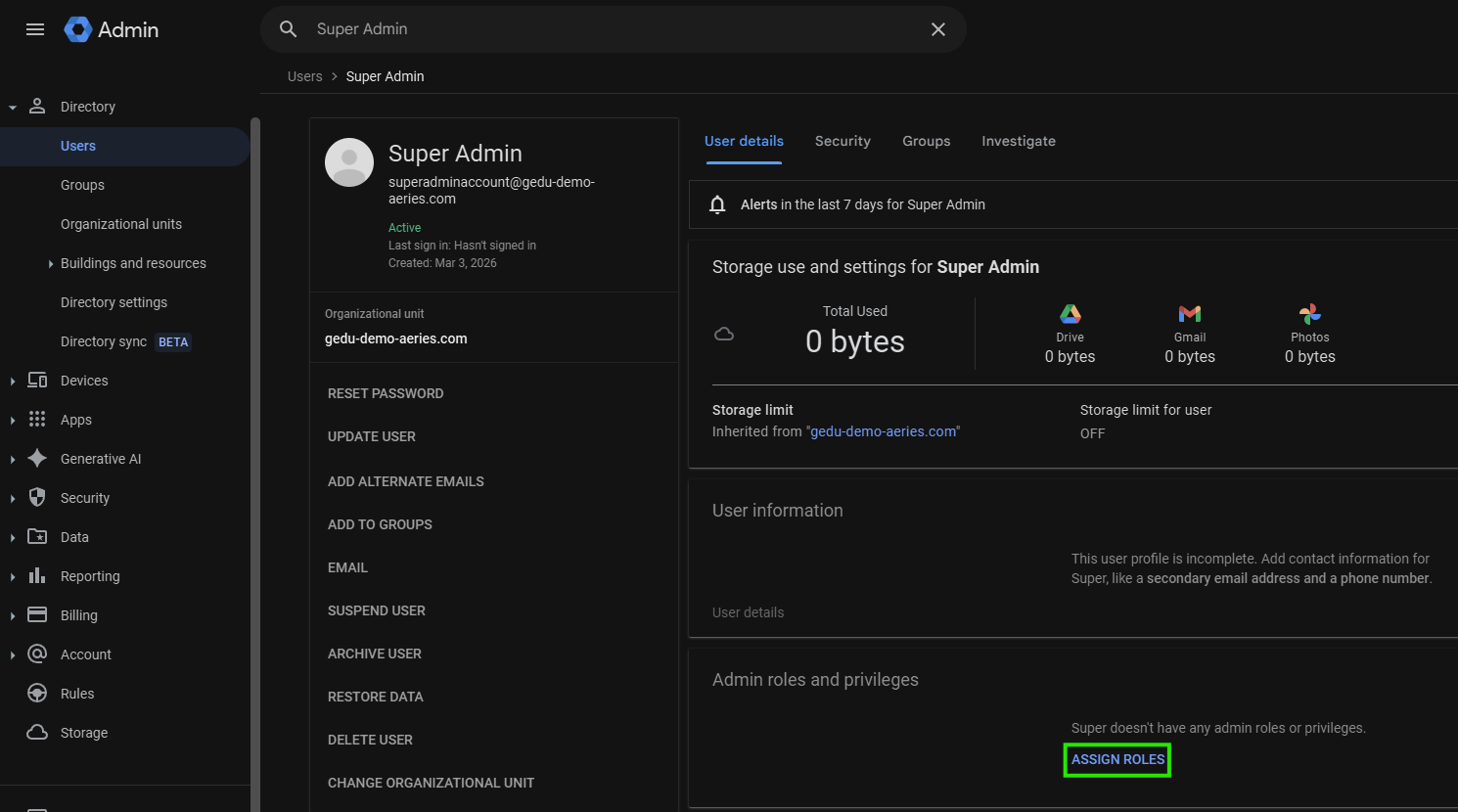
Search for and Select new Account

Under Admin roles and privileges, Click Assign Roles.
Assign the Super Admin role by clicking the toggle switch to change the Assigned state from Not assigned to Assigned.