

What is the Civil Rights Data Collection
Navigation
School Info > Imports and Exports > Civil Rights Configuration (in the 2025-26 school year database)
School Info > Imports and Exports > Civil Rights Processing and Results (in the 2025-26 school year database)
What is the Civil Rights Data Collection ↑
The Civil Rights Data Collection (CRDC) is a federal collection from the U.S. Department of Education Office for Civil Rights. It reports the enrollment of, and educational services provided to, students in public schools by race/ethnicity, sex, and disability. Aeries calculates the counts from the data in your database and creates the file you submit. Some information on the CRDC cannot be calculated by Aeries and must be entered manually for each school on the CRDC submission website.
Two pages support the collection. The Civil Rights Configuration page is where you set up the schools, dates, codes, courses and options used in the calculations. The Civil Rights Processing and Results page is where you run the process, review the results, and download the file. Each time you process, the prior results are deleted and new results are saved.
The next Civil Rights Data Collection is for the 2025-26 school year. According to the Civil Rights Data Collection Resource Center the CRDC Submission Tool will open from December 7, 2026 - March 5, 2027 for all local education agencies (LEA) and state educational agencies (SEA) that are assisting their LEA’s with the 2025-26 submission. Check the Civil Rights Data Collection Resource Center for more information about the CRDC collection window, resources, and collection questions.
Configurations ↑
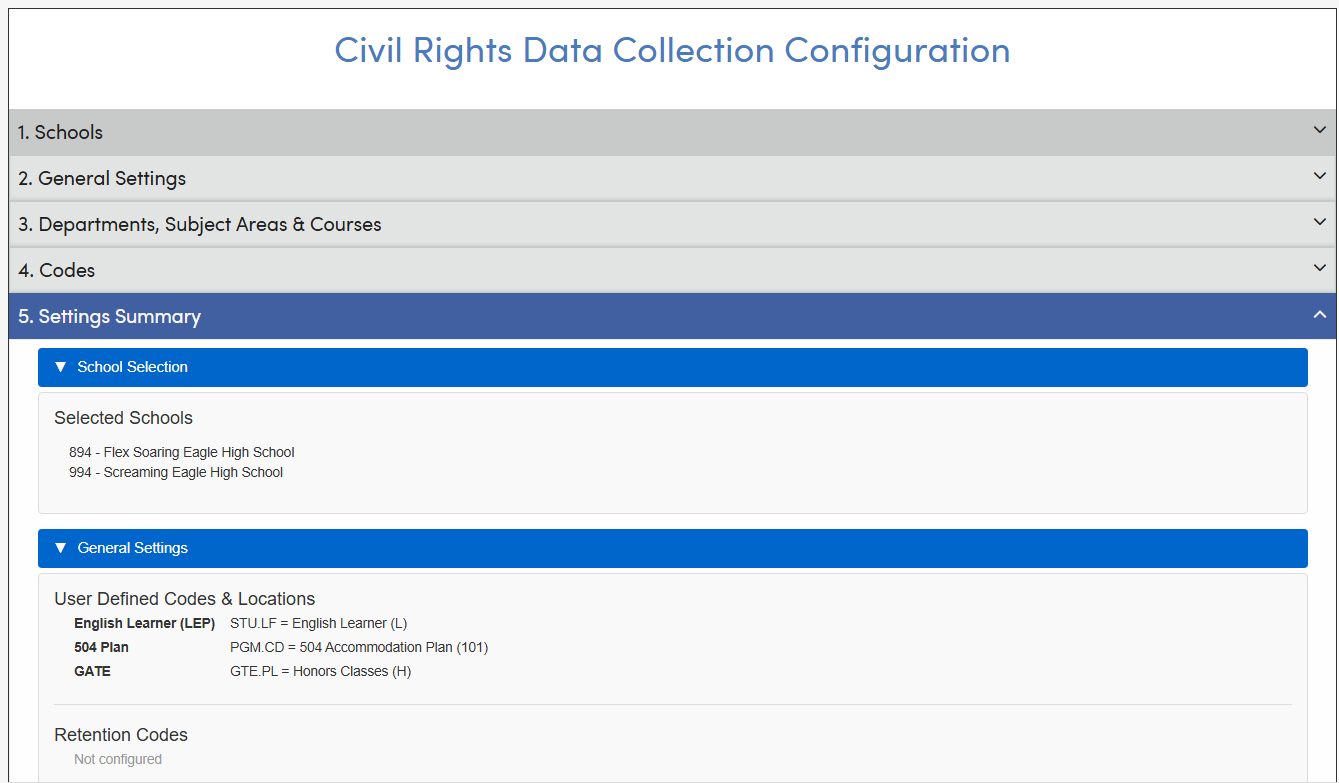
IMPORTANT: Review and set every tab on the Civil Rights Configuration page before you process. Several settings, such as Reporting Dates and User-Defined Codes, directly affect your counts.
- Settings from prior collections: Existing Civil Rights settings, including department and subject area lists, dates, courses and codes, were carried forward to the Civil Rights Configuration page when your database was updated, so you do not need to set them up again. Review them before processing. Some complex settings, such as those that vary between districts, need to be configured manually.
- Code Tables and translations: The Codes tab maps your discipline, harassment and bullying, offense, restraint and seclusion, and arrest and referral codes to the CRDC sections. If you have not selected values on the Codes tab, default values display and are used. Set up code translations and the AP course list before processing.
- Saving: Each tab has its own Save button. Saving one tab does not save changes on another tab.
- Reporting gender: Current federal CRDC reporting accepts Male and Female counts only. Aeries uses the student’s gender (STU.GN). If that value is not Male or Female, Aeries uses the gender on the student’s Legal Student Information record (LSI.GN). If there is still no Male or Female value, or no LSI record exists, the student is not counted. The Non-Binary row and columns have been removed from the results and the export file.
Options ↑
Civil Rights Configuration page
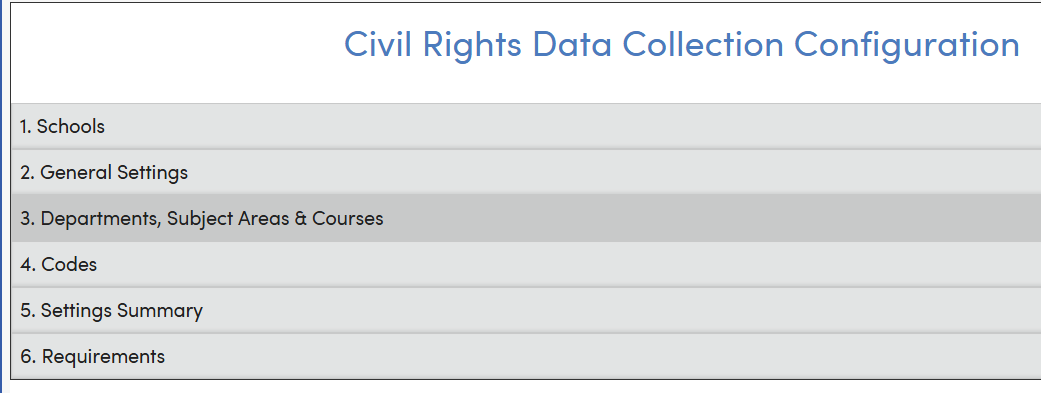
- Schools: Select the schools to include and enter the NCES number for each.
- General Settings: User-Defined Codes (English Learner, 504 Plan, GATE, Block Scheduling), Reporting Dates, Retention Codes, Credits Needed to Pass Algebra I, Single Sex Academic Classes, and Transitional Kindergarten.
- Departments, Subject Areas and Courses: Map your department and subject area codes to the CRDC subject areas, and map your course codes to CRDC defined courses.
- Codes: Build custom rules for the CRDC sections. Most districts do not need to change these.
- Settings Summary: Read only recap of everything you have configured.
Civil Rights Processing and Results page

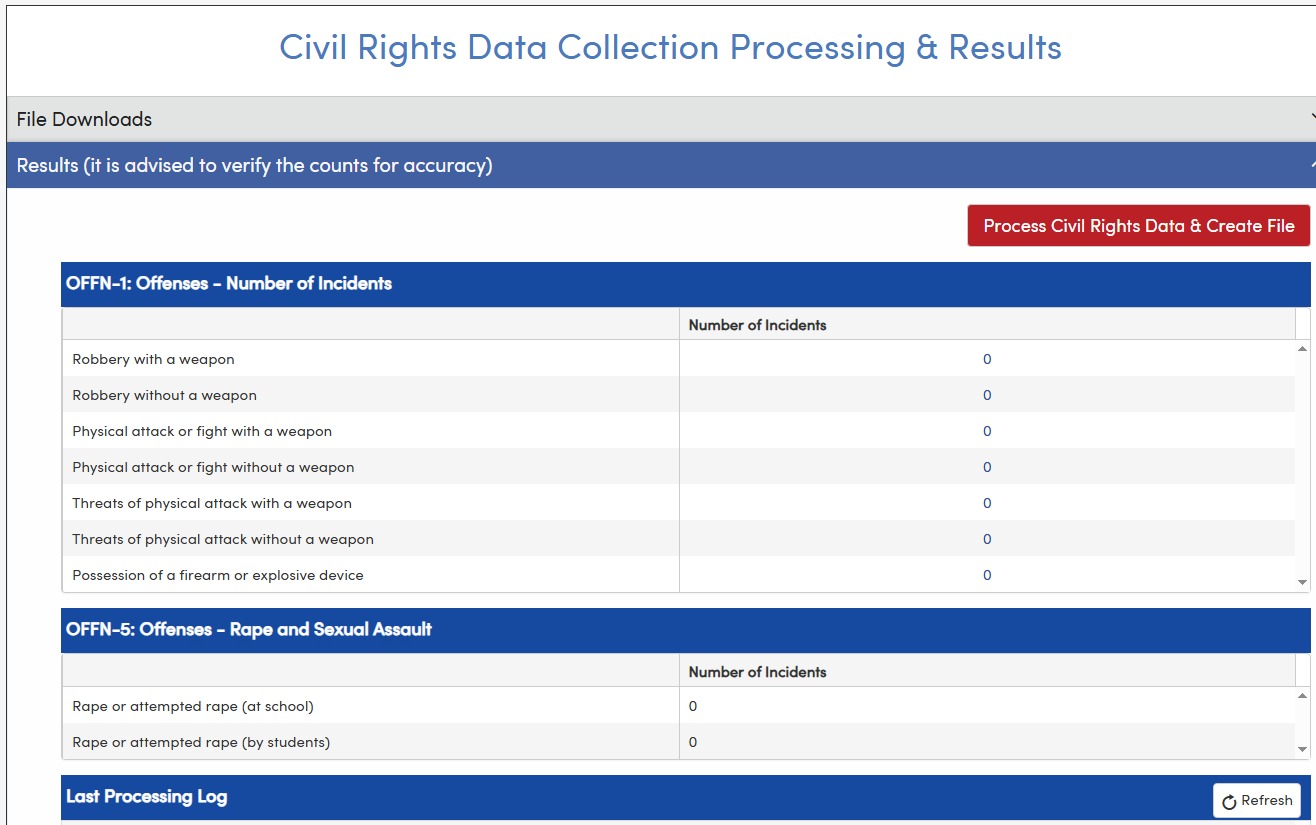
- Process Civil Rights Data & Create File: Runs the calculations. Progress appears in the Last Processing Log, and you do not need to stay on the page.
- Results grids: One grid for each CRDC section. Click a number to see the students included in that count.
- Details and Export to Excel: Details lists the students for a section. Export to Excel downloads the grid as a spreadsheet.
- File Downloads: Lists previously generated extract files with a download icon for each.
For permissions, source tables, and where Civil Rights data is stored, see the Security and Tables for Civil Rights Data Collection article.
NOTE: Verify the counts before you submit the file. Some categories depend on settings you configured earlier, and some CRDC sections must be completed manually on the CRDC website.