

Default Mastery Schemes are managed in Mastery Options.
For each report type (Course Grades, Proficiency Mastery) select a Mastery Scheme. For Progress Reports, select a Progress Report Template
For districts with more than one school, the default for each report type for each school will need to be selected.
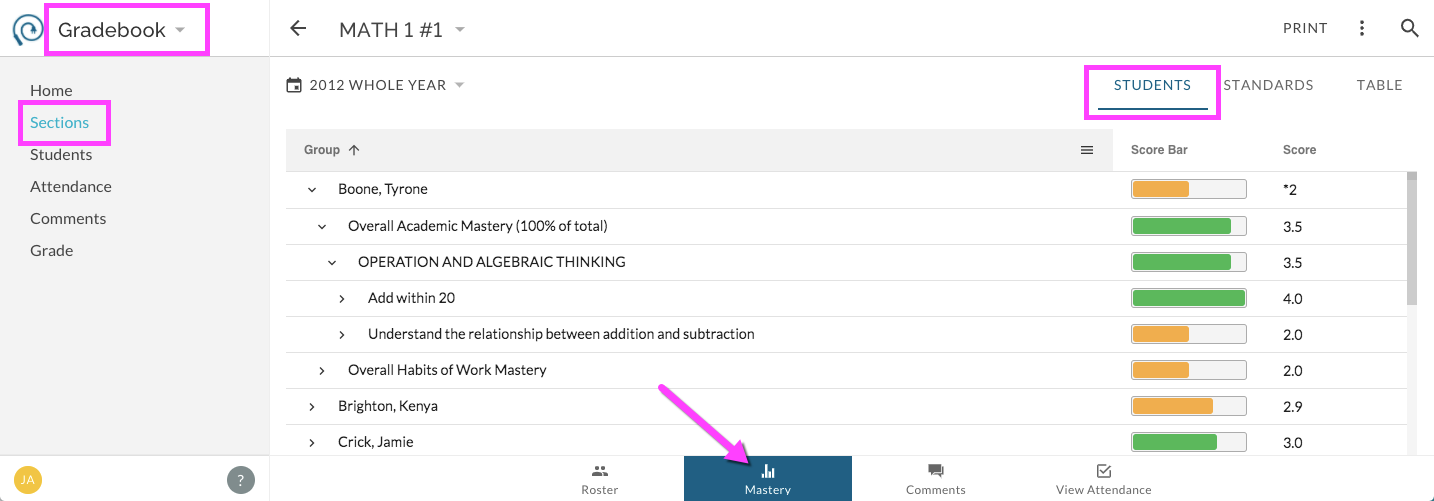
One function of the default Course Grades Mastery Scheme is to inform the organization of on-screen Course based mastery reports for users. Here are some examples of teacher-facing mastery reports that utilize the default Course Grades Mastery Scheme: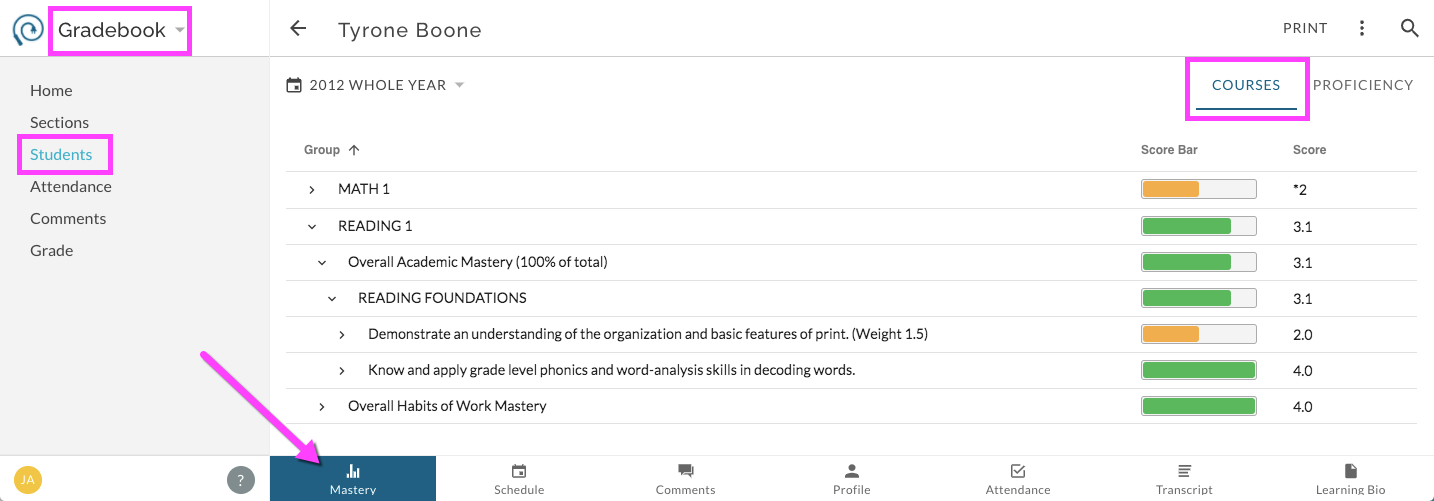
The default Proficiency Mastery Scheme also**** informs the organization of on-screen mastery reports, specifically those that are content area or proficiency based. Here is an example of where to find the default Proficiency Mastery Scheme in use: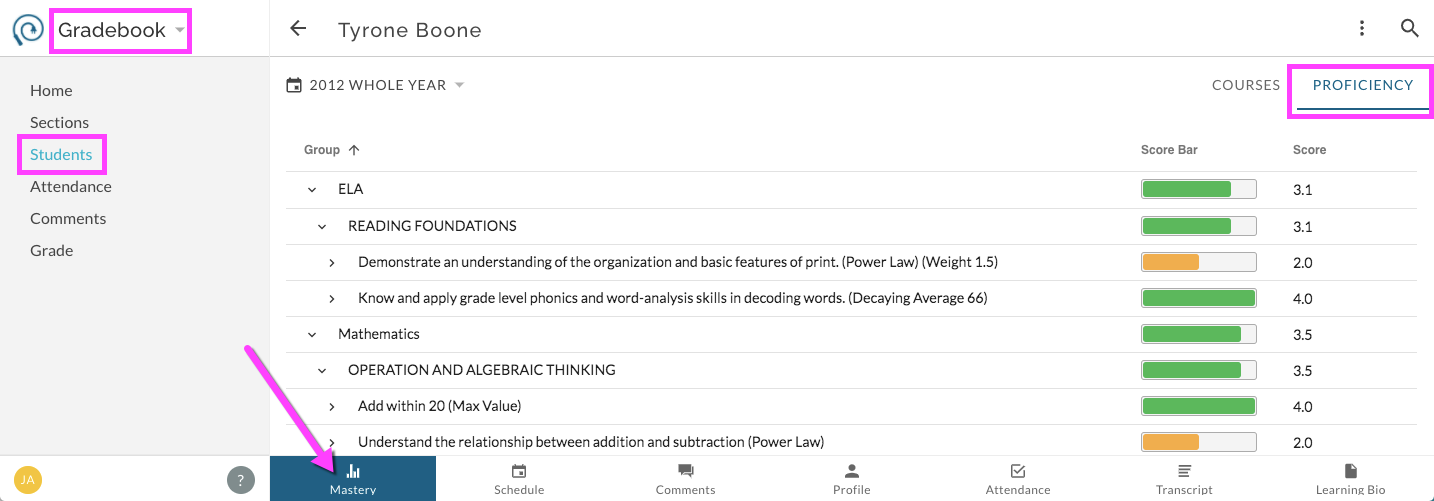
The default Progress Report Template determines the default settings for any generated progress reports. Create Progress Reports as described here.
Enable or disable Class Grades and/or Class Comments for the given school.