

Complete API Credential setup first. SAML configuration requires that your API credentials are set up and confirmed working by JumpRope before proceeding.
- Set up****SAML Configuration
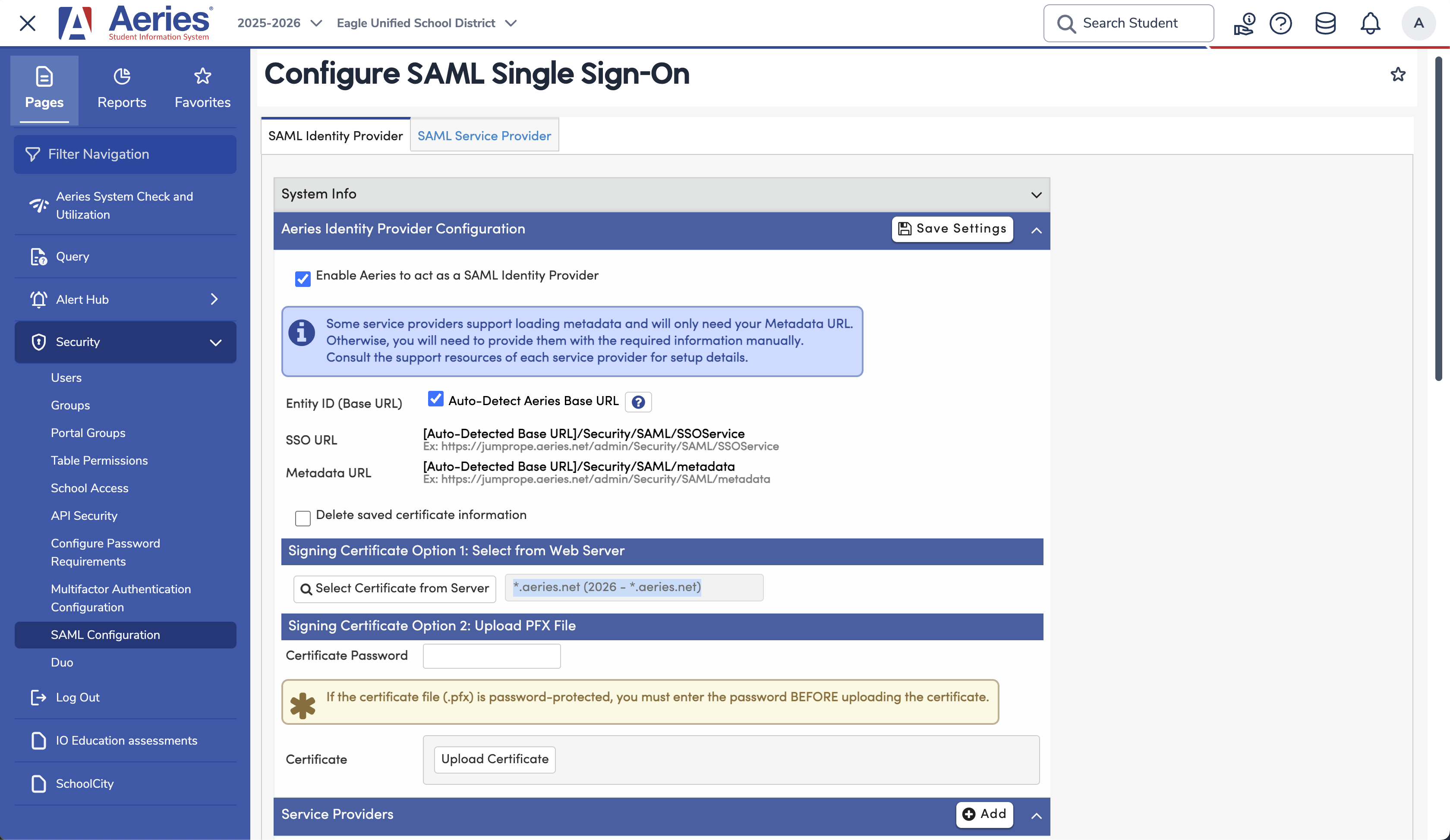
- In the Aeries Admin portal, navigate to Security > SAML Configuration
- Click the SAML Identity Provider tab at the top
- Make sure the box for Enable Aeries to act as a SAML Identity Provider is checked.
- Make sure Auto-Detect Aeries Base URL is checked.
- Under Signing Certificate Option 1: Select from Web Server , verify that a certificate is selected. If the box is blank, click Select Certificate from Server. If multiple certificates are available, choose *.aeries.net (2026 - *.aeries.net).
- The setup should look like this:
- If you made any changes, click Save Settings at the top left.
- Register JumpRope as a Service Provider
- Scroll down to the Service Providers section
- Click the +Add button to add JumpRope as a service provider
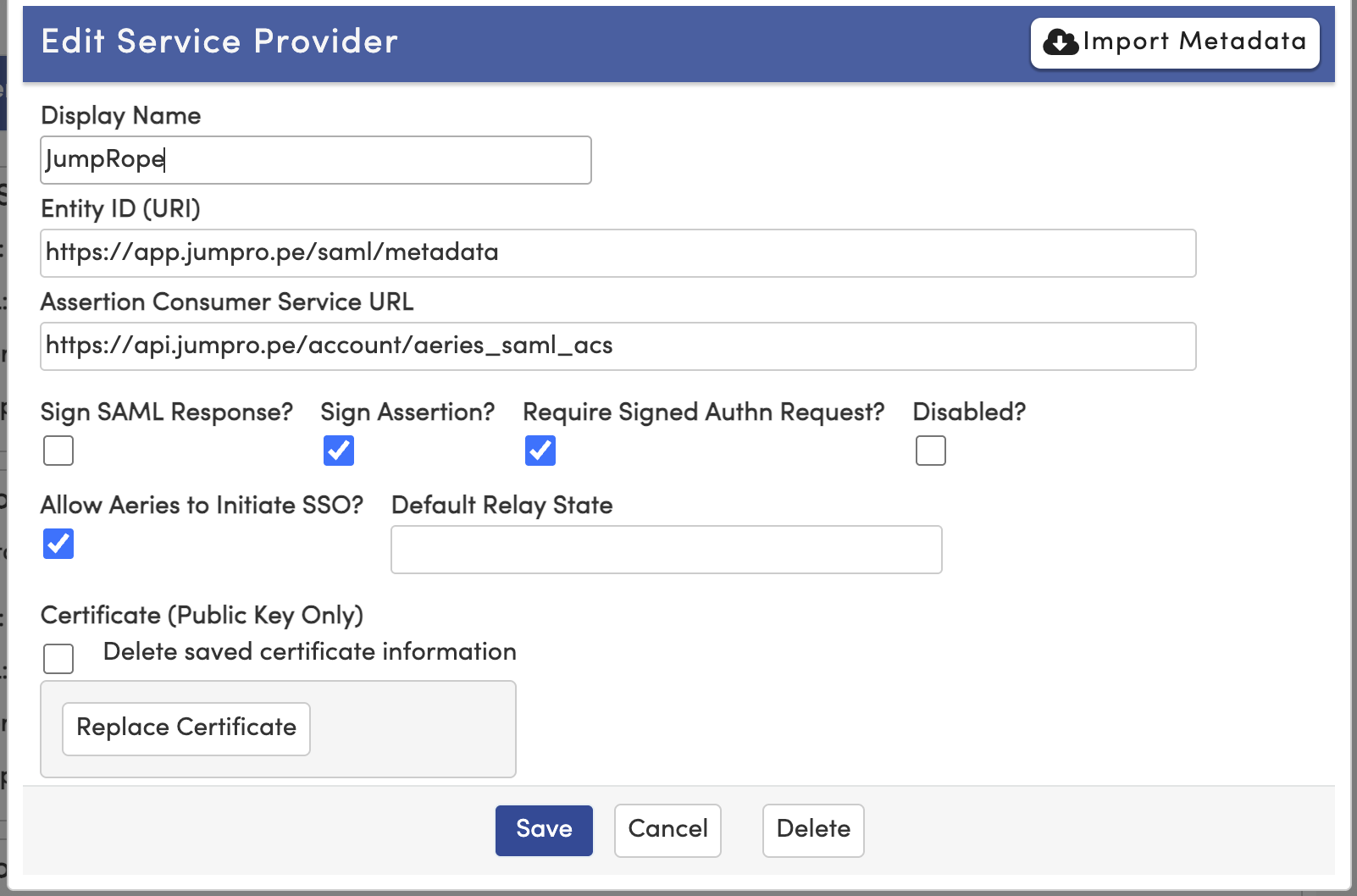
- In the dialog box that appears, click Import Metadata
- In the metadata URL field, enter: https://api.jumpro.pe/account/aeries_saml_metadata
- Click Get Metadata -- wait 2-3 seconds for Aeries to auto-populate the fields
- Set Display Name to "JumpRope"
- Check Allow Aeries to Initiate SSO
- Verify that the setup matches this:
- Click Save and wait for the success message
- Grant Users Permission to use JumpRope via SAML individually or by Security Group
- For individual:
- Navigate to Security > Users
- Search for the user by name or email in the Account Search section (blue header) -- not the global search bar
- Click the user's row, then click the key icon ? to open the permissions modal
- Scroll to the SAML Service Providers section at the very bottom
- Check the Read checkbox for JumpRope
- Close the Permissions dialog box
- For district-wide rollout , grant permission to a Security Group (e.g. "All Teachers") via Security - > Security Groups instead. All users in the group will gain access without individual changes.
- For individual:
- Send your SAML Metadata to JumpRope.
- Your metadata url is https://[yourdistrict].aeries.net/admin/Security/SAML/metadata