

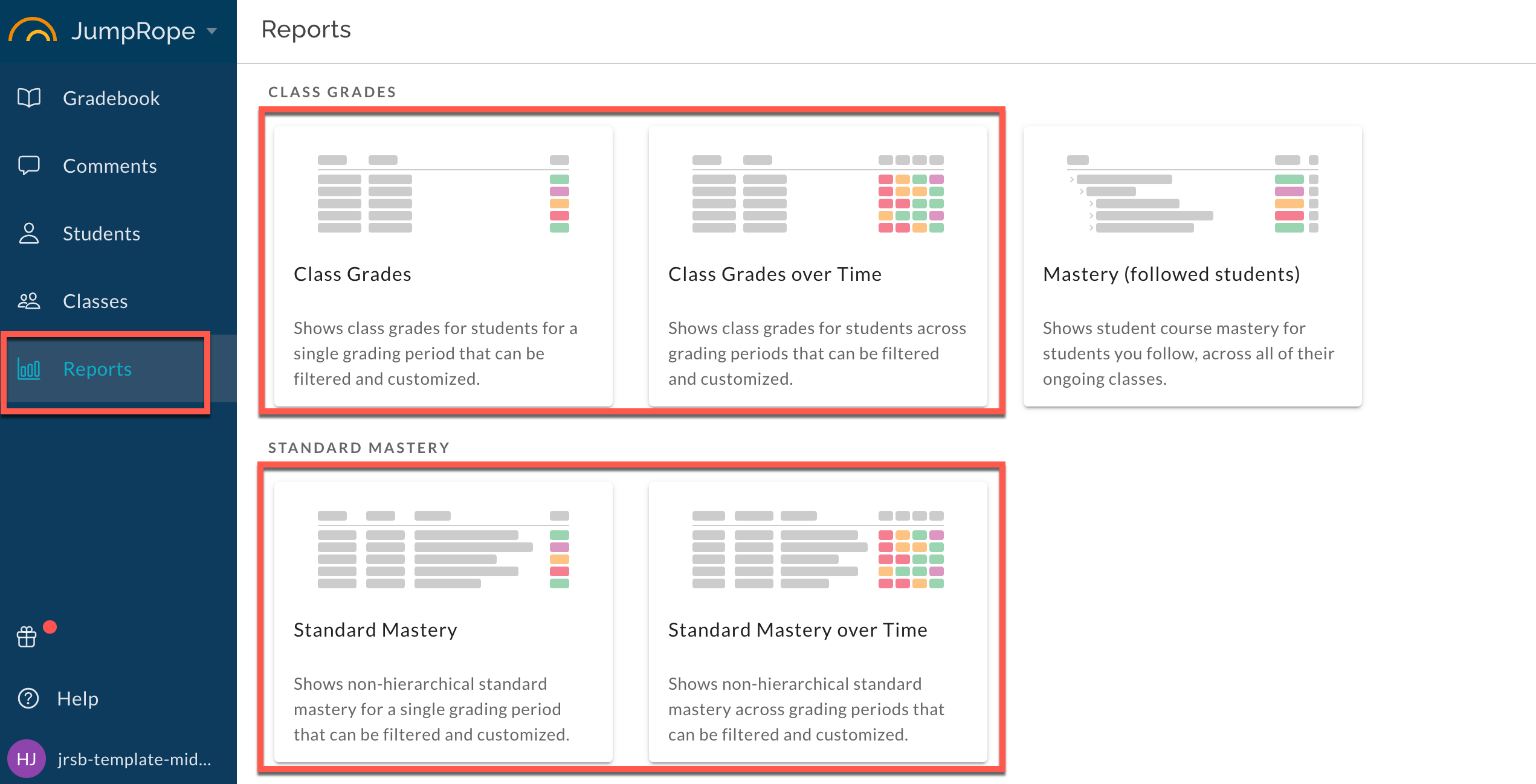
Advanced Reports in JumpRope's gradebook are the latest generation of reporting tools to help you make the most of your data. Currently available for teachers in the Reports menu item shown below:
Over time, most existing reports will be upgraded to Advanced Reports. These include several new features compared to existing reports, including:
- Report across multiple classes , instead of being limited to a single student or class at a time.
- For all of my Algebra I students, regardless of section, what are class grades?
- Report across multiple grading periods , showing how student proficiency changes over time.
- For all of my Algebra I students, regardless of section, I want to compare each students grade for each grading period. What was their Fall grade? What was their Spring grade?
- Advanced filters allowing you to combine search terms, filter on scoring scale levels, and create compound filters. See Filters How-to for more.
- For all of my students, I want to filter to show the list of students who had a standard score less than or equal to 2.
- Show, hide, and reorder columns to display the data exactly as you need it. See Customizing Columns for more information.
- Reports remember customizations , meaning you can customize filters & columns and easily return to the same report to view updated data.
The first release of advanced reports includes four reports in the teacher gradebook:
- Class Grades shows student class grades for a single grading period.
- Class Grades over Time shows student class grades across up to five grading periods.
- Standard Mastery shows non-hierarchical standard mastery data for a single grading period.
- Standard Mastery over Time shows non-hierarchical standard mastery data across up to five grading periods.
Stay tuned for more advanced reports for teachers and administrators, and for new features such as the ability to further customize and share reports with other users.