

Copies can be made when creating a new standard or after the fact. Below is information on how to create copies after they have already been added and/or used in another class.
After you've set up content in another class, you can create copies of that content for use in additional classes. From the class you want to copy into:
Use the Create feature of Plan to access your standard resources. 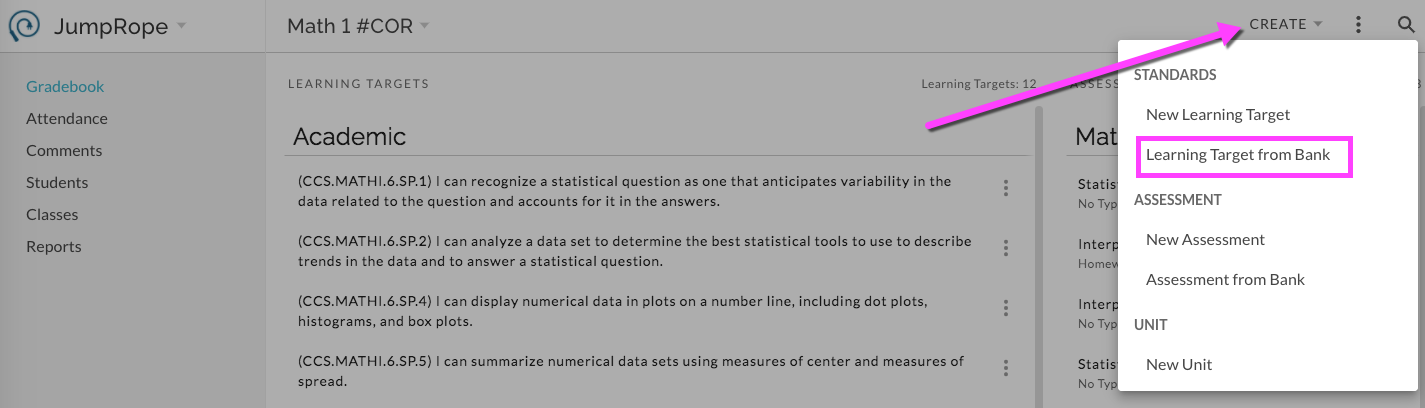
From the 'Bank' select the desired standards from My Current Classes , My Archived Classes , or Other Teachers' Classes.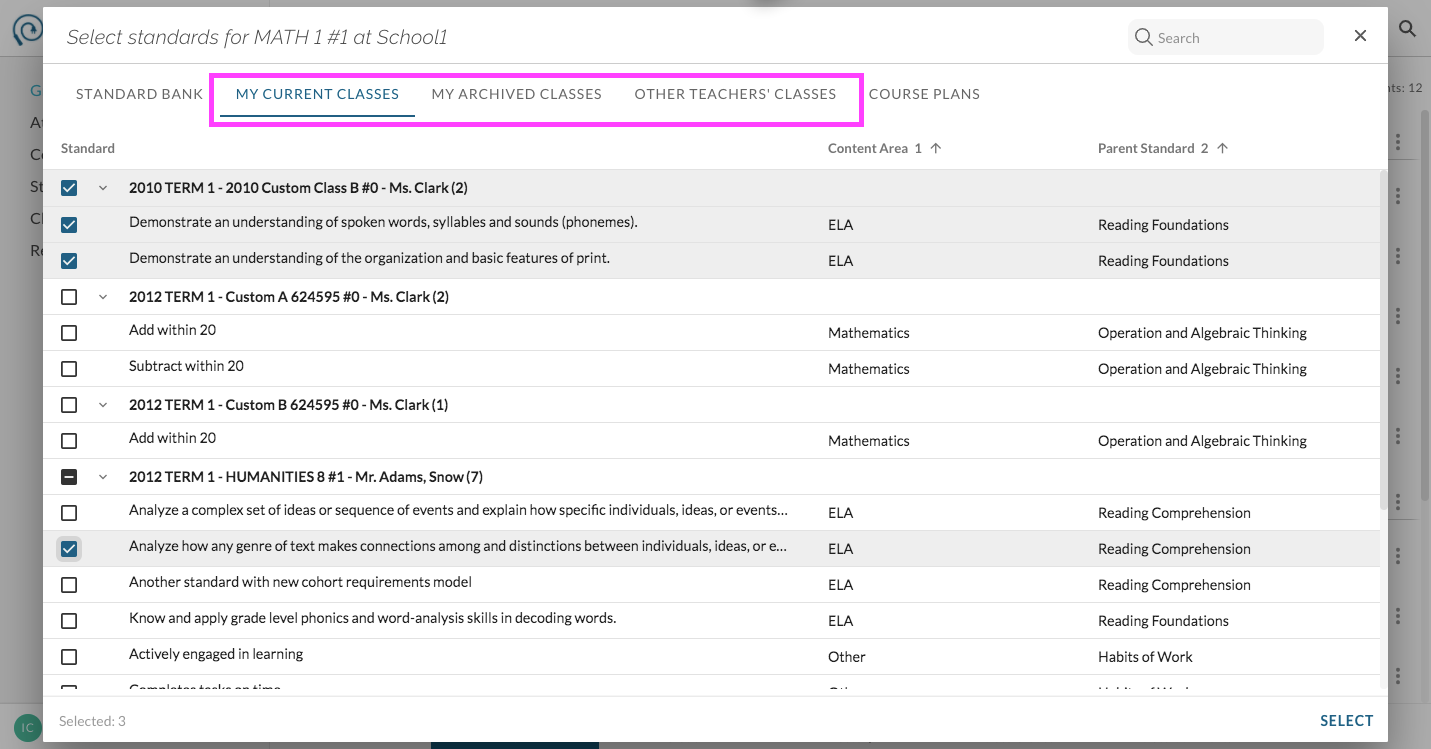
Check off the desired standards from a resource and click on Select to apply copies or add to your class. Only the selected standards will be copied or added; their aligned assessments will not.
For more information see Reference - How do I copy a unit, assessment and/or standard to re-use?