Scroll to bottom for short video.
In Plan, select Create.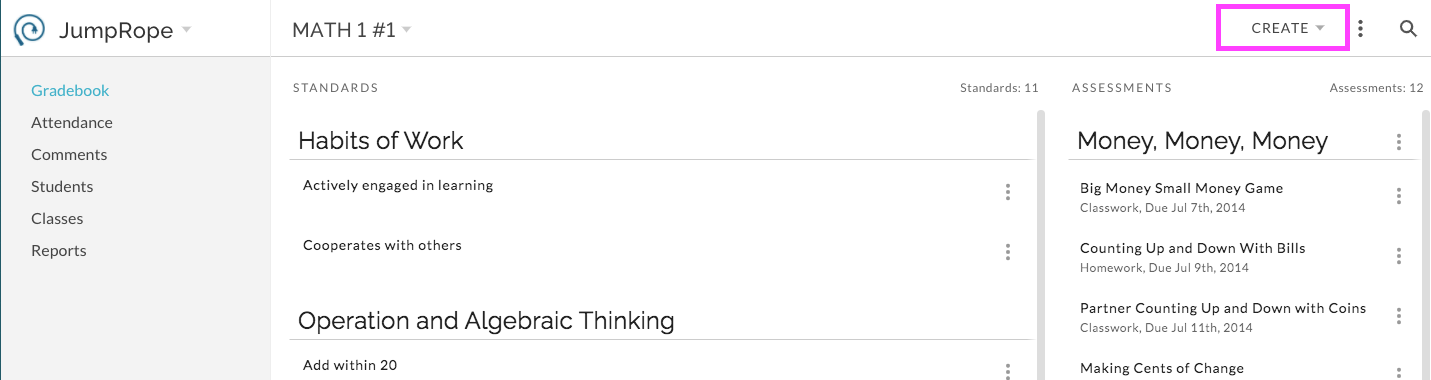
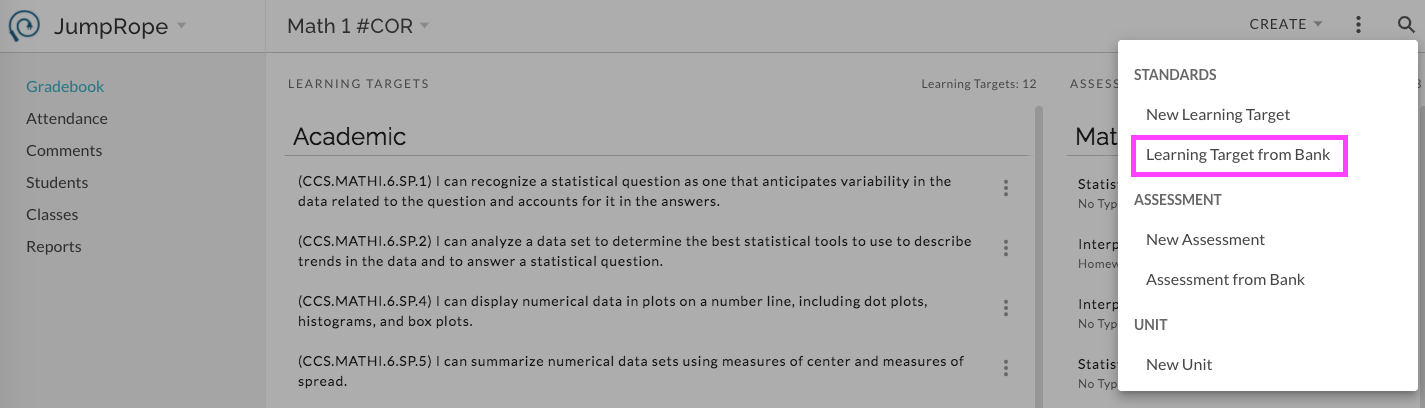
Select Standard -> * from Bank (*your school may use custom language here)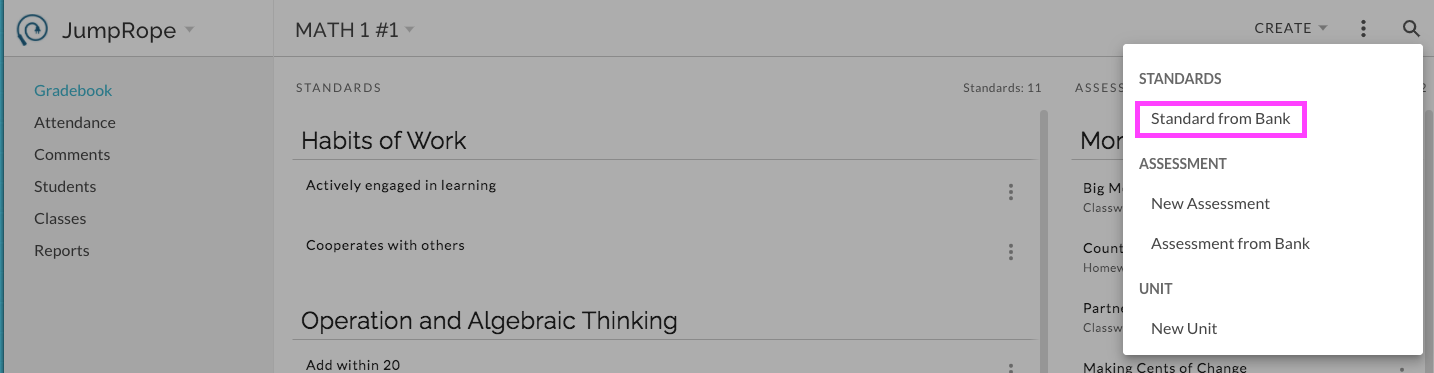 __
__
Options for Banks of Standards
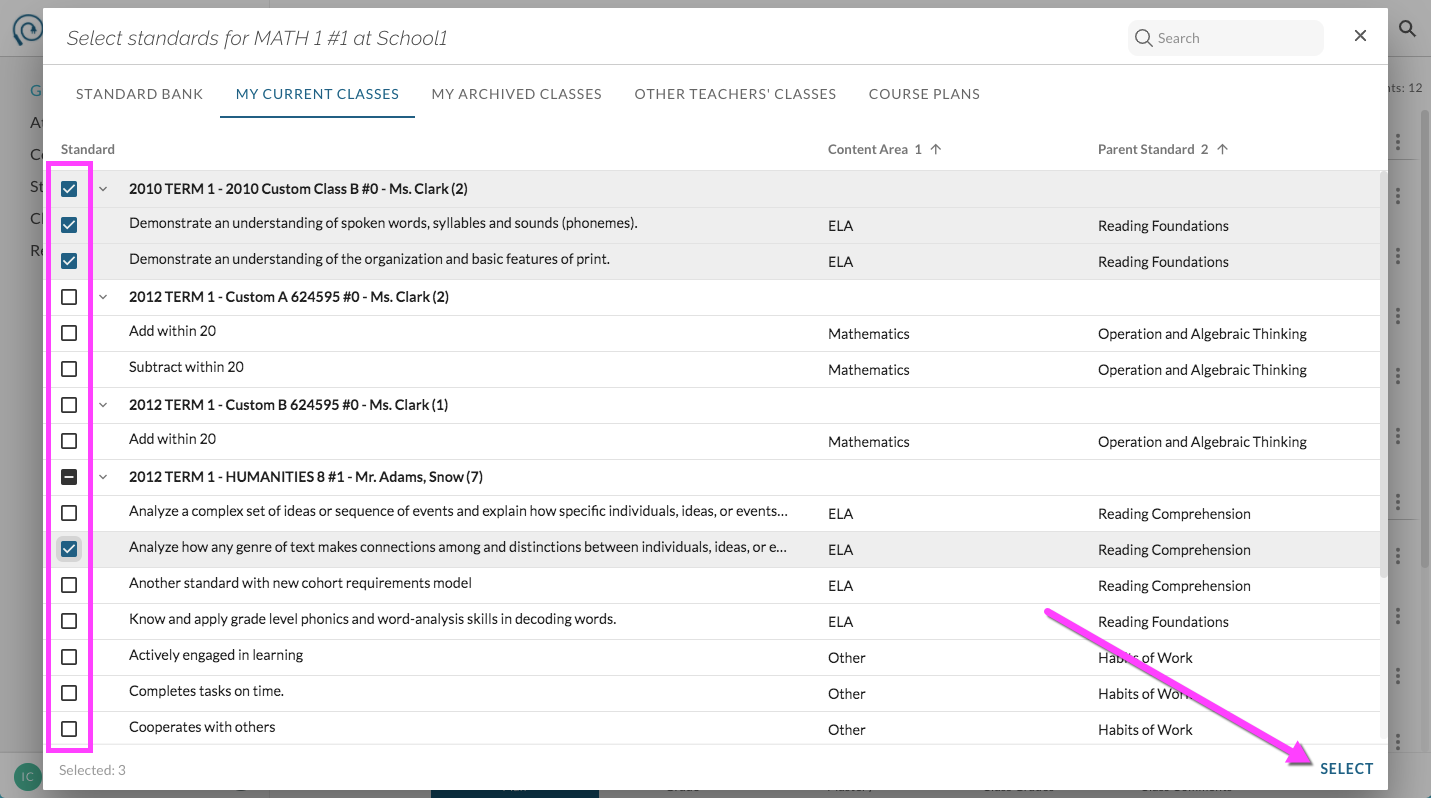
The Select Standards feature will open. Depending on your school's settings you'll have access to several Standards resources. See below for an explanation of each.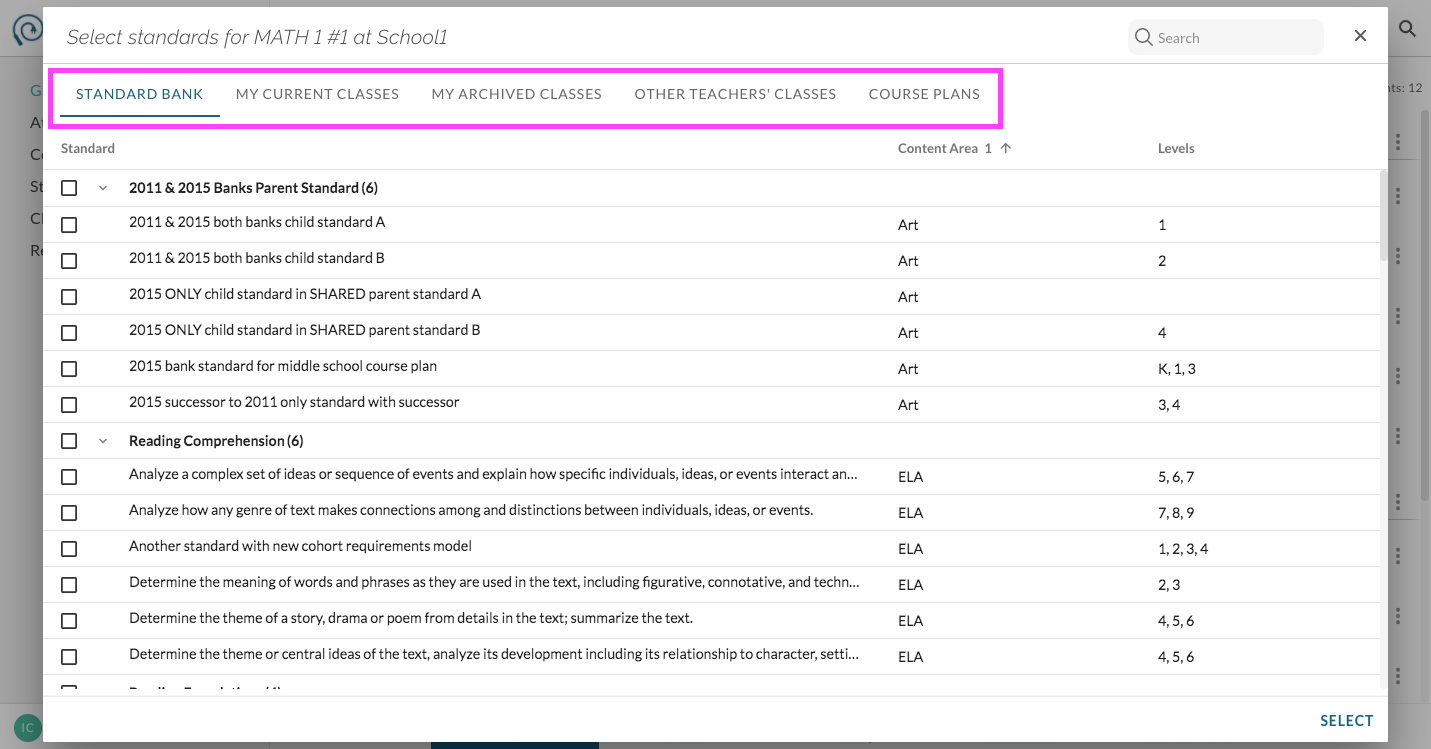
- Standard Bank (if enabled): The Standard Bank is a hierarchical list of child and parent standards curated by your administration.
- My Current Classes: Select this view to choose from lists of standards that you have already selected for a given class. This is a great feature to use if you teach multiple sections of the same course. You can select the set of standards needed for the course via one of your sections and can then add the set in bulk to your other sections from here.
- My Archived Classes: Use this view to select standards from your own past years' classes. You'll find your classes organized by year and name.
- Other Teachers' Classes: Use this view to select sets of standards from other teachers in your school. Use this if, in the past, you've sent copies of your units to other teachers or have received copies of units from others. (Note: the accessibility to other teachers' sets of standards can be toggled on/off by your administration or by the other teacher)
- Course Plans (if enabled): This feature gives you access to sets of standards that are curated by your administration.
- My School's Standards (if enabled): These are standards that are curated by your administration.
- National Standards (if enabled): This set includes CCSS and NGSS.
Apply the selected standards to your class:
Use the checkboxes to select the desired standards. Use the search field to search for standards by text and click on the column headers to filter by level and content area. For each resource, be sure to choose Select to apply the standards to your class before opening another resource.