Archiving a class moves the class off of your daily class card view in the Gradebook menu. An archived class can be moved back into your daily view by un-archiving it. Archiving a class will remove it from your daily Gradebook view butwill not delete any standards, assessments, units or scores. The scores you have entered for students will still appear on mastery reports. Archived classes remain archived even after an import of schedule data from your school's SIS.
Archiving can be especially helpful if you have a large number of unused classes in your Gradebook card view. Many teachers who have both year long courses and term/trimester based courses use archiving to help clean up their view of active classes. It is also a feature utilized when implementing SuperClasses.
Archive a Class
In Gradebook, select the more menu for a given class. From the menu, select Archive Class. The class is removed from the My Classes view. 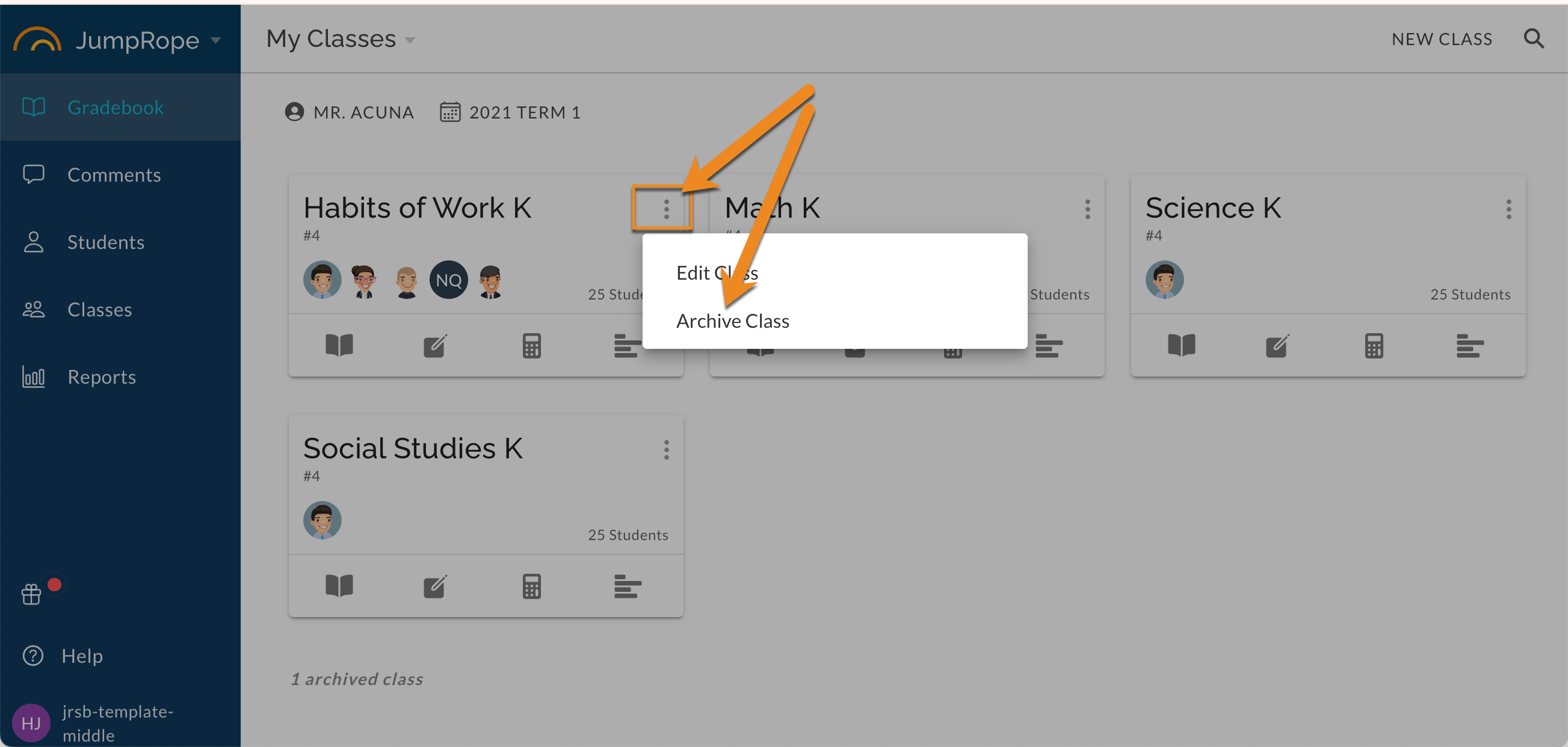
In the My Classes view a notice will display with a count of Archived classes: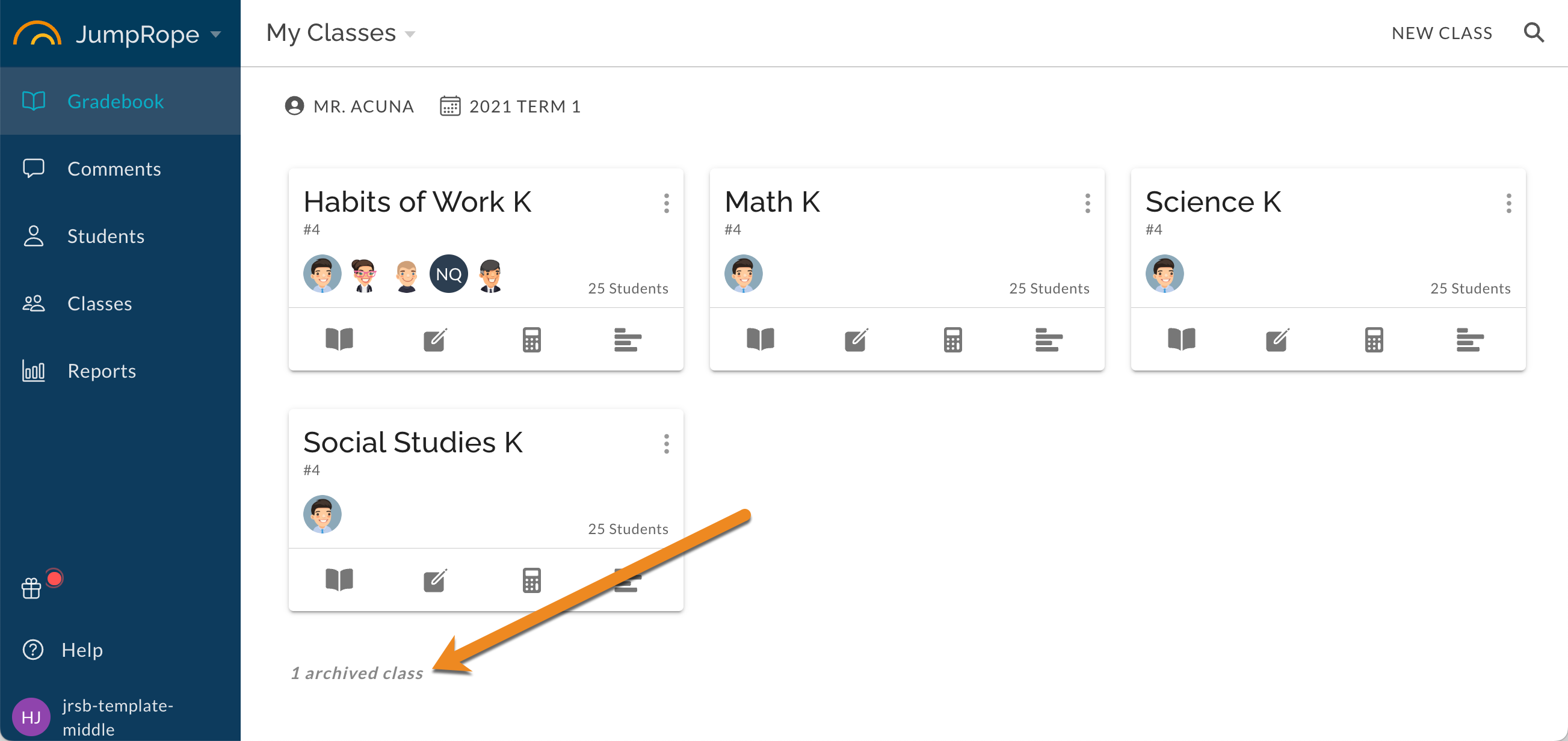
View Archived Classes and Un-archive
From Gradebook, select the Archived Classes view OR click on the Archived Classes count notification.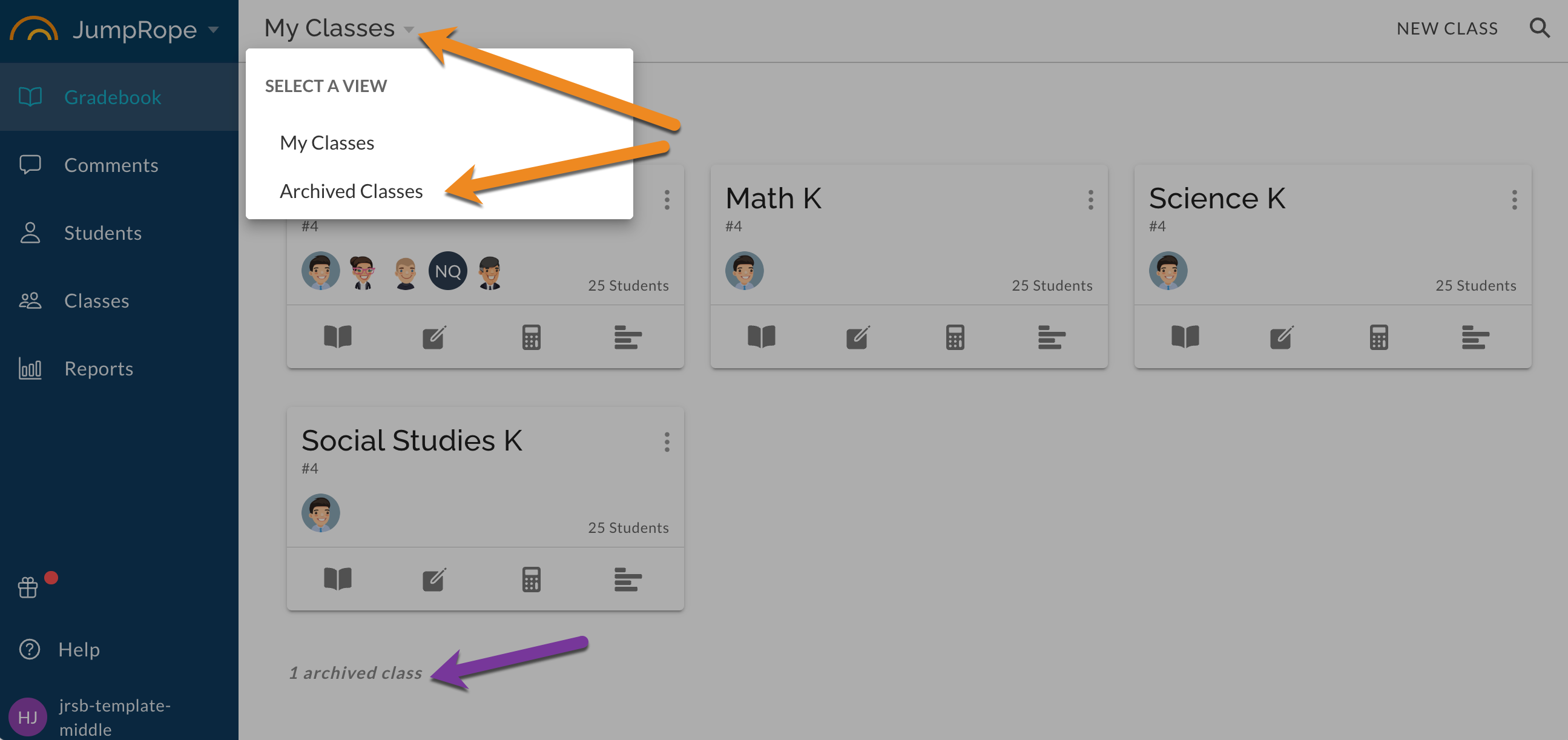
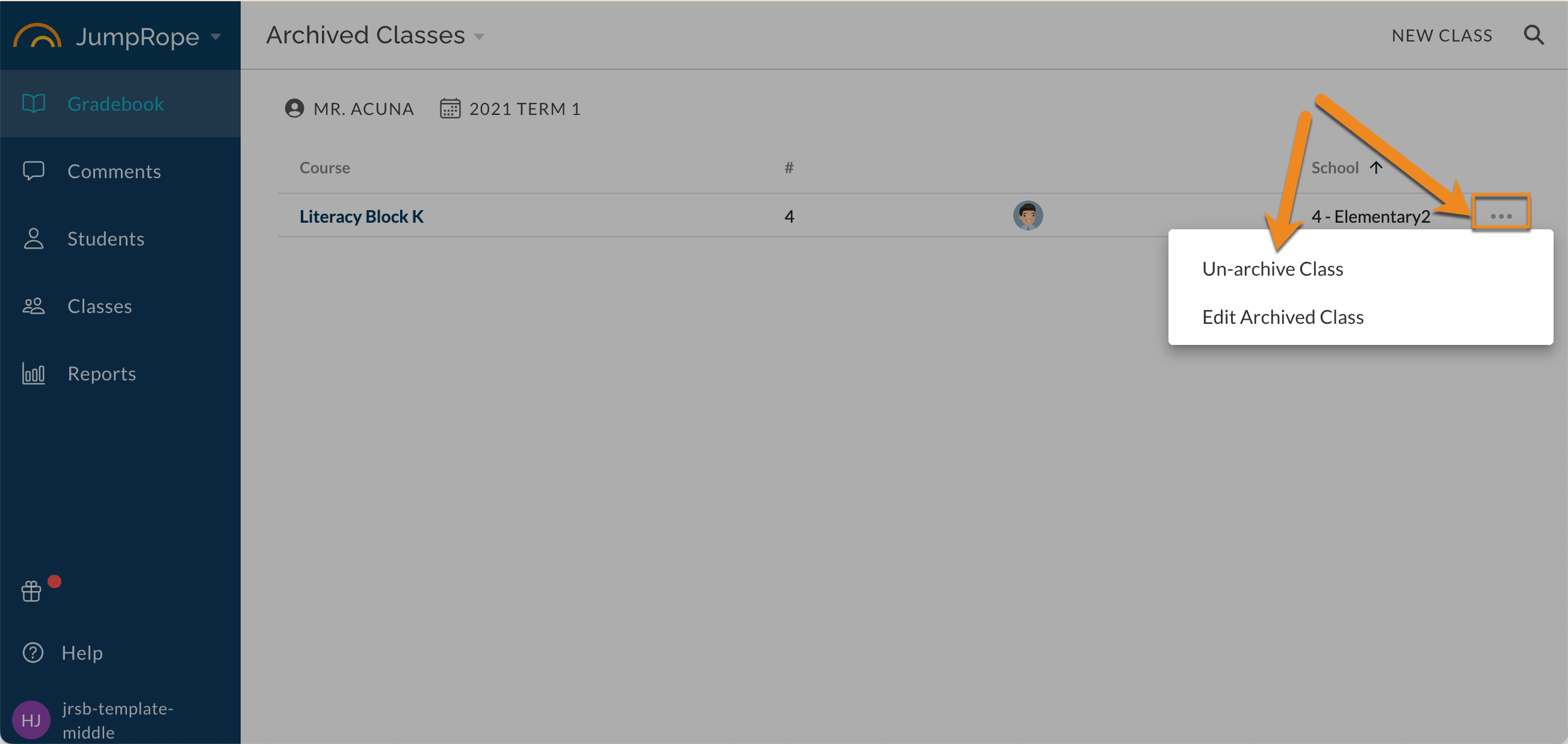
Locate the class and select to Un-archive. The class will be returned to your My Classes Gradebook card view, and your Plan and Grade.