

I am an administrator:
Navigate to Admin -> Classes. Select the extra ... menu for the desired class.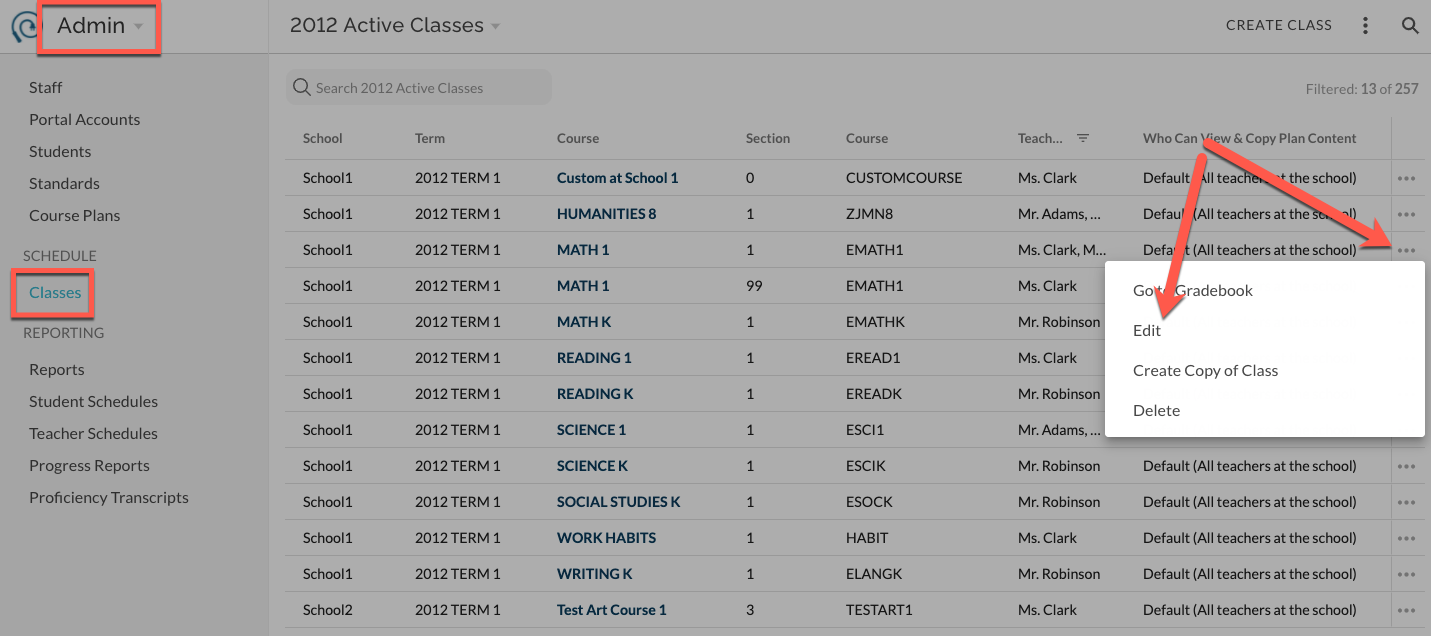
Begin typing in the Co-teachers field and select the desired teachers to add. You cannot edit or change Official Teachers. Save.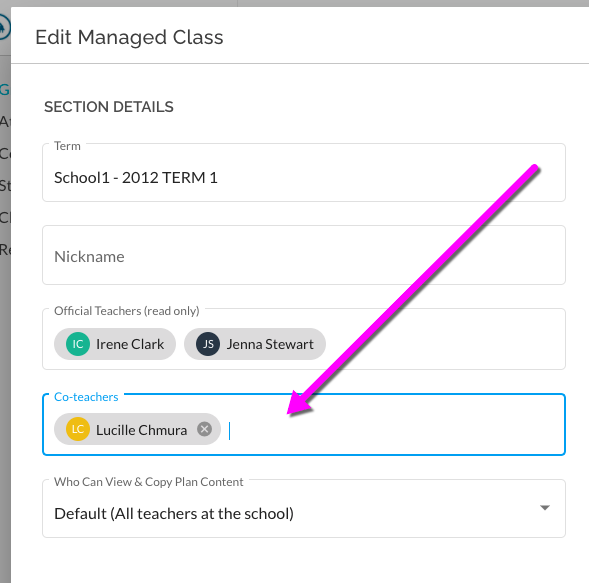
I am a teacher:
From the Card view of Classes in Gradebook, select the more menu for the desired class. 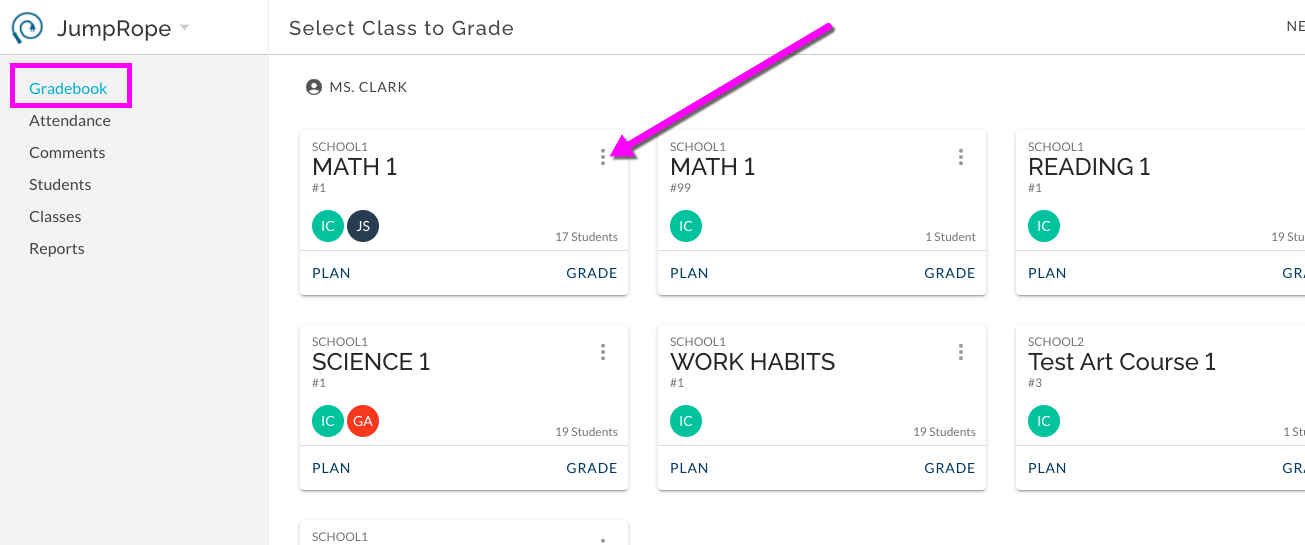
Begin typing in the Co-teachers field and select the desired teachers to add. You cannot edit or change Official Teachers. Save.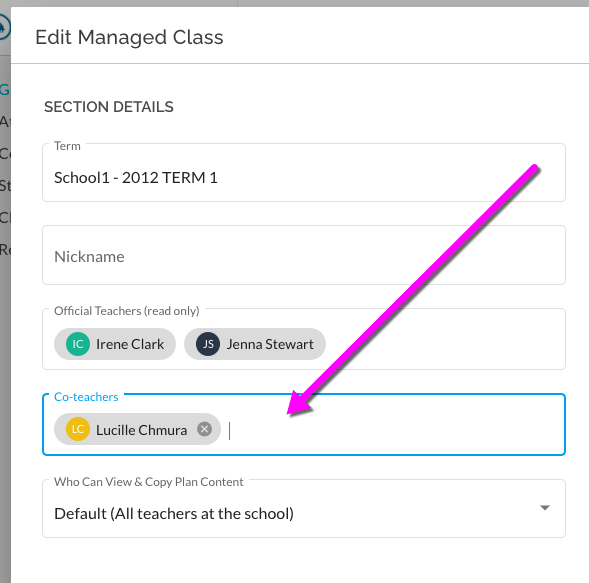
Co-teachers will have access to all of the Plan content and Grade entry features for this course without any further steps.
Note: In some cases, co-teachers can also be assigned by your schools' SIS. These are managed Official Teacher co-teacher assignments and cannot be edited in JumpRope.