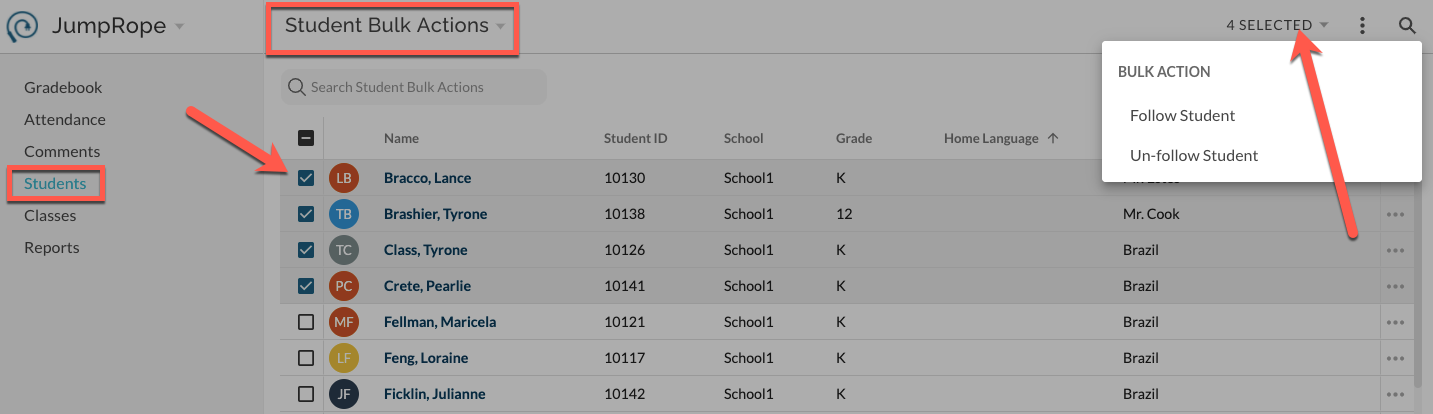
In JumpRope, you can follow a student to get notifications related to the student. You will automatically be CC'd on behavior comments, and can access certain reports over the students that you follow.
To follow or un-follow a single student , navigate to Gradebook > Students. Click on the My Students header and change the view to Student Bulk Actions. The "Following" column of the student list shows a checked box for students that you currently follow. Use the "Follow Student" and "Un-follow" student actions in the item menu to follow or un-follow a student.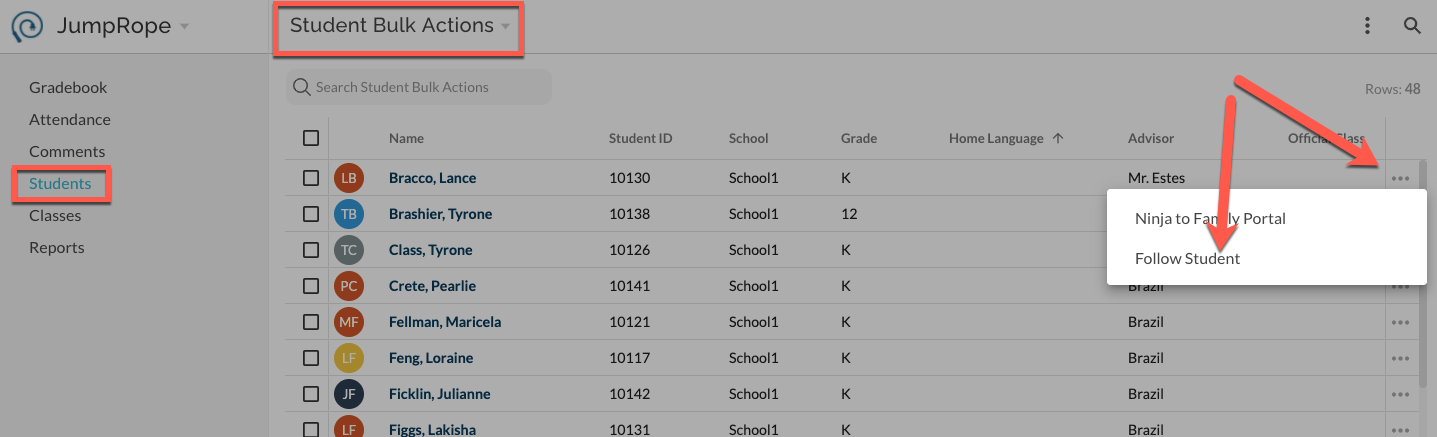
To follow or un-follow multiple students at once use the Student Bulk Actions tool. Click on the My Students page header and switch to Student Bulk Actions. Then, select the desired students and use the bulk actions menu in the top right to follow or un-follow all selected students at once. This makes it easy to follow e.g. an entire grade level at a time.