Many schools use a formal integration with their student information system (SIS) (i.e. PowerSchool, Infinite Campus, etc) to keep classes and rosters up to date in JumpRope. Custom Classes/Courses in JumpRope are rosters and classes that a teacher can manage within their own gradebook. These can be used in conjunction with or in place of and integration with a formal SIS integration. The feature must be enabled by your school.
To create a new Custom Class see here.
Edit an existing Custom Class in order to add students, remove students, change co-teachers, edit title, etc.
From Class card view, select Edit Class from the more menu for the desired class. 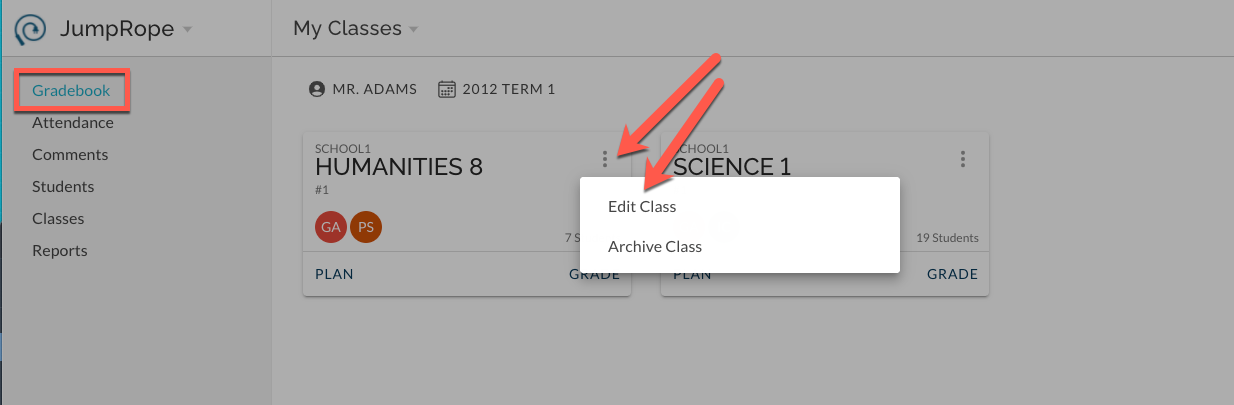
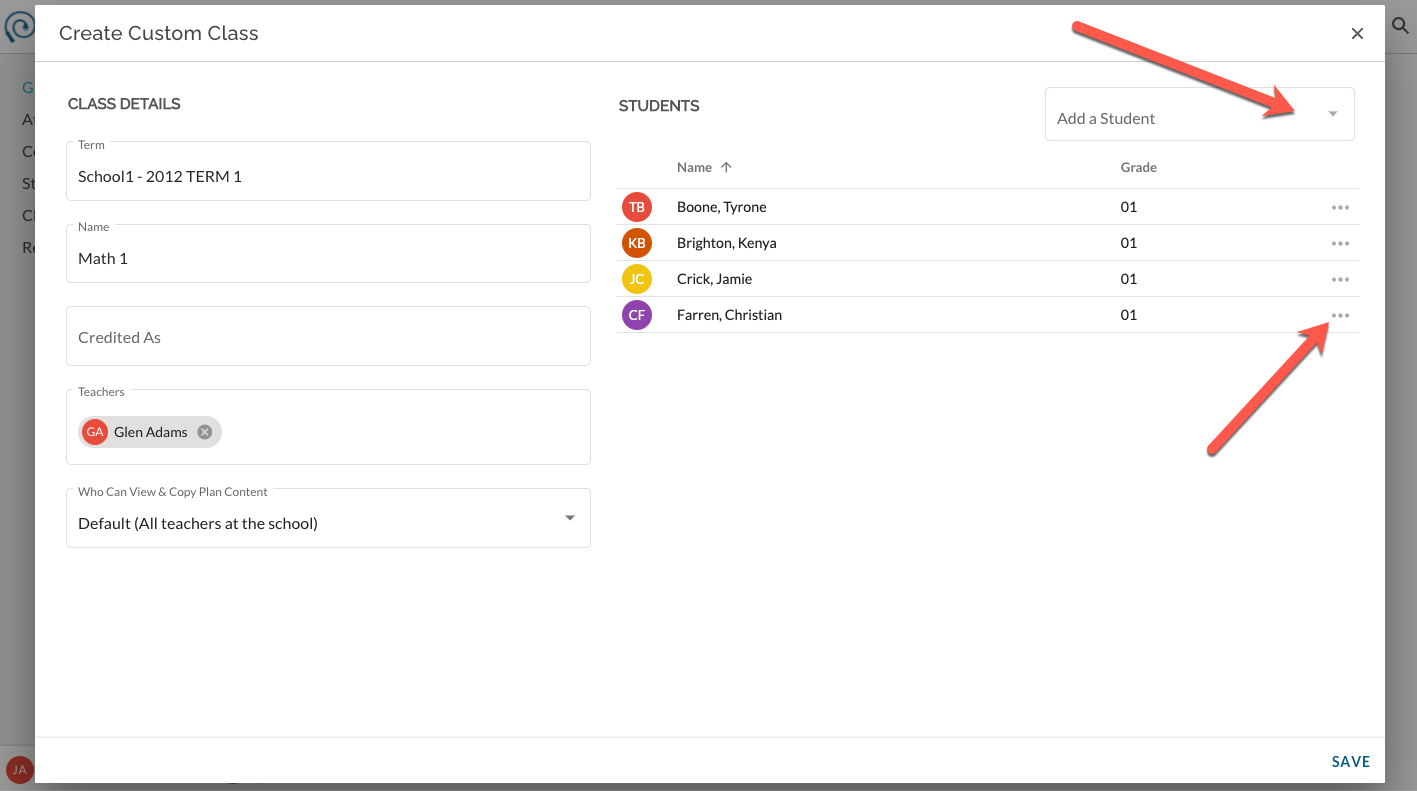
Perform the desired task in the window that opens and Save when complete. See image below indicating where to add students and where to remove select students.