

What it does. If you already have a class with the right students in it, you can start a new custom class from that roster instead of adding students one at a time.
This feature can be used by elementary schools/teachers to create content area 'class' gradebooks. Especially helpful if your school programs students into a Homeroom but you also need to have content areas on your progress reports. For example, copy your Homeroom roster to a new custom 'class' called "Mathematics". You now have a gradebook (and students have a section on their progress/grade reports) for Mathematics.
Where to find it. On the class card for the class you want to copy from , open the card's menu and choose Copy Roster to Class.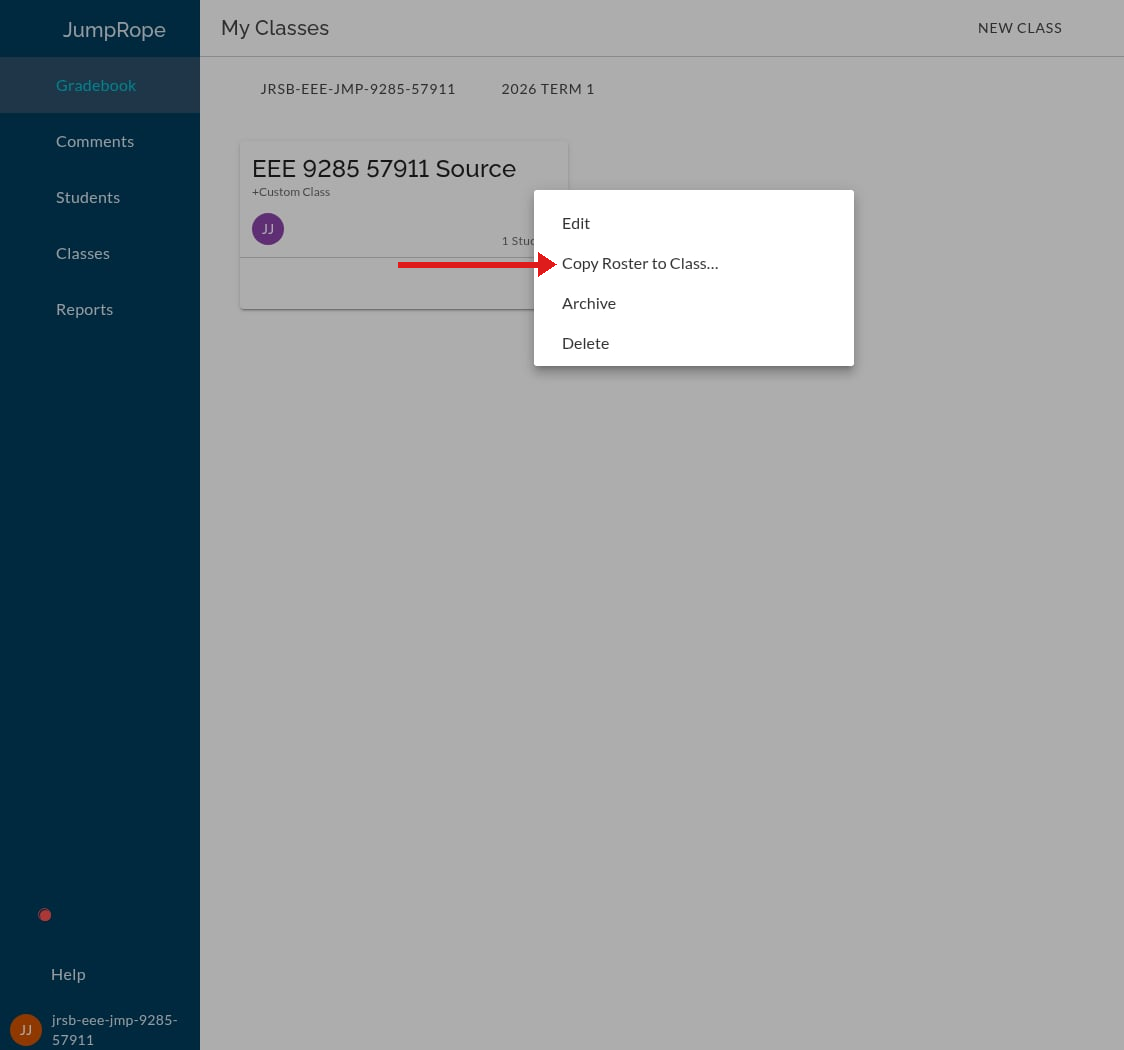
What happens next. JumpRope opens the new-custom-class form with that class's students already filled in. Nothing is saved yet: you can remove students, add others, set the name and the rest of the details, and then save. If you close the form without saving, nothing is created.
What comes across, and what doesn't. Only the student list. Grades, scores, attendance and assignments do not come along -- the new class starts empty, exactly as if you'd added those students by hand.