

Please reach out to support@jumpro.pe if you have questions about setting up Class Grades for your school.
For Aeries partners, Valid Marks are automatically synced to JumpRope from Aeries via API. See more here.
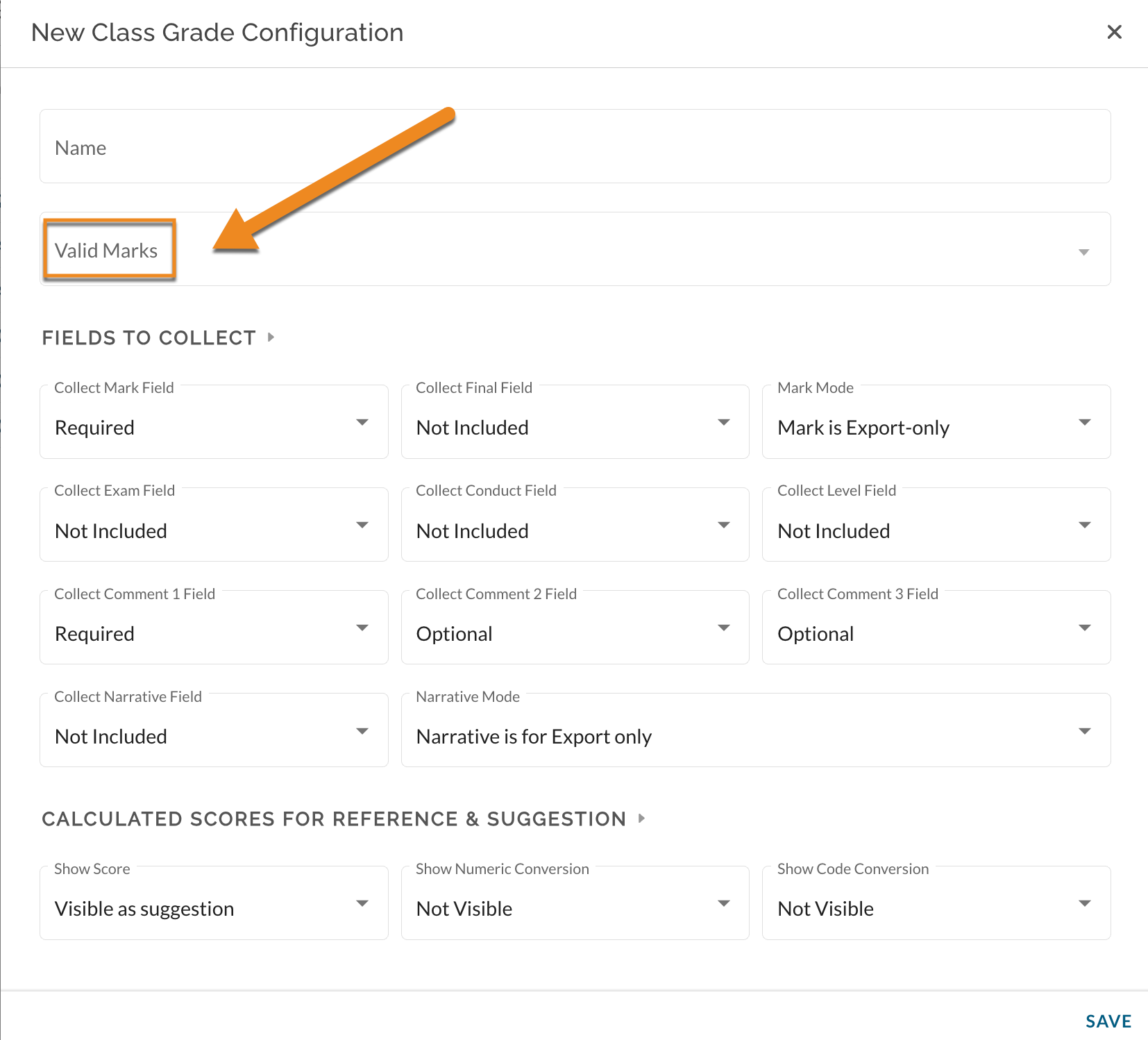
In the Class Grades Configuration modal, click in the Valid Marks field
1. Folder Structure
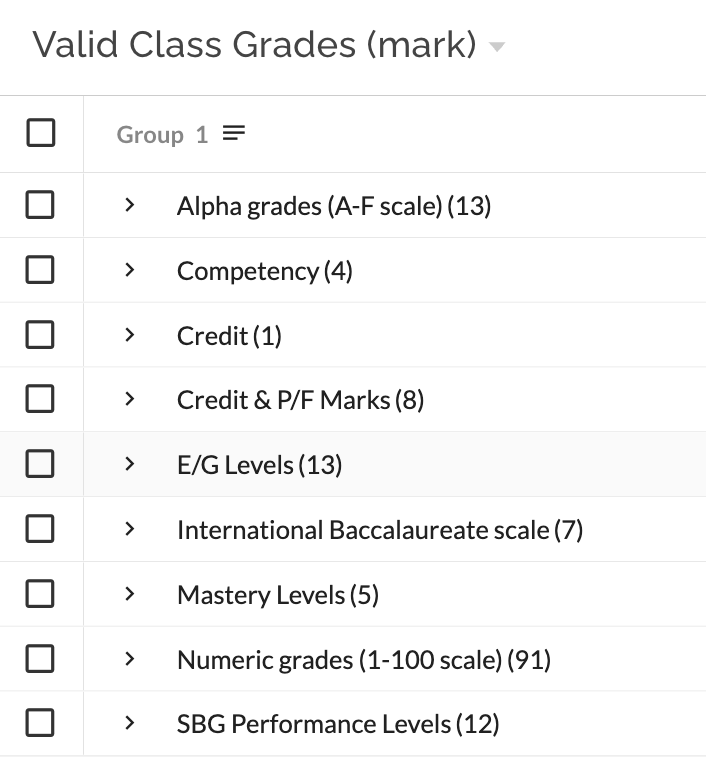
A modal opens that allows you to select the Marks that teachers will be able to use for their report card grades. This view is organized by group (folder structure) with the number in the parentheses () representing the number of options within the given folder. Each folder is expanded by clicking on ">" to the left of the folder name.
2. Selecting the Valid Marks
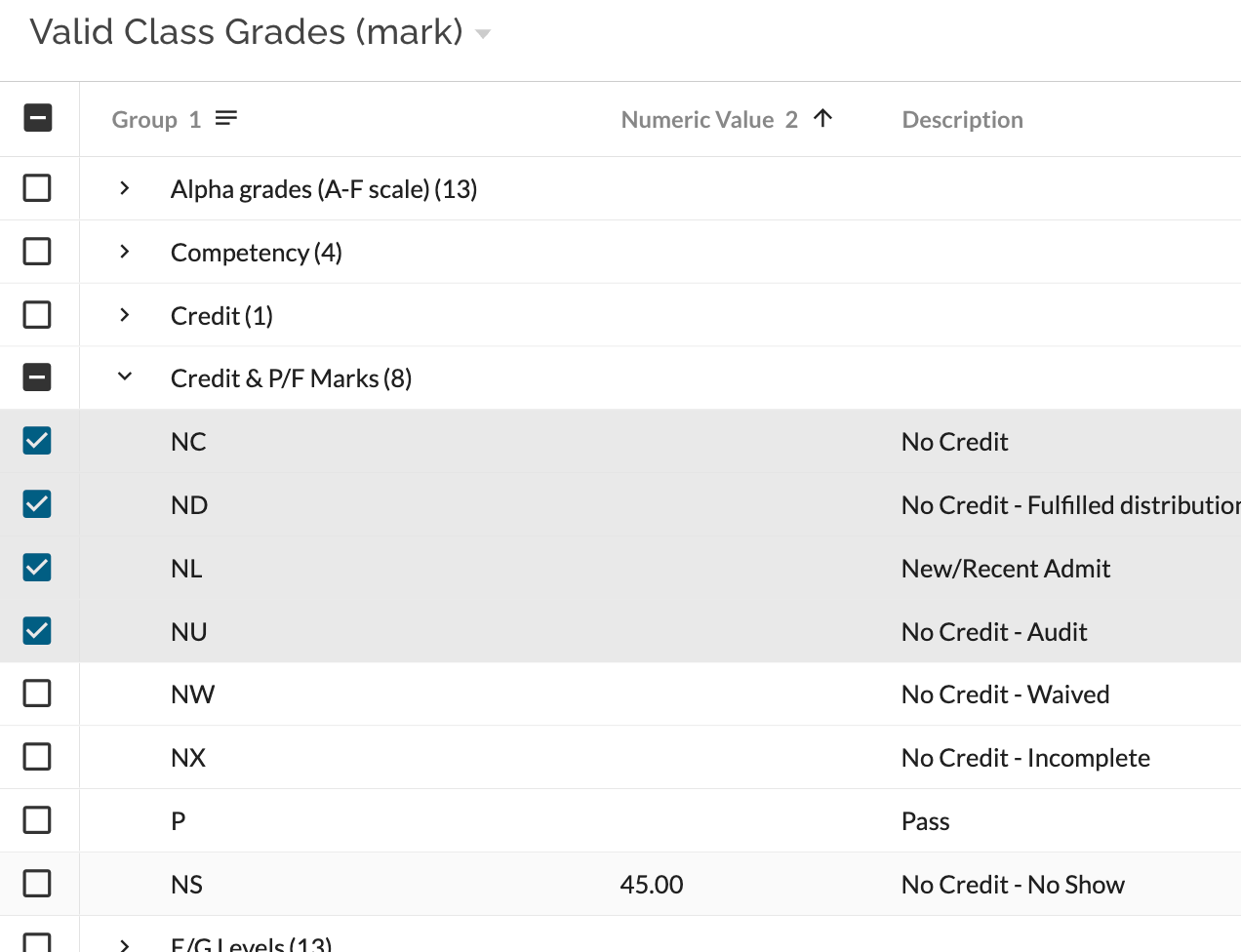
Select the Marks that will be allowed for teachers to use. Teachers will only be able to choose Class Grade Marks from the set which you identify here.
- Select a Mark by clicking on the box to its left.
- Select a whole folder at a time by clicking on the box to the left of the folder name.
- Combinations of multiple folders and marks can be selected.
3. Confirm the Selection
After the valid class grades (mark) are chosen for this reporting period, click on "Select" at the bottom right-hand side of the screen. The selected marks will be displayed within the Valid Marks box.