

Student's Home Language can be managed in Admin > Students > Student Bulk Actions.
For NYC schools using the STARS SIS import process, the Home Language can be automatically updated along with your STARS import. Please reach out to set this up.
To change the home language for an individual student, edit the student and click Save.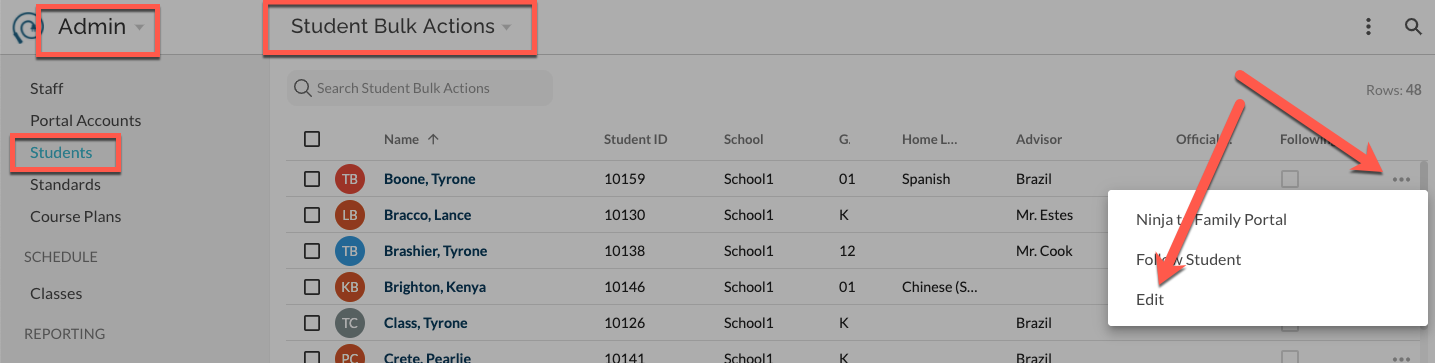
To bulk update the home language for multiple students at a time, select one or more students, and use the bulk action button in the top right to select Update Home Language.
To add or update the home language for multiple students from a spreadsheet or CSV file, navigate to Student Bulk Actions and select Import from CSV in the page menu. Starting with a spreadsheet that includes the student ID number and a column for Home Language, enter the desired home language shown in our supported languages. Or see list below.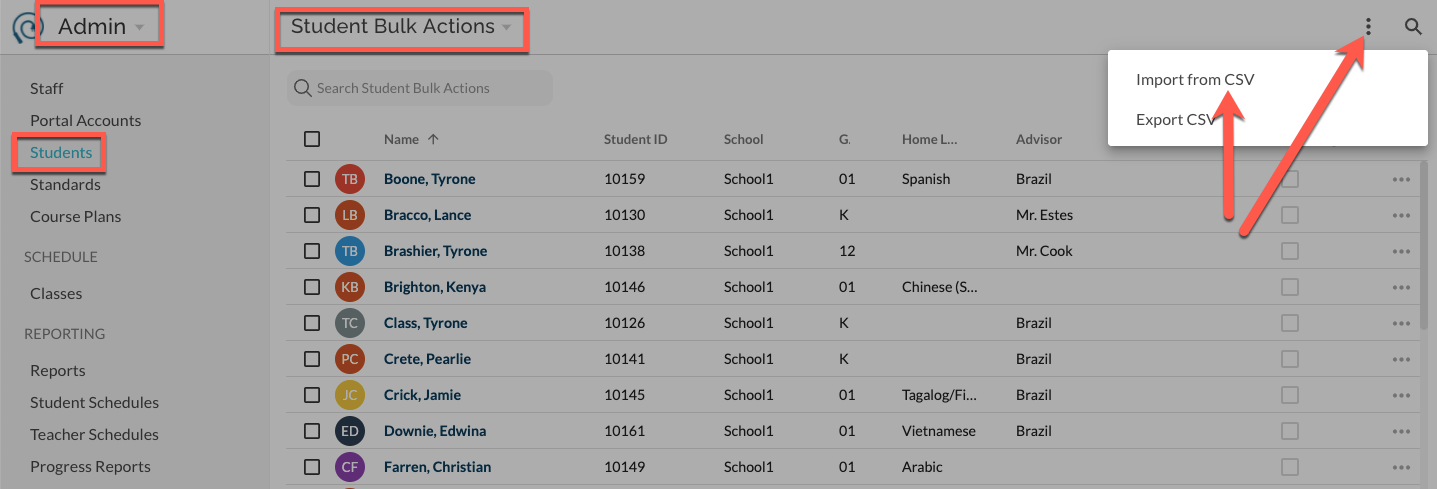
If a student no longer requires a home language other than English, you can simply set their home language to English and the system will no longer include translated language in reports and emails.