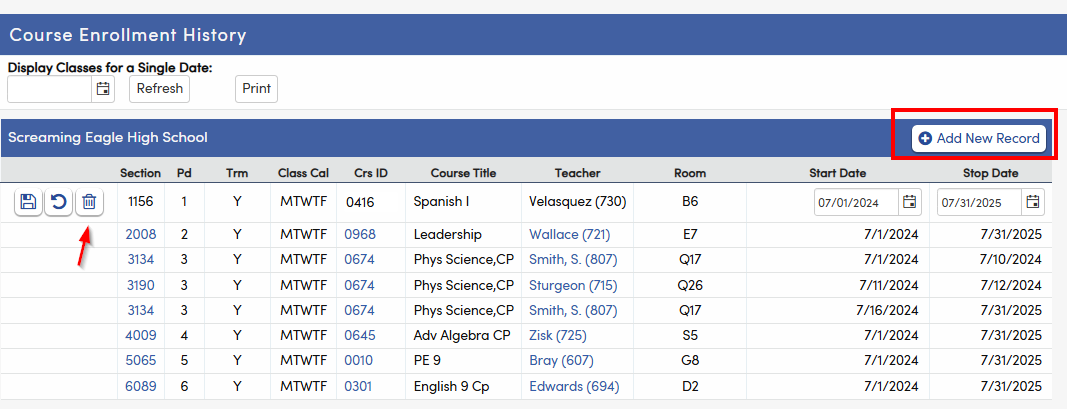
How can a user view, update, and add a record on the Course Attendance page (CAR)
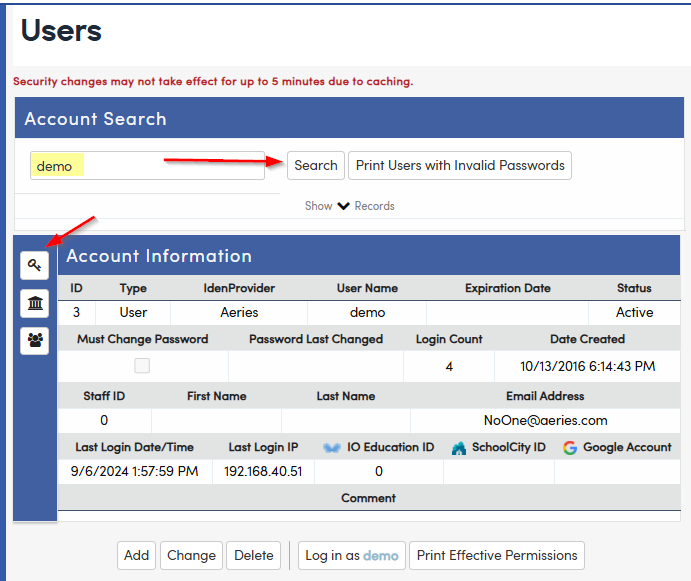
1. Navigate to Security>User> Search for User > Select User
- Select the Key Icon to view the user's permissions
2. After selecting the Key Icon, search for the table name (CAR)
- Then select the Table Permissions applicable
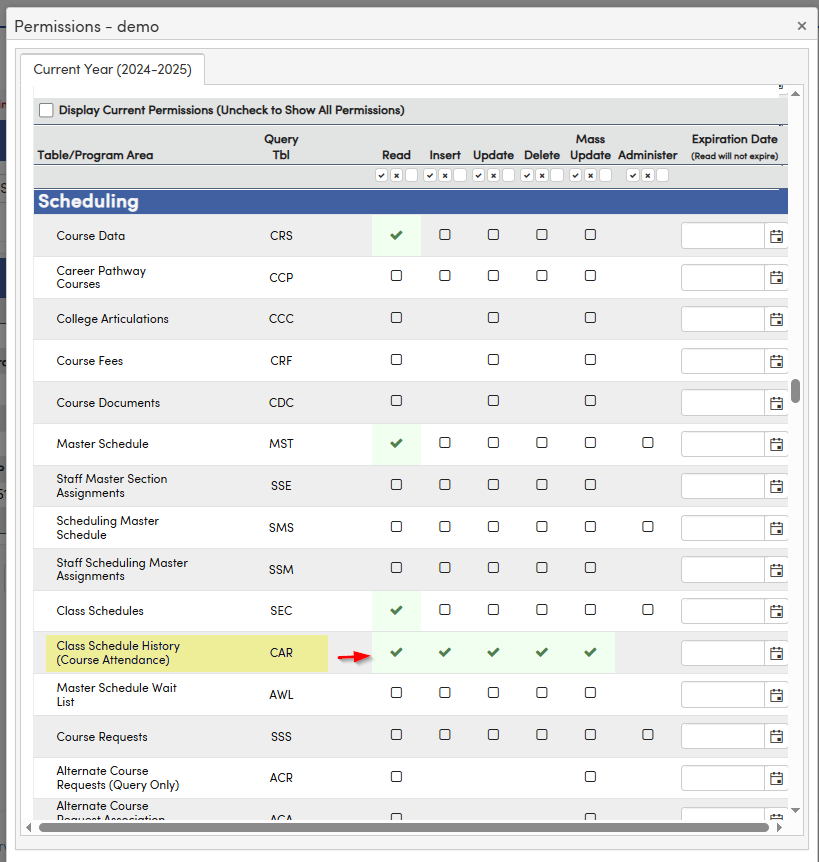
3. Once the permission is selected, the system will save the changes
Give the changes 5 min to cache, then the user will be able see the table information with the options