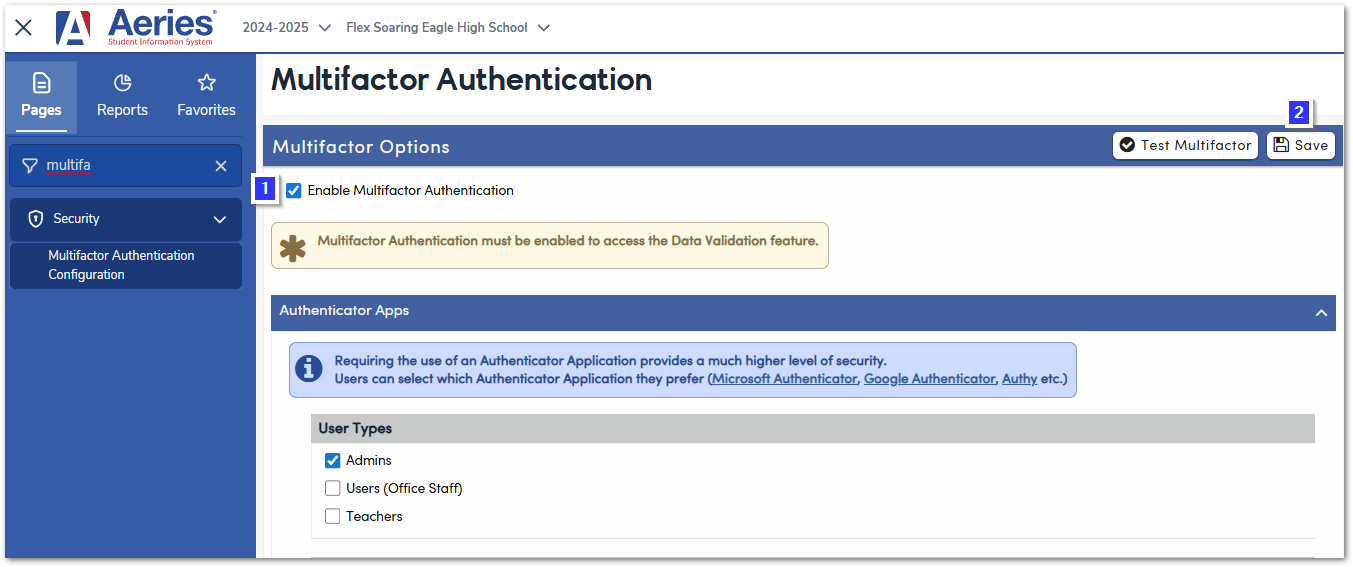
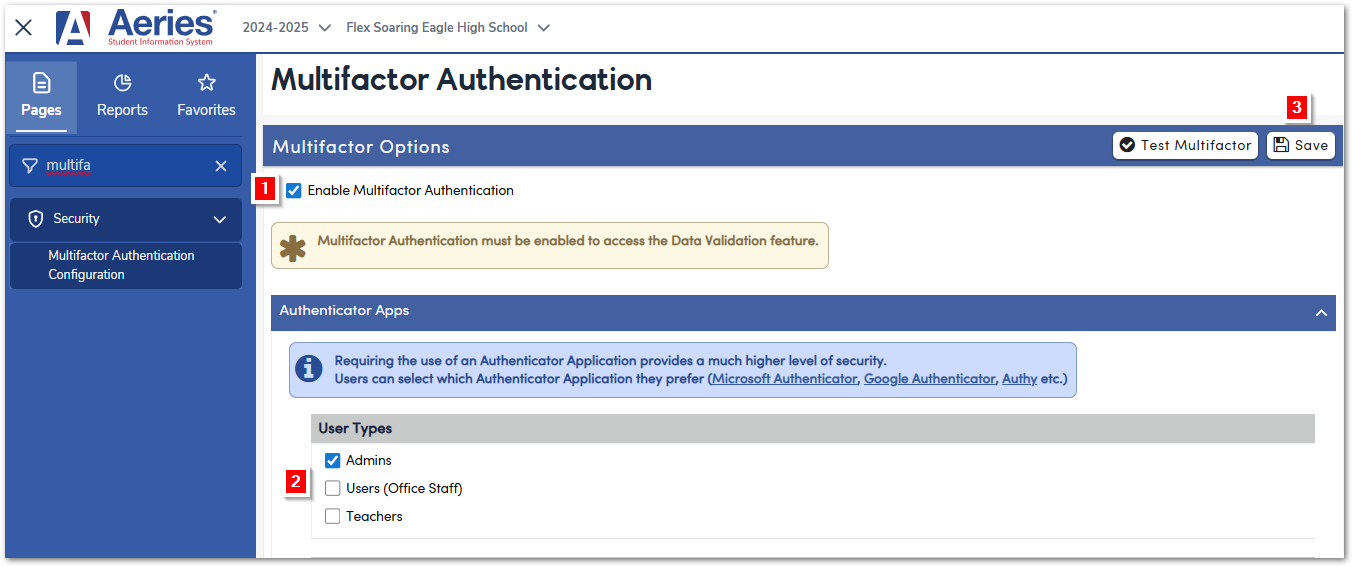
To enable Multi Factor Authentication navigate to Security - Multifactor Authentication Configuration (MFA)
1. Select Enable Multifactor Authentication
2. Select the User Types that need to have this turned on
3. Click on Save to turn on MFA
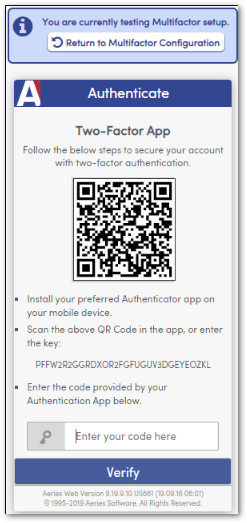
Once turned on, the form below with a QR Code will be available for logging in with MFA
To Turn Off MFA:
1. Deselect Enable Multifactor Authentication Option
2. Select Save to Turn Off