

How to create a new database for the New Year Rollover
1. Create the new year Aeries Database
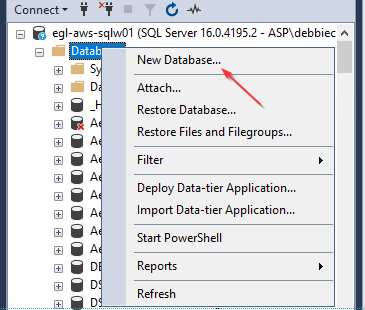
- In SSMS, right click on Database, select New Database…
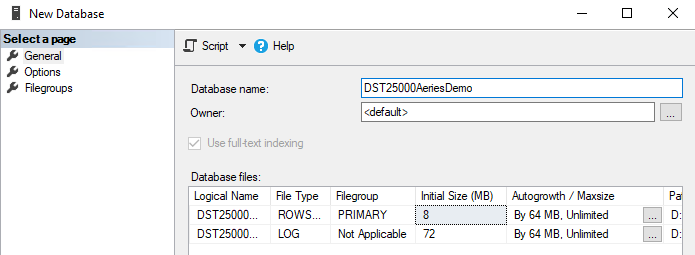
- Increment the year in the database name by 1(If the current year database is DST24000AeriesDemo, the new database will be DST25000AeriesDemo
2. Download the SQL model
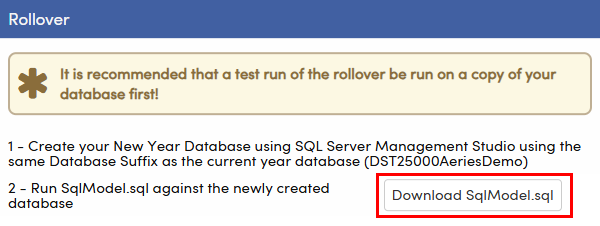
- Click Download SqlModel.sql on the Processes tab of the New Year Rollover page
3. Run the SQL model against the new database
Open a new query against the new database and run SqlModel.sql