

To Inactivate a hard coded ("fixed") Code in Aeries.
1. Navigate to the Update Code Table page
2. Enter the Table and Field code
3. Click on the Add New Record button and add the hard-coded code and description. Select the Inactive tag on the Tag field and Save the record.
Hard-coded fields are not usually visible on the page
This will remove the code from the Drop Down list on that field
Example:
Below is an example of how to inactivate a hard-coded or "fixed" code for the PGM - Special Programs page for Code 101 - 504 Plans.
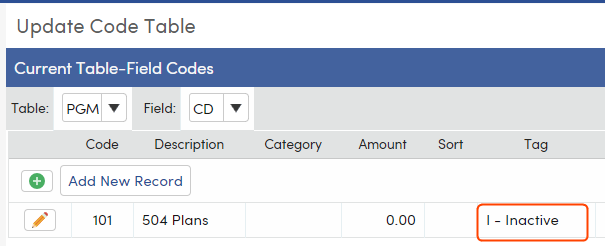
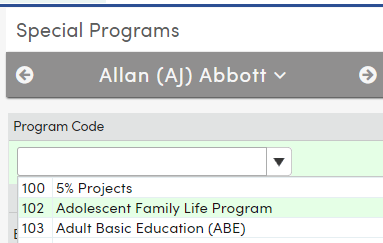
With the Tag field populated with the Inactive Status Tag, the Code of 101 - 504 Plans will not display in the PGM.CD dropdown or anywhere in the system.
 "
"