

The Gradebook Assignment Analysis report is used to calculate and display various statistical analyses of the scores of assignments for selected gradebooks. For each assignment it shows the due date, Max Correct, whether grading is completed, and the highest, lowest, average, median and most common score, with the variance, standard deviation and average deviation. Blank scores and Missing or Placeholder marks are not counted.
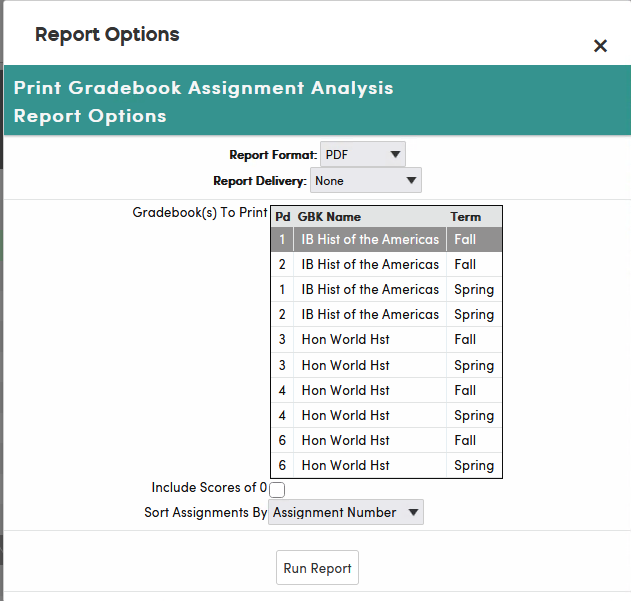
To print it, click Reports on the gradebook menu bar, then click Gradebook Assignments Analysis. In the Gradebook(s) To Print list, click each gradebook to include; the gradebook you are working in is already selected. Then choose the options and click Run Report.
- Include Scores of 0 (unchecked by default) – when checked, student scores of 0 are included in the statistics. When unchecked, scores of 0 are left out.
- Sort Assignments By – Assignment Number or Due Date.
The following is an example of the Gradebook Assignment Analysis report.
