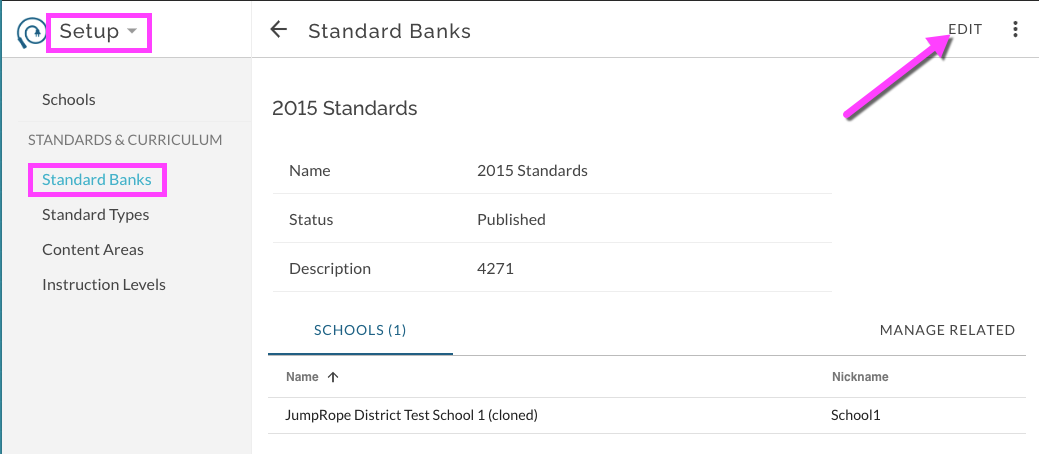
Within the Setup Menu you'll find features that are generally only created, edited and managed at initial setup and occasionally between school years.
The Curriculum section of Setup includes features to create and manage Standards Banks, Standard Types, Content Areas, and Instruction Levels. Depending on the edition of JumpRope that your school uses, you may not see all of these subtopics under the Curriculum heading.
Parent and Child Standard Details - Content Areas, Instruction Levels, and Standard Types
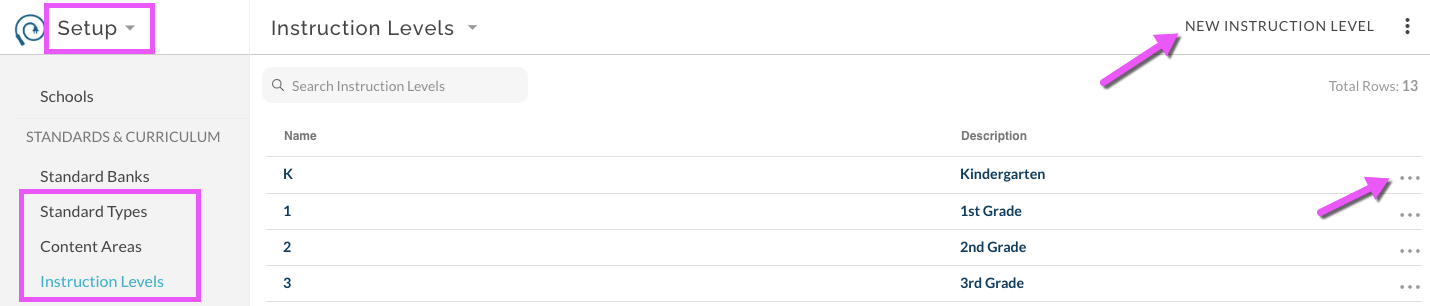
Each of the below features are managed within the Setup menu. New items can be created by clicking the appropriate button and individual items can be managed and edited by clicking on the specific More Options menu next to the item or by clicking directly on the item Name.
Standard Types
Schools and/or Districts generally have two types of standards. In general, one type identifies Academic standards and the other type identifies Behavioral standards. A Standard Type is an element of a Parent Standard; the underlying Child Standards inherit the Standard Type from the Parent. Standard Type can be used to identify portions of course scores that are attributed to Academic and/or Behavioral Child Standards. The Standard Type is required for each Parent Standard.
Content Areas
One or more Content Areas can exist in a single Bank. The Content Area is an element of a Parent Standard; the underlying Child Standards inherit the Content Area from the Parent. Mastery reports can be Content Area based and often Proficiency Based reports are organized by Content Area. A Content Area is required for each Parent Standard
Create a new Content Area
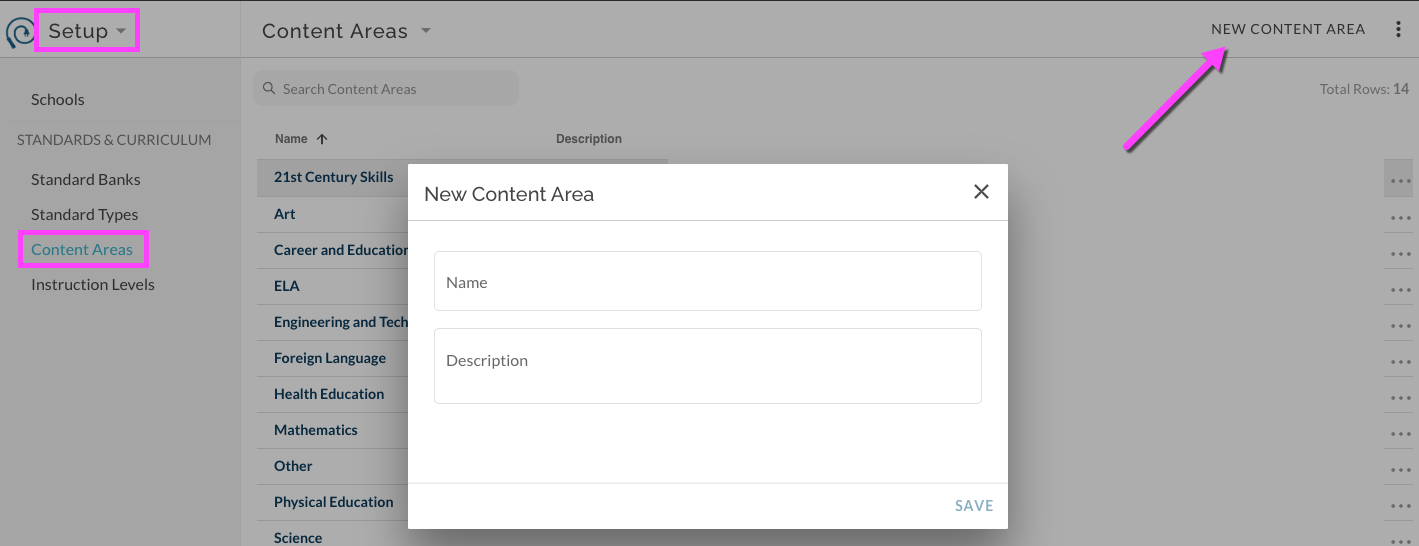
In Setup Menu, select Content Areas. Select New Content Area in upper right menu. Enter Name and optional Description.
Edit existing Content Area
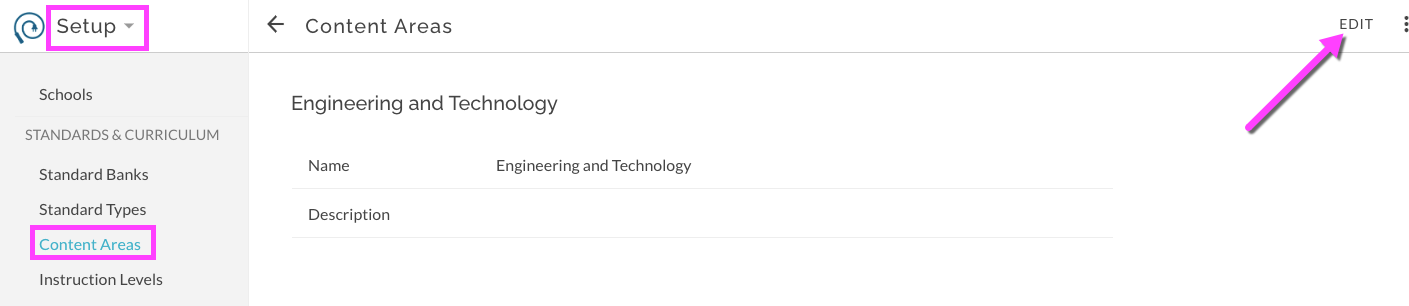
Select desired Content Area by clicking on its name. This opens the details for the Content Area. Select to edit.
Instruction Levels
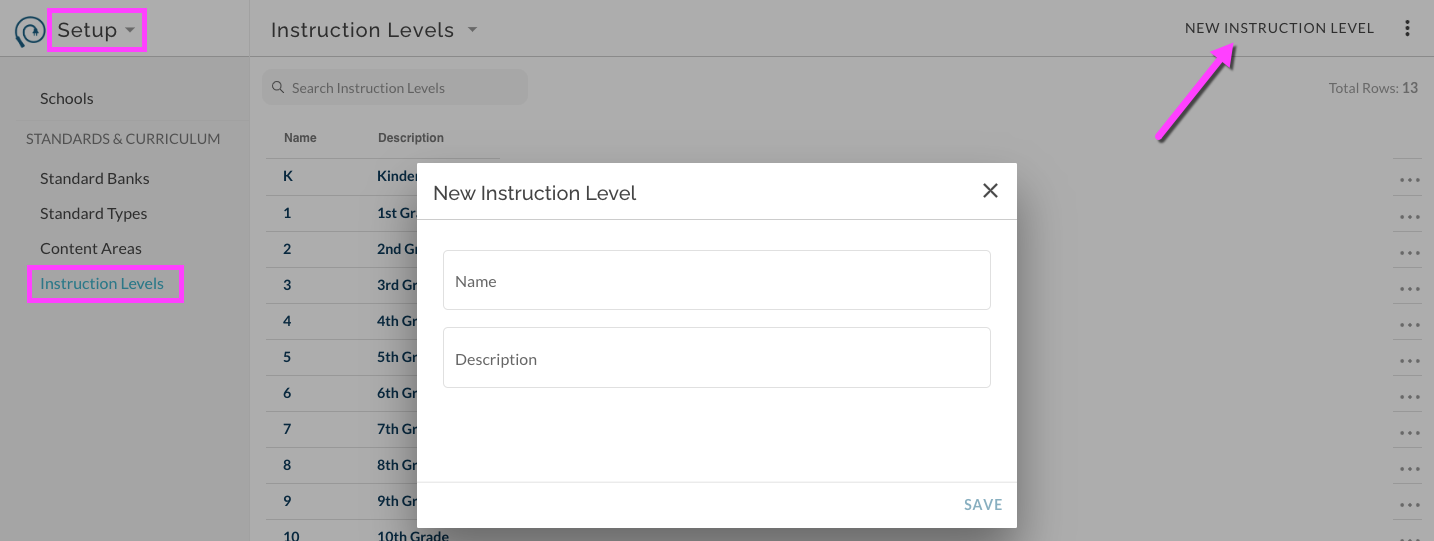
Each Child Standard can optionally have one or more Instruction Levels associated with it. Parent Standards do not have specific Instruction Levels. An Instruction Level is an organizational tool to help teachers and other staff to identify Child Standards and to filter Banks when selecting Child Standards for their course sections. Instruction Levels are optional for each Child Standard. Newly created Instruction Levels are limited to three characters. If you are importing a set of Child Standards be sure that the needed Instruction Levels have already been created.
Create a new Instruction Level
In Setup Menu, select Instruction Levels. Select New Instruction Level in upper right menu. Enter Name and optional Description.
Edit existing Instruction Level
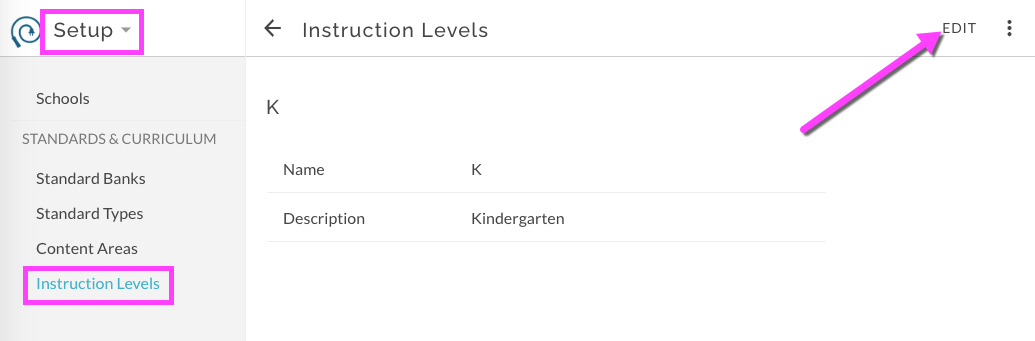
Select desired Instruction Level by clicking on its name. This opens the details for the Instruction Level. Select to edit.
Standard Banks
An individual Standard Bank contains select Parent Standards and their select underlying Child Standards. Each Bank can be individually associated with one or more schools in the district. This effectively allows for different schools within the same district to provide access to different banks of standards. Generally though, there is one active bank per district shared by all schools.
Before you can initially create any Parent or Child Standards, a Bank must be created. Standards can then be added to this bank by import or one at a time.
Create a new Standard Bank
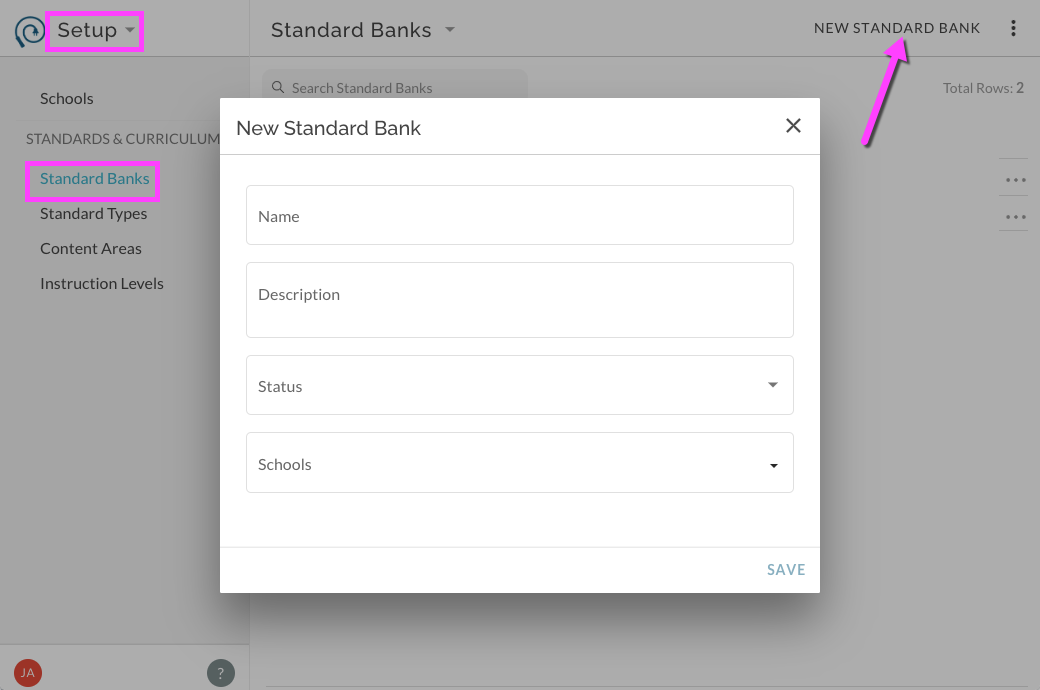
In Setup Menu, select Standard Banks. Select New Standard Bank in upper right menu. Enter details which include a title, optional description, status and associated schools.
Title - Suggested titles include the initial school year of the bank.
Description - optional text, often used to indicate a 'pilot' or 'draft' bank.
Status - Published (active and able to be accessed and used by teachers), In Design (not accessible to teachers but accessible to those with editing privileges), Archived (not accessible to teachers and not actively being worked on, usually a set of 'retired' standards no longer in use, accessible to those with editing privileges).
Schools - Names of schools that have access to the particular bank. A teacher must have a Role at the given school to have access to the Bank.
Edit existing Standard Bank
Select desired Standard Bank by clicking on its name. This opens the details for the Standard Bank. Select to edit.