

Administrators can manage what Grade book features are available to teachers per Term. This includes limiting/allowing access to a past term and for the school year.
Some schools may wish to 'close' grade books at the end of the school year. Limiting access by unchecking the 'Allow' feature for a recently ended school year is synonymous with 'closing' the gradebook for the year.
In Setup -> Schedule -> Terms, select the more menu and Edit for the desired Term.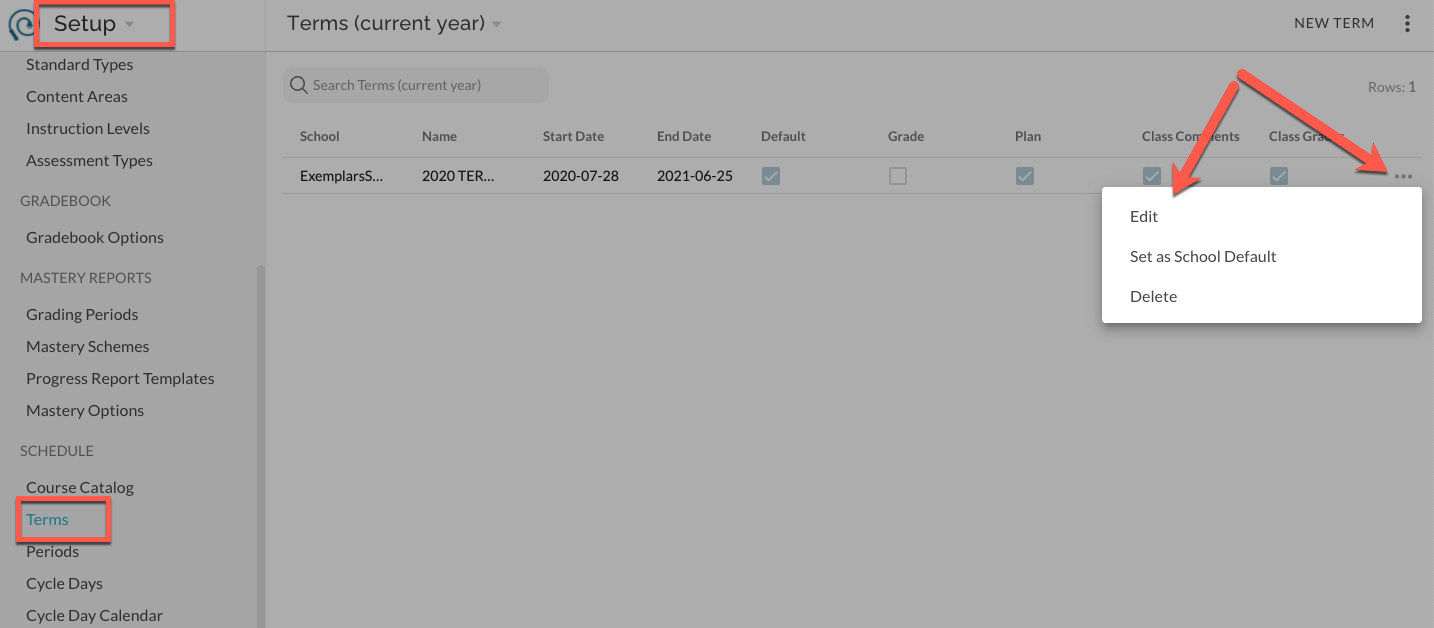
Toggle "Allow" switches as desired and Save.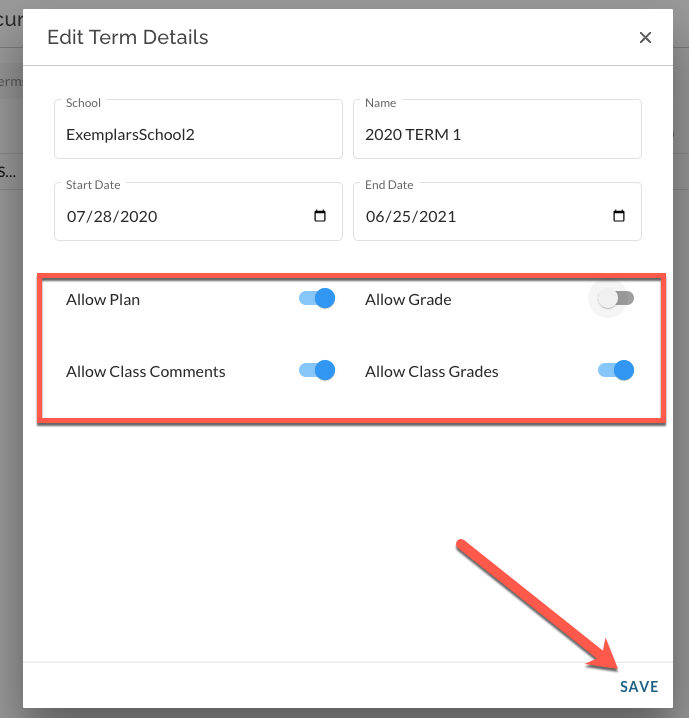
Permissions for non-Default Terms
All permissions will default to 'Allow' for the current school year for both default and non-default terms.
- Allow Plan- Allows access to the Plan tab and features for the given term
- Allow Grade- Allows access to create or edit scores in the Grade tool for classes in this term.
- Allow Class Comments- Allows teachers to add or edit the Class Comments for classes in this term.
- Allow Grade Override- Allows teachers to override final class grades for classes in this term.
More: Managing Terms