

The Family Portal allows students and their families to access student mastery and related data online. Use the setup module to enable the Family Portal and customize the experience.
Note: manage portal accounts in the Admin module.
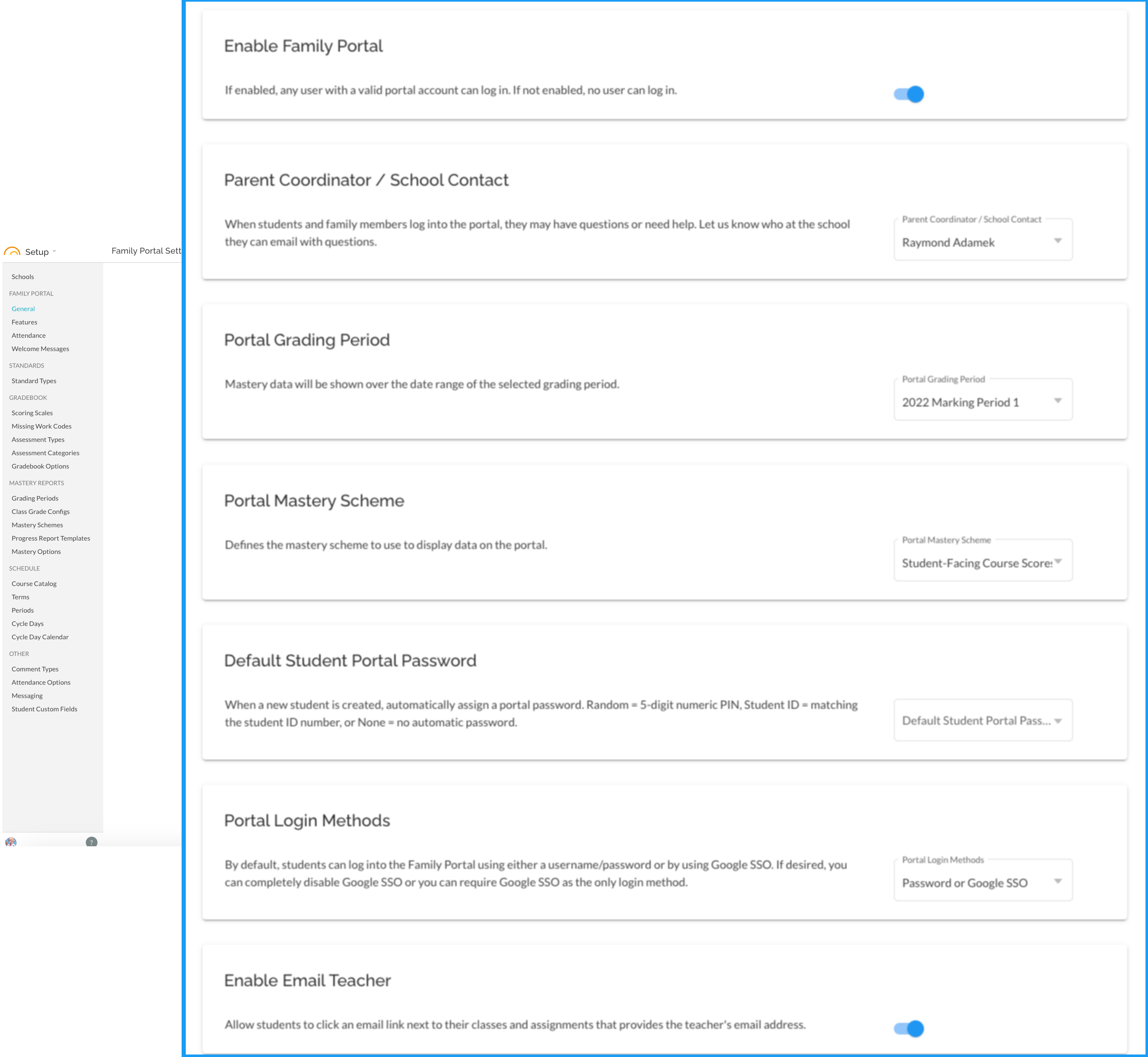
- Enable Family Portal : if not enabled, no user can access the family portal.
- Parent Coordinator / School Contact: A school staff member that a student and their guardian can contact if they have questions or need assistance.
- Portal Grading Period : to simplify the experience, the portal shows mastery data over a specific grading period at a time. Portal users cannot change this date range, so make sure to keep it current.
- Portal Mastery Scheme : to simplify the experience, the portal shows mastery data using a specific reporting scheme at a time.
- Default Student Portal Password : since student records can be created at any time via a SIS data import or other process, this determines the behavior when a new student record is created.
- None: no password will be automatically set, and an admin must set the password for the account to be active.
- Set to Student ID: new student records will automatically get a portal password equal to their primary student ID.
- Set to 5-digit PIN: a random numeric PIN-style password will be created for each new student.
- Enable Portal Google SSO : if enabled, users can log into the portal using a standard single sign-on workflow with their Google Apps account. To work correctly, the student email username must match their Google Apps email address.
- Portal Login Methods: If using Google based email addresses for Student Accounts, this setting can determine the password pathway.
- Password or Google SSO allows Student Accounts to use either their JumpRope managed password (in Admin - Student Accounts) or Sign in with Google SSO
- Username/Password only forces Student Accounts to login with the username and password managed in Admin - Student Accounts. They cannot use the Sign in with Google SSO button on login.
- Google SSO only requires Student Accounts to use the Sign in with Google SSO button on the JumpRope login page. In this case, the Password value managed in Admin - Student Accounts is unused.
- Enable Email Teacher: Adds an envelope icon link next to the class name and assignments in the portal that allows students to directly email the teacher of record (note if there are co-teachers, it will only email the first teacher of record for the class).
See Also:
Setup: Family Portal - Features
Setup: Family Portal - Attendance
Setup: Family Portal - Messaging