

Navigate to Setup - Other - Comment Types
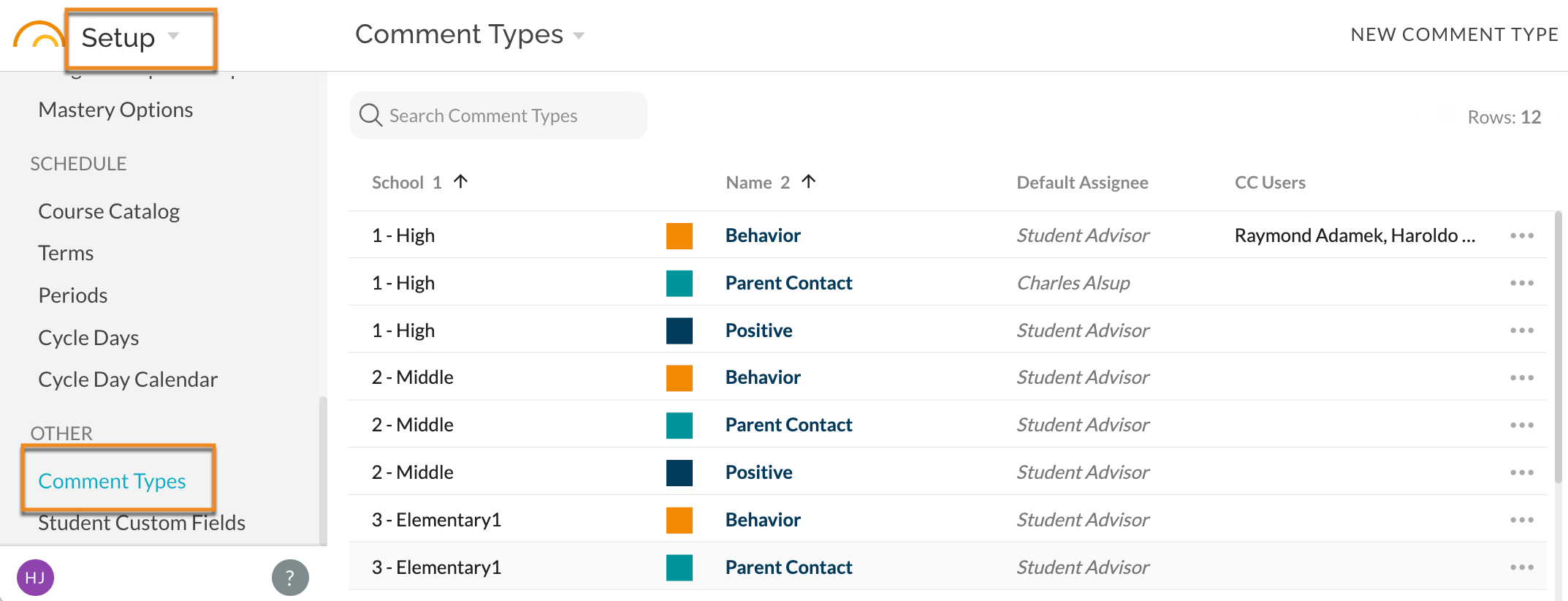
- Create a new comment type by clicking New Comment Type in the top right corner.
- Edit existing types by clicking on the more menu item for the desired type. You can edit its existing name (which will affect all past instances) or you can archive the type (which will maintain the type on all past records but not allow teachers to use the type any longer).
Comment Types can include a default assignee. By default, comment types will assign to the student's advisor (or if there is no advisor, the issuer of the comment must choose an assignee). Setup users can change Comment Type default to assign to any active staff account (may be useful for e.g. dean's referrals, parent contact comments, etc.).
Similarly, comment types can have default CCs associated with them. Similar to default assignee, this will automatically add the default CC user(s) to any new comments of the type (in addition to any followers of the student or CC users the issuer of the comment chooses to manually add to the comment). 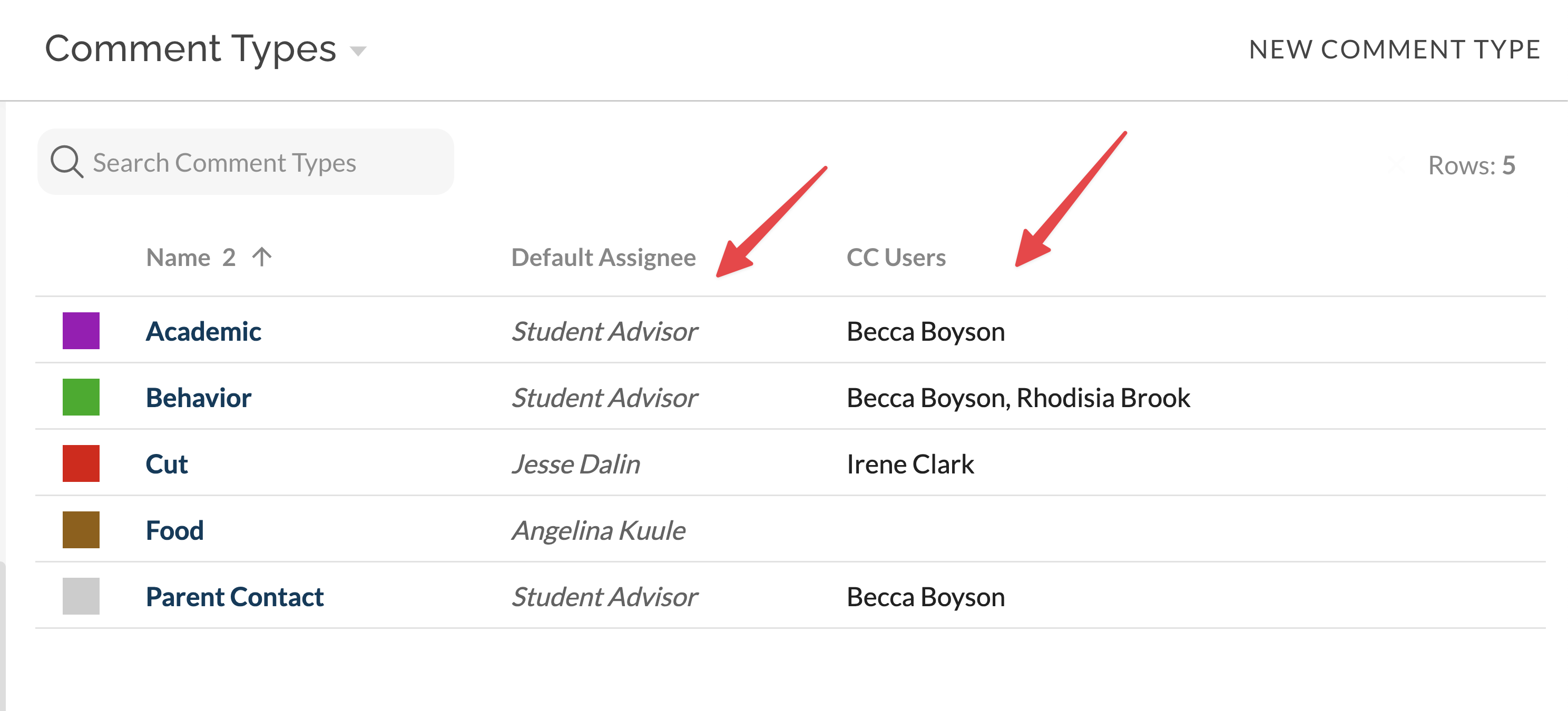
When submitting a comment that has no default assignee, users will get a one-click option to assign the comment to themselves if there is no natural assignee (often comments are just FYI / "for the record").
For more on Anecdotal Comments see here.